TenantCloud Review: An All-in-One Property Manager That Almost Gets Everything Right
Picture your rental business as it probably looks right now: a folder of leases on your laptop, a separate app for collecting rent, a text thread with your handyman, and a spreadsheet somewhere tracking who owes what. It works, technically. But it also means you’re the one holding all those pieces together, every single month.
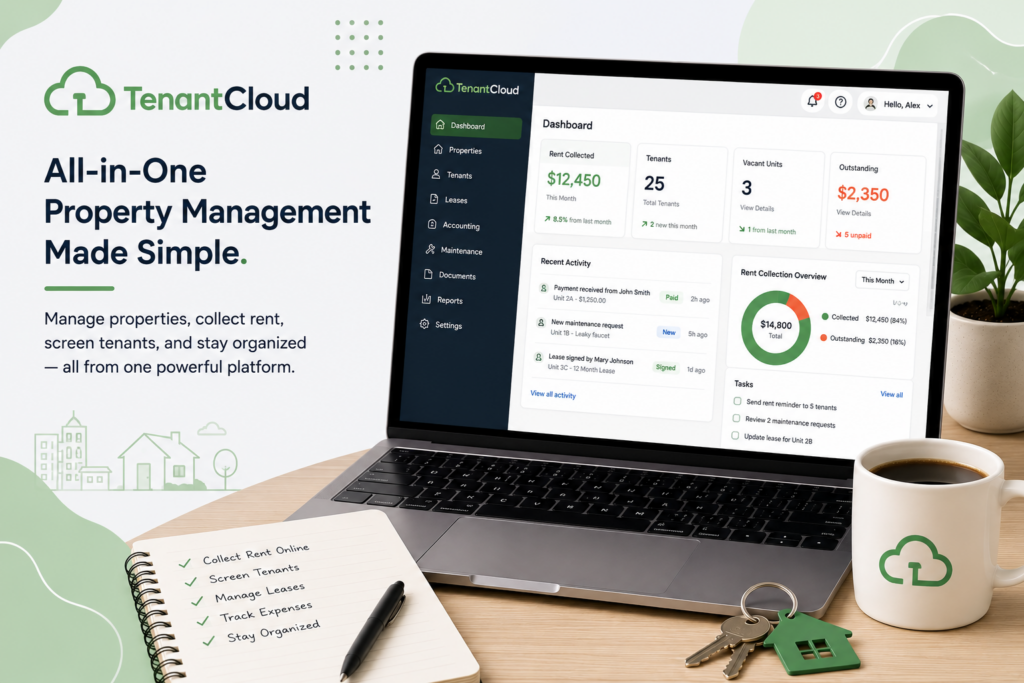
TenantCloud was built to hand you one dashboard instead of five disconnected habits — leases, rent, screening, maintenance, even a bit of accounting, all living in the same place. And for a lot of small landlords, that consolidation genuinely changes how manageable the job feels. But if you talk to people who’ve actually used it for a while, you’ll hear a consistent, honest asterisk: the parts that touch your books can be genuinely frustrating. Let’s walk through what TenantCloud does well, where it stumbles, and how to set yourself up so you land on the “genuinely helpful” side of that experience rather than the “fighting my accounting sync” side.
What Is TenantCloud?
Think of TenantCloud as a rental business operating system. You get a centralized dashboard for managing however many properties you own, online rent collection with automated reminders and late-fee enforcement, tenant screening (credit, background, and eviction checks), maintenance request tracking where tenants submit issues directly and you assign and monitor the fix, and financial reporting that tracks income and expenses property by property.
One feature worth knowing about upfront: TenantCloud lets you build your own customized listing website to showcase your rentals and attract tenants — a nice touch if you want your properties to feel like they belong to a real, professional operation rather than a Craigslist post. Electronic lease signing speeds up the leasing process, and everything — payments, maintenance, communication — is meant to happen inside one app rather than scattered across your personal phone and email.
That last part matters more than it sounds. One property manager, reviewing the platform after switching over, described what changed for her simply: she stopped juggling separate sources for applications, background checks, payments, and service calls, and started communicating with tenants only through the app — no more work messages landing on her personal phone at all hours. That’s the kind of quiet quality-of-life change that’s easy to underestimate until you’ve lived without it.
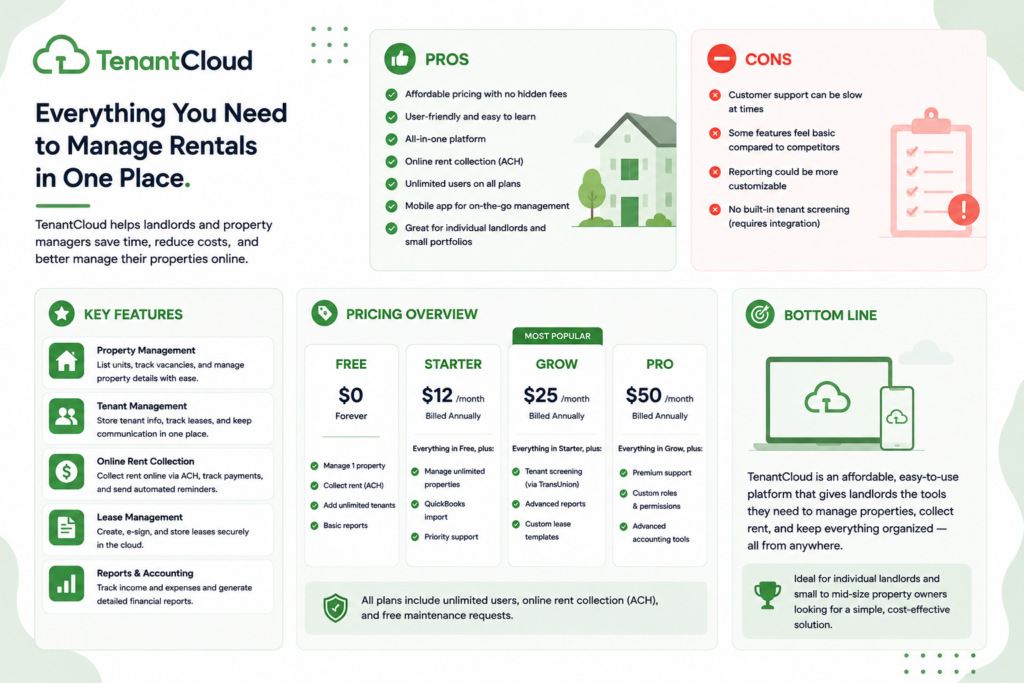
Pricing starts around $17/month, with a free starter plan available if you want to test the waters first. Compared to competitors, reviewers consistently note the paid plans as economical — SelectHub’s aggregated data found 81% of reviews specifically praised the pricing relative to what you get.
TenantCloud Is Best For
- Landlords and small property managers wanting one platform for the entire rental lifecycle
- Owners who want a branded listing website rather than posting properties piecemeal
- Small portfolios where affordability matters as much as feature depth
- Landlords who want tenant communication consolidated into one app instead of personal phone and email
Not recommended for:
- Anyone planning to lean heavily on the QuickBooks Online integration — several long-term users report real friction here
- Landlords who need dependable, hands-on onboarding support from day one
- Businesses where accurate, low-effort financial reporting is non-negotiable
- Property managers needing text message reminders sent directly to tenants, which isn’t currently supported
At a Glance
| Best For | Small landlords and property managers wanting an all-in-one platform |
| Starting Price | ~$17/month; free starter plan available |
| Free Trial | Yes |
| Mobile App | iOS and Android, for both landlords and tenants |
| AI Features | Limited; core value is consolidation, not AI |
| Ease of Use | Generally intuitive, with some workflow friction in accounting |
| Integrations | QuickBooks Online sync (mixed reviews on reliability) |
Pros & Cons
Pros
- Genuinely all-in-one — 93% of SelectHub-aggregated reviews praised its ability to consolidate diverse property management tasks
- Affordable relative to competitors, with a free starter plan to test before committing
- Custom listing website gives your properties a more professional, branded presence
- Consolidates tenant communication into one app, reducing personal-phone interruptions
- Responsive customer support during onboarding, according to multiple long-term users
Cons
- Accounting and QuickBooks Online sync draws consistent, specific frustration from real users
- Onboarding and new-customer support quality has been described as poor by at least one detailed reviewer
- No text message reminder option for tenants — notifications are app-based only
- Some lease-signing workflow quirks (like not being able to view a lease until all parties sign)
- A past acquisition reportedly came with reduced features for some existing users, according to Capterra feedback
TenantCloud Review: What Real Users Are Saying
Here’s the thing about TenantCloud’s reviews — they’re not all singing the same tune, and that’s actually useful information. Research.com’s overview confirms the platform lives up to its “all-in-one” branding: a centralized dashboard, integrated screening, online payments with automated reminders, and maintenance tracking that lets tenants submit requests directly while you assign and monitor them. On paper, it’s a complete system.
But dig into Capterra’s 451 reviews and a more textured picture appears. One CEO and principal broker, using the platform for six to twelve months, put it about as fairly as anyone could: TenantCloud is a solid platform with an impressive feature set at an affordable price point — but in his case, accounting and reporting struggles outweighed the benefits, to the point where he turned off the QuickBooks Online integration entirely because it was too disruptive to his books. His advice is worth repeating verbatim in spirit: test the workflows that matter most to your business before fully committing, rather than assuming every feature will work as smoothly as the marketing suggests.
That’s not an isolated complaint, either. Multiple reviewers echo the same shape of feedback — a clean, intuitive interface for the day-to-day stuff, paired with real friction the moment accounting enters the picture. One reviewer summarized it as features that “look great on paper,” with real-world workflows that feel clunkier than expected, plus onboarding and new-customer support they described as quite poor. That’s a meaningfully different experience than the smooth, responsive support other reviewers describe — which suggests your mileage may genuinely vary depending on when you signed up and what you’re trying to do.
On the more positive side, SelectHub’s aggregated analysis (193 reviews, 83% satisfaction) found pricing and all-in-one functionality as TenantCloud’s two clearest strengths, cited by 81% and 93% of reviewers respectively. G2’s reviewers describe the platform as intuitive, easy to learn, and continually improving, with one longtime user calling it the single solution that lets them operate a complete property management company. Another Capterra reviewer, ten years into using the platform, praised the cross-platform app and payment processing, while asking — reasonably — for text message reminders to tenants, a feature that still isn’t available.
Put simply: the people who use TenantCloud for straightforward property management — rent, leases, communication, maintenance — tend to genuinely like it. The people who lean hard on its accounting integration are more likely to hit friction. Knowing which camp you’ll fall into before you commit is the smartest thing you can do here.
Pricing
| Plan | Price | Best For |
|---|---|---|
| Free Starter | $0 | Testing the platform before committing to a paid plan |
| Paid plans | Starting ~$17/month | Small landlords and property managers wanting full feature access |
Hidden costs to watch for: The real “cost” with TenantCloud isn’t hidden in the pricing page — it’s hidden in your time, specifically around accounting. If you’re planning to sync with QuickBooks Online, budget time to test that workflow thoroughly before trusting it with your real books, since multiple experienced users report real disruption there. If your accounting needs are simple, this may never affect you at all.
Setup Guide: Getting Started with TenantCloud
1. Set Up Your Property Portfolio Structure
- Add properties and units with complete details before importing tenant data
- Organize properties logically if managing multiple buildings or owners
- Set up owner accounts separately if managing on behalf of others Payoff: a clean property structure from the start makes reporting accurate as your portfolio grows.
2. Import or Add Tenant and Lease Records
- Add current tenants and lease terms before activating online rent collection
- Double-check lease dates and rent amounts against your actual signed leases
- Attach lease documents directly to each tenant record for easy access Payoff: accurate lease records are the foundation every other TenantCloud feature builds on.
3. Configure Online Rent Payments
- Connect your bank account and enable ACH and card payments
- Set up autopay and send tenants instructions for enrolling
- Test the payment flow with a small transaction before relying on it for full rent collection Payoff: online payments are the feature most likely to reduce late rent, but only once tenants actually use them.
4. Set Up Maintenance Request Handling
- Enable the tenant portal for maintenance request submission
- Assign requests to specific staff or vendors as they come in
- Track resolution time to identify recurring maintenance issues Payoff: a documented maintenance history helps with both tenant satisfaction and owner reporting.
5. Build Your Owner and Financial Reports
- Set up automated owner statements if managing properties for others
- Reconcile your accounts monthly against actual bank activity
- Review reports for accuracy in your first cycle before treating them as reliable Payoff: reliable financial reporting is often the deciding factor owners use to judge a property manager.
Getting Value Fast: Your First Week Checklist
- Get one property fully set up and live on day one — listing, screening criteria, and rent collection all configured.
- Send your first rent reminder through the automated system to see the late-fee enforcement workflow in action.
- Route one maintenance request through the app, even a minor one, to test the assign-and-monitor flow before something urgent comes up.
- Ask a tenant to communicate with you only through the app for one week and notice how much quieter your personal phone gets.
- If accounting matters to you, run a small QuickBooks sync test now, before you’re relying on it during a busy month.
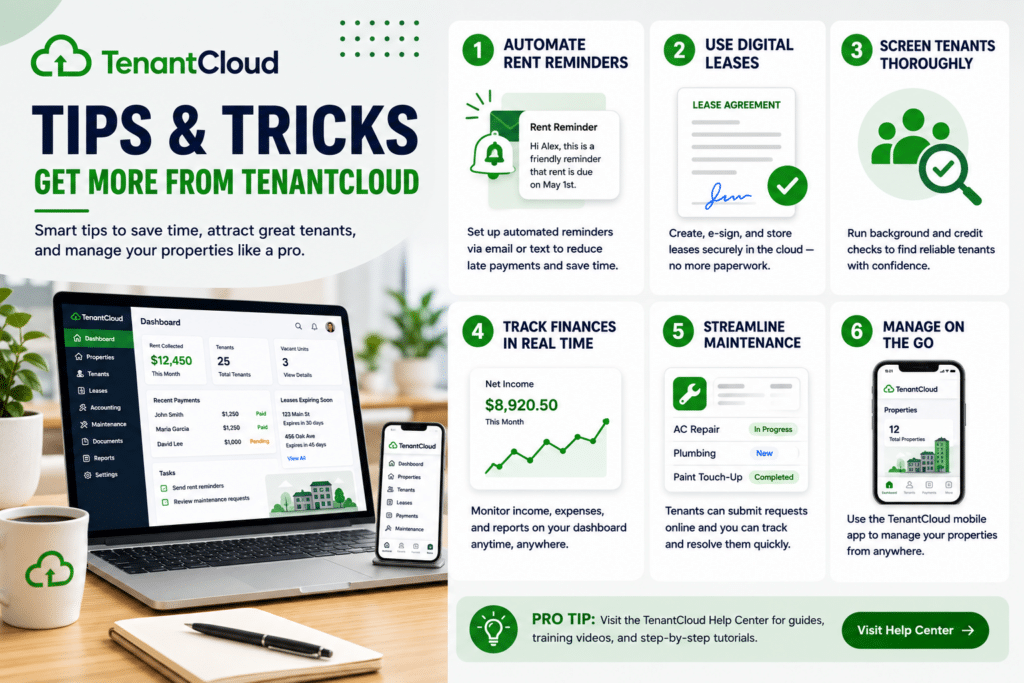
Tips & Tricks for Growing Your Business with TenantCloud
1. Treat the QuickBooks Sync as Something to Verify, Not Assume
- Test the sync with a small batch of transactions before connecting your full books
- Reconcile the synced data against your bank statement for the first month
- Keep a backup export of your financials until you fully trust the connection Payoff: given how consistently this shows up as a pain point in real reviews, a little upfront caution saves a lot of downstream frustration.
2. Lean Into the Branded Listing Website
- Set it up early, since it’s one of TenantCloud’s more distinctive features
- Use real photos and a complete property description to make the most of it
- Link it from your other marketing so it becomes your default first impression Payoff: it’s an easy way to make your rentals look like a real, professional operation — and it’s not something every competitor offers at this price.
3. Move Communication Into the App on Purpose, Not Gradually
- Announce the switch to tenants directly rather than letting it happen slowly
- Stop replying to texts once the transition starts
- Redirect any tenant who texts you back into the app Payoff: this is the specific change one property manager credited with cutting the chaos and quieting her personal phone entirely — a clean break works better than a slow fade.
4. Plan a Workaround if Text Reminders Matter to Your Tenants
- Identify tenants who may not check the app regularly
- Set a personal reminder to follow up with them directly if needed
- Revisit this as TenantCloud’s feature set evolves Payoff: since SMS notifications aren’t currently supported, a small manual workaround now prevents a missed rent reminder later.
5. Read Recent Reviews Before Renewing, Not Just Before Signing Up
- Check for any reported changes to your specific plan’s features
- Watch specifically for anything tied to past acquisitions or ownership changes
- Compare your current experience against what you originally signed up for Payoff: at least one reviewer noted feature changes following a past acquisition — staying current avoids being caught off guard at renewal.
6. Use the Free Starter Plan to Test Before You Commit
- Run your actual workflows on the free tier first
- Pay specific attention to how the accounting and reporting features feel for your situation
- Upgrade only once you’ve confirmed the parts that matter most to you work smoothly Payoff: there’s no reason to commit blind when a genuine free option exists — test the exact features you’ll depend on most.
Alternatives to TenantCloud
Choose TurboTenant if you want a genuinely free core plan and don’t need built-in accounting features.
Choose Buildium if accounting depth and reporting accuracy are non-negotiable for your business.
Choose TenantCloud if you want a genuinely all-in-one platform at an affordable price, and your accounting needs are simple enough that the QuickBooks friction some users report won’t affect you.
Final Verdict
TenantCloud earns real, consistent praise for doing exactly what it promises: pulling your entire rental operation — leases, rent, screening, maintenance, communication — into one affordable, mostly intuitive platform. The honest caveat, and it’s worth taking seriously, is accounting: several experienced users report genuine friction with the QuickBooks Online integration, to the point of turning it off entirely. If your bookkeeping needs are simple, you’re likely to have the smooth experience most reviewers describe. If you’re planning to lean on TenantCloud as your accounting backbone, test that piece thoroughly before you trust it with your real books — and you’ll know quickly whether TenantCloud is the all-in-one solution it promises to be for your business specifically.
Frequently Asked Questions
Is TenantCloud good for small landlords?
Yes — reviewers consistently praise its all-in-one functionality and affordability for small portfolios, with 93% of aggregated reviews citing its ability to consolidate property management tasks as a key strength.
Does TenantCloud integrate with QuickBooks?
Yes, but multiple experienced users report real friction with this integration, including disruption to their books. Test the sync carefully with a small batch of transactions before relying on it fully.
Can TenantCloud send text message reminders to tenants?
No — notifications currently run through the app only, without SMS support, which several reviewers have specifically requested as a missing feature.
How much does TenantCloud cost?
Paid plans start around $17/month, with a free starter plan available for landlords who want to test the platform before committing.