Innago Review: The Property Management Platform With No Paid Tiers at All
Zero. That’s Innago’s subscription price, and unlike TurboTenant’s free-with-premium-upsell model, Innago has no paid tiers to upgrade into. There’s no Essentials plan, no Pro plan, no feature wall waiting behind a credit card prompt. Landlords pay nothing, ever. Revenue comes entirely from optional per-use fees — tenant screening costs, and a standard 2.9% + $0.30 processing fee if a tenant pays by credit card. ACH bank transfers are free for both parties.
That’s an unusually clean model, and the data on how it performs is consistent across sources: independent scoring from ITQlick puts Innago at 82/100, Software Advice’s analysis of 521 verified reviews centers on prompt, effective customer support as the platform’s defining strength, and Capterra reviewers describe it as a genuine game-changer specifically because no other free platform matches its combination of price and functionality. This article breaks down what Innago actually includes, what the numbers say, how to get set up, and how to extract real value fast.
What Is Innago?
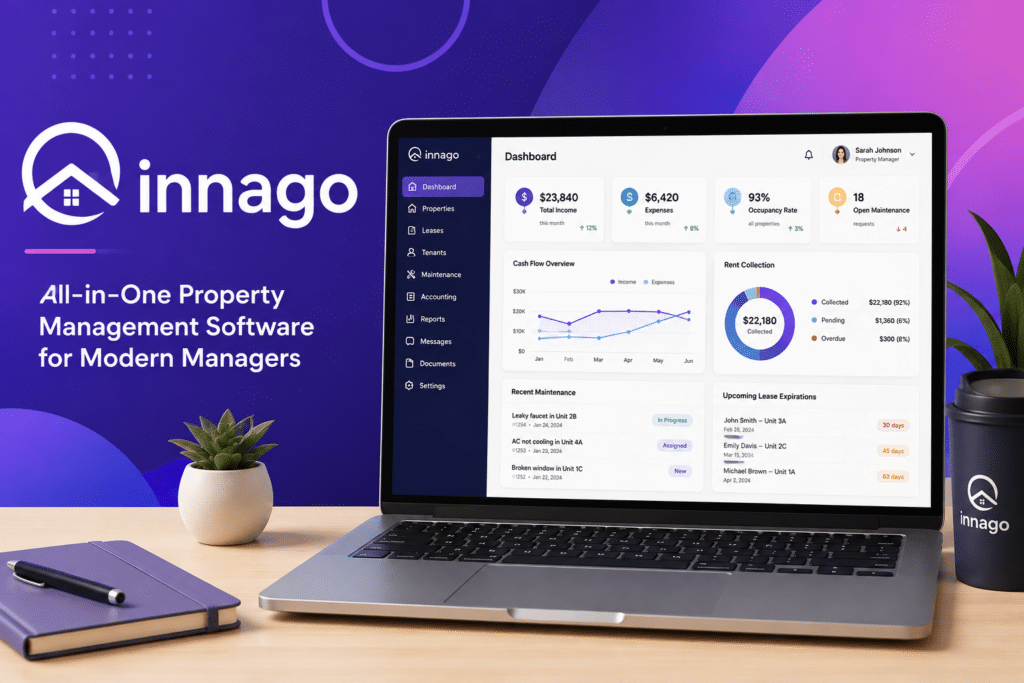
Innago is a free, web-based property management platform built to automate the rent, maintenance, and lease-expiration reminders that otherwise eat a landlord’s time. It handles tenant screening (via a TransUnion partnership covering credit, criminal, and eviction reports), customizable lease templates with e-signature support, online rent collection with autopay and automated late fees, and maintenance request tracking through a tenant-facing portal.
One detail worth flagging directly: Innago supports uploading your own existing lease documents and using the platform purely for e-signature functionality. That’s a meaningful flexibility point for landlords who already have attorney-reviewed leases and don’t want to abandon them for a generic template. Screening criteria can be set as minimum requirements visible to applicants before they apply — a self-filtering mechanism that reduces unqualified applications reaching your inbox in the first place.
The platform manages multiple property types — student housing, residential, and commercial — from one dashboard, with role assignment for landlords running properties with any kind of team support. Financial reporting tracks income and expenses at a basic level: a real step up from spreadsheets, but reviewers are consistent that it doesn’t approach the automated accounting depth of Stessa or the full accounting suite built into Buildium.
Innago’s standout differentiator, according to multiple independent reviewers, isn’t a feature at all — it’s the support model. Each landlord gets a dedicated account representative for onboarding, troubleshooting, and general questions. That’s an uncommon structure for any software tier, let alone a free one.
Innago Is Best For
- Small landlords who want a genuinely free platform with zero paid tiers or upsell pressure
- Owners who already have their own attorney-reviewed leases and just need e-signature functionality
- Landlords who handle most maintenance themselves or through a small contractor network
- First-time landlords who want a dedicated human contact for onboarding support
Not recommended for:
- Landlords needing sophisticated maintenance workflows — vendor management, work order templates, and automated dispatching are all absent
- Anyone needing full accounting automation rather than basic income/expense tracking
- Landlords prioritizing broad listing syndication — Innago’s site reach is far smaller than TurboTenant’s 20+ network
- Owners who want to disable the credit card payment option for tenants, which isn’t currently configurable
At a Glance
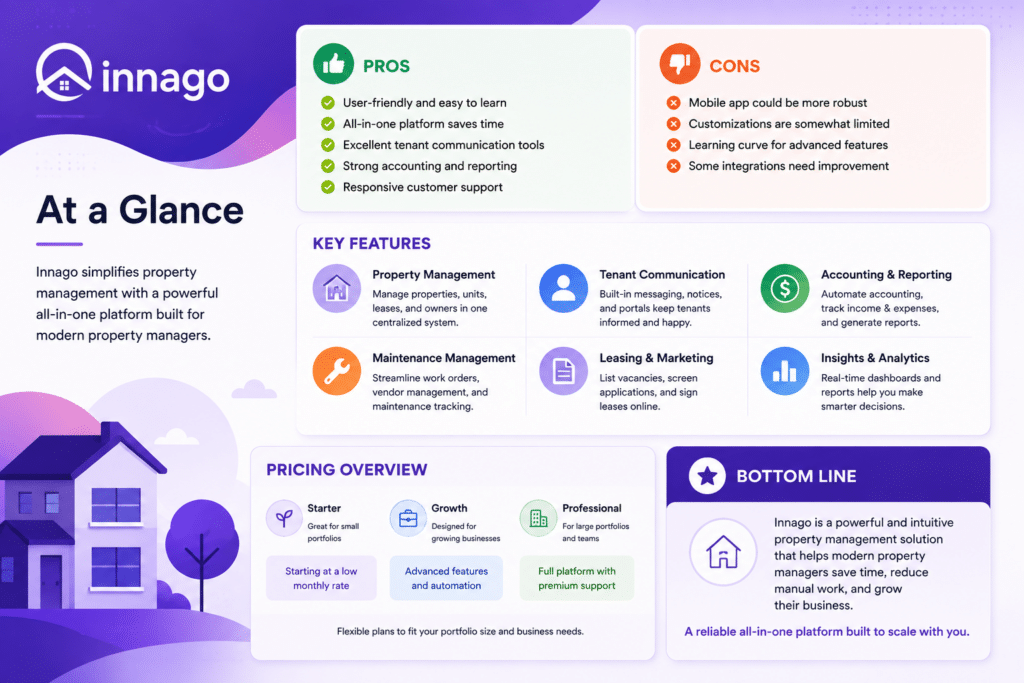
| Best For | Small landlords wanting a truly free platform, no upsells |
| Starting Price | $0 — no paid tiers exist |
| Free Trial | Not applicable — the entire platform is free |
| Mobile App | Web-based; check current native app availability directly |
| AI Features | Minimal; core value is automation, not AI |
| Ease of Use | High — 521 verified reviews cite user-friendliness consistently |
| Integrations | TransUnion (screening); limited beyond that |
Pros & Cons
Pros
- Genuinely free — no paid tiers, no feature wall, no credit card required to start
- Free ACH transfers for both landlords and tenants, a real advantage over competitors charging per transaction
- Dedicated account representative for onboarding and support, unusual for any free platform
- Flexibility to use your own existing lease documents for e-signature only
- Self-filtering screening criteria reduces unqualified applications before they reach you
Cons
- Maintenance workflows lack vendor management, work order templates, and cost tracking per item
- Basic financial reporting only — not a substitute for dedicated accounting software
- Listing syndication reach is significantly smaller than TurboTenant’s
- Multiple Capterra reviewers report recurring billing and payment-posting glitches requiring support calls
- No option to disable credit card payments for tenants who’d rather restrict to ACH only
Innago Review: What the Data and Reviewers Say
The numbers tell a consistent story. ITQlick’s independent scoring puts Innago at 82/100, positioning it against Buildium, Propertyware, and AppFolio as the closest comparable alternatives — a notable comparison set given Innago costs nothing and those three do not. Software Advice’s analysis, built on 521 verified reviews, identifies customer support as the platform’s most consistently praised attribute: users describe the support team as prompt, friendly, and effective at handling onboarding, troubleshooting, and edge-case scenarios.
RankedRev’s review confirms this pattern with more precision, calling the dedicated account representative model Innago’s “unexpected strength” — each landlord gets a specific person who understands their account, a level of personal support the review states is unheard of for a free platform and uncommon even among paid competitors. The same review is direct about the trade-off: fewer advanced features and less polish than subscription-based tools, in exchange for a genuinely free, no-strings-attached platform.
ThePropertyCEO’s detailed comparison review gets specific about where Innago wins and loses against direct competitors. On payments: free ACH for both parties is a real, quantifiable advantage — Avail charges $2.50 per ACH transaction on its free plan, making Innago’s zero-cost transfer a legitimate reason to choose it over that alternative specifically. On maintenance: functional but limited — more capable than TurboTenant’s maintenance feature, but missing vendor management, work order templates, cost tracking, and automated dispatching found in Buildium or DoorLoop. On listings: syndication exists but doesn’t come close to TurboTenant’s 20+ site network. On accounting: better than a spreadsheet, nowhere near Stessa’s automation or Buildium’s full suite.
Capterra’s verified reviews (drawn from real, ongoing users) reinforce both the strength and the friction points with specific numbers behind them. One owner managing multiple commercial and residential properties called Innago’s minimal cost and low-effort management a standout combination. Another described it plainly as a game-changer, noting no other free site offers this level of functionality. But the same review source surfaces a recurring technical complaint: billing and payment posting occasionally “gets skewed,” with one reviewer reporting contact with support about six times a year to resolve it — a specific, quantified friction point worth factoring in, not a vague complaint.
Pricing
| Plan | Price | Best For |
|---|---|---|
| Free (only plan) | $0/month, no paid tiers | Every landlord — this is Innago’s entire pricing structure |
Optional per-use costs: ACH bank transfers are free for both landlord and tenant. Credit card payments incur the standard 2.9% + $0.30 processing fee, typically passed to the tenant. Tenant screening through TransUnion carries a per-report cost, commonly paid by the applicant.
Hidden costs to watch for: There’s genuinely little to hide here — Innago’s entire business model is transparent, per-use pricing rather than subscription tiers. The real cost consideration is functional, not financial: budget separately for accounting software if your reporting needs exceed basic income/expense tracking, and expect to handle maintenance vendor coordination outside the platform if your operation needs more than what a small, self-managed contractor network requires.
Setup Guide: Getting Started with Innago
1. Set Up Your Properties and Units
- Add complete property and unit details, including rent amounts and lease terms
- Organize by property if managing multiple locations
- Confirm unit-level details are accurate before inviting tenants to the portal Payoff: accurate unit setup avoids rent collection errors down the line.
2. Build Your Lease Agreements
- Use Innago’s lease templates and customize them for your state and property
- Attach any required disclosures or addenda directly to the lease
- Send leases for e-signature through the platform rather than handling paper copies Payoff: digital lease signing speeds up move-in and creates a clean audit trail.
3. Set Up Free Online Rent Collection
- Connect your bank account for ACH payments, which Innago offers without transaction fees to landlords
- Set due dates and configure late fee rules to match your lease
- Invite tenants to the portal with clear instructions for enrolling in autopay Payoff: fee-free rent collection is one of Innago’s most-cited advantages — worth setting up from day one.
4. Configure Maintenance Request Tracking
- Enable tenant-submitted maintenance requests through the portal
- Set up notifications so requests reach you immediately
- Document resolution steps for each request in case of future disputes Payoff: a documented maintenance trail protects landlords as much as it helps tenants.
5. Set Up Tenant Screening for New Applicants
- Enable screening reports (credit, background, eviction history) before accepting applications
- Set your qualification criteria before your first applicant applies
- Review Innago’s report format so you know what to check before approving Payoff: consistent screening criteria protect you from both bad tenants and discrimination claims.
Getting Value Fast: Your First Week Checklist
- Add your properties and publish minimum screening criteria on day one to start filtering applicants immediately.
- Test your lease workflow — either Innago’s template or your own uploaded document — with one real signature to confirm the process works as expected.
- Set up autopay and ACH as the default payment method to lock in the free-transfer advantage from your first collected rent.
- Introduce yourself to your dedicated account representative and ask one real setup question — this relationship is Innago’s most distinctive asset, and using it early establishes the connection.
- Route one maintenance request through the tenant portal, even a minor one, to test the tracking flow before something urgent comes up.

Tips & Tricks for Growing Your Business with Innago
1. Lock In Free ACH as Your Default Payment Method
- Set autopay to default to ACH rather than credit card during tenant onboarding
- Explain the fee difference to tenants directly — ACH costs them nothing, card payments carry the 2.9% + $0.30 fee
- Monitor which tenants opt into credit card anyway and follow up if it’s avoidable
- Reconcile ACH transfers against your bank statement monthly to catch the occasional posting delay early Payoff: this is the single clearest, most quantifiable cost advantage Innago has over fee-charging competitors like Avail — use it fully.
2. Build Your Screening Criteria Before You List, Not After
- Set minimum credit score, income, and rental history requirements as visible pre-application filters
- Review and adjust criteria after your first few applicant batches to calibrate for your market
- Pair TransUnion’s report data with a quick reference check for consistency Payoff: self-filtering criteria means fewer unqualified applications landing in your queue — less time screening, more time deciding.
3. Use Your Dedicated Rep as a Real Resource, Not a Last Resort
- Reach out during setup with specific configuration questions, not just when something breaks
- Ask about workflow best practices specific to your property type (student housing, residential, commercial)
- Keep a running list of small questions and batch them into one call rather than several Payoff: reviewers consistently call this level of personal support unheard of for a free platform — using it proactively, not reactively, gets you more value from it.
4. Plan Your Maintenance Workflow Around Innago’s Actual Limits
- Use the portal for tenant-submitted requests with photos and descriptions
- Track status and priority manually if you’re coordinating multiple contractors, since work order templates aren’t built in
- Keep a simple external log for vendor cost tracking per job, since Innago doesn’t track this natively Payoff: knowing the ceiling upfront prevents frustration later — Innago handles simple, self-managed maintenance well; complex vendor networks need a supplementary system.
5. Supplement Financial Reporting if You Need More Than Basics
- Export Innago’s income/expense data regularly rather than letting it sit unreviewed
- Pair it with dedicated accounting software (Stessa or QuickBooks) if you need automated categorization or tax-ready reports
- Reconcile Innago’s numbers against your bank statement monthly, especially given reported billing glitches Payoff: treating Innago’s reporting as a data source rather than your final accounting system avoids surprises at tax time.
6. Don’t Rely on Innago’s Syndication as Your Primary Marketing Channel
- List through Innago for the basics, but post separately to major sites if vacancy speed matters
- Consider TurboTenant specifically for its 20+ site syndication network if listing reach becomes a bottleneck
- Track which channel actually generates your leads so you know where to double down Payoff: Innago’s syndication is a bonus, not a strategy — treat it as such and your vacancies won’t sit longer than they should.
Alternatives to Innago
Choose TurboTenant if listing syndication breadth matters more to you than Innago’s slightly deeper lease flexibility — TurboTenant’s 20+ site network is significantly larger.
Choose Buildium if you need full accounting automation and sophisticated maintenance workflows with vendor management built in.
Choose Innago if you want a genuinely free platform with zero paid tiers, free ACH transfers, and a dedicated human point of contact for support.
Final Verdict
The data supports Innago’s core claim: it’s genuinely free, with no upsell tiers hiding behind the marketing. Independent scoring (82/100 from ITQlick), aggregated review data (521 verified reviews via Software Advice), and repeated, specific praise for its dedicated-representative support model all point the same direction. The limitations are equally clear and specific — thinner maintenance workflows, basic accounting, smaller listing reach — but none of them contradict the core value proposition for a small landlord who wants free rent collection and real human support without a credit card on file. For that specific use case, the numbers say Innago delivers.
Frequently Asked Questions
Is Innago really completely free for landlords?
Yes — there are no paid tiers. Innago’s revenue comes from optional per-use fees: tenant screening costs and a standard 2.9% + $0.30 fee if a tenant chooses to pay rent by credit card. ACH transfers are free for both parties.
Does Innago charge for ACH rent payments?
No — ACH bank transfers are free for both landlords and tenants, a specific advantage over competitors like Avail, which charges $2.50 per ACH transaction even on its free plan.
Can I use my own lease documents with Innago?
Yes — you can upload existing, attorney-reviewed leases and use Innago purely for e-signature functionality, rather than being locked into its built-in templates.
Is Innago good for landlords with complex maintenance needs?
Less so — reviewers consistently note it lacks vendor management, work order templates, and cost tracking per maintenance item. It works well for landlords handling repairs themselves or through a small contractor network, but larger operations may need Buildium or DoorLoop instead.