Square POS Review 2026: The Exact Sales Volume Where “Free” Stops Being Free
Square POS Review: The Exact Sales Volume Where “Free” Stops Being Free
Square built its reputation on a promise that sounds almost too simple: free point-of-sale software, pay only when you get paid. That promise is still technically true in 2026, but Square now sells three subscription tiers — Free, Plus, and Premium — plus a growing stack of paid add-ons for kitchen displays, kiosks, and payroll. Our take: the free plan is genuinely free and genuinely usable, but it isn’t automatically the cheapest option once a business crosses a specific, calculable sales volume — and most reviews never show you where that line sits.
This review is research-based, built from Square’s published pricing and feature pages plus patterns pulled from hundreds of verified user reviews on G2 and Capterra, rather than from side-by-side hands-on testing of every plan. Where a number comes from Square’s own pricing page, it’s noted as such; where it comes from user experience, that’s noted too.
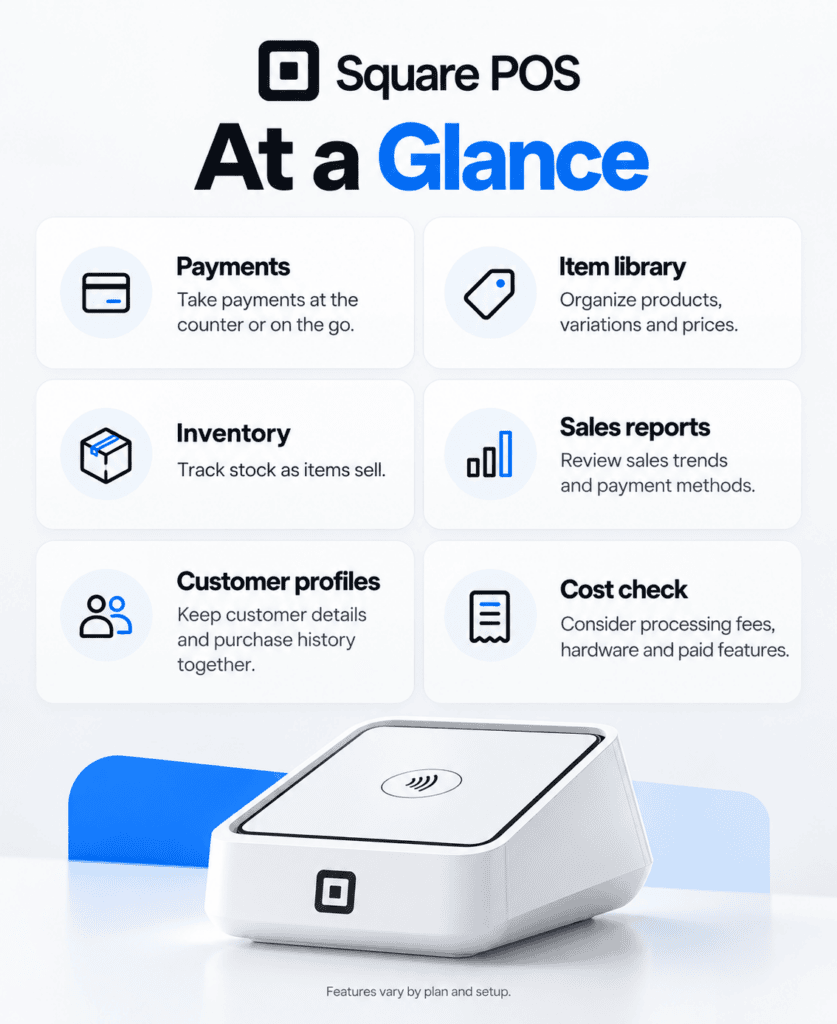
At a Glance
- Category: Point-of-sale software and payment processing
- Best for: Retail, food & beverage, beauty, and services businesses that want one system for payments, inventory, and a basic website
- Starting price: $0/month (Free plan), plus per-transaction processing fees
- Free trial: 30 days on Square Plus and Square Premium
- Standout strength: No-cost entry with free hardware options and Tap to Pay on iPhone/Android
- Biggest drawback: Automated account underwriting can trigger fund holds with little warning
- Top alternatives: Clover, Shopify POS, Lightspeed Retail
Is the Free Plan Actually Enough to Run a Business On?
For a genuinely small operation — a single location, modest transaction volume, no dedicated kitchen printer or self-service kiosk — the answer is mostly yes. Square Free includes:
- The full Square POS app on unlimited devices
- Inventory tracking and unlimited item catalog
- A website builder with basic SEO tools
- Sales reporting, reconciliation reports, and a daily sales summary email
- A free card reader for iPhone or Android (excluding the contactless model)
What it doesn’t include: staff scheduling permissions beyond the basics, expanded site customization, loyalty program tools, and the lowest processing rates. Square offers Tap to Pay on iPhone and Android, which lets a business take contactless payments with just a phone — genuinely useful for markets, pop-ups, and mobile service businesses that don’t want to buy hardware at all.
When Does Upgrading to Plus or Premium Actually Pay Off?
This is the question most Square reviews skip, and it’s the one that actually determines whether the free plan is a good deal for your specific business.
Here’s the current fee structure, verified against Square’s own pricing page:
| Plan | Monthly Fee | In-Person Rate | Online Rate | Manual Entry Rate |
|---|---|---|---|---|
| Free | $0 | 2.6% + 15¢ | 3.3% + 30¢ | 3.5% + 15¢ |
| Plus | $49/location | 2.5% + 15¢ | 2.9% + 30¢ | 3.5% + 15¢ |
| Premium | $149/location | 2.4% + 15¢ | 2.9% + 30¢ | 3.5% + 15¢ |
Now run the actual math. Take a boutique doing $12,000 in monthly sales, average ticket $40, split 70% in-person and 30% online (210 in-person transactions, 90 online transactions):
- On Free: ($8,400 × 2.6% + 210 × $0.15) + ($3,600 × 3.3% + 90 × $0.30) = $249.90 + $145.80 = $395.70/month, no subscription
- On Plus: $49 + ($8,400 × 2.5% + 210 × $0.15) + ($3,600 × 2.9% + 90 × $0.30) = $49 + $241.50 + $131.40 = $421.90/month
At this volume, Plus actually costs $26.20 more per month than Free — the rate savings don’t cover the subscription fee. The crossover point, where Plus’s lower rates finally offset its $49 fee, lands around $25,000–$26,000 in monthly sales at this same 70/30 mix. Businesses selling a larger share online cross that line sooner, since Plus’s online-rate discount (0.4 points) is four times larger than its in-person discount (0.1 points).
Premium’s math is even more lopsided against it on rate alone: its online rate is identical to Plus’s, so the entire $100/month jump from Plus buys only a 0.1-point discount on in-person cards, plus features — 24/7 phone support, no gift card load fee, advanced reporting. Premium is a features decision for high-volume, high-touch retailers, not a fee-savings decision.
Do You Need the KDS, Kiosk, or Payroll Add-Ons?
Square’s 2025 pricing overhaul consolidated more than a dozen separate subscriptions into the three core plans above — but several tools still stack on top as per-device or per-service add-ons:
- Square KDS app (kitchen display system): not available on Free; $30/month per device on Plus, $20/month on Premium
- Square Kiosk app (self-service ordering): not available on Free; $50/month per device on Plus, $30/month on Premium
- Square Payroll: $35/month base plus $6 per person paid
- Text message marketing: 500 messages included on Plus (then 3¢ each), 2,500 included on Premium (then 1.5¢ each)
A quick-service restaurant running two kitchen displays and a self-checkout kiosk on the Plus plan is paying $49 (base) + $60 (two KDS devices) + $50 (kiosk) = $159/month before a single transaction fee — worth knowing before assuming Plus is the “$49 plan.”
Where Square Runs Into Trouble
Two limitations show up consistently enough in verified reviews to be worth calling out by name rather than folding into vague “cons”:
- Automated underwriting can freeze funds without warning. Because Square opens accounts through a streamlined, largely automated process rather than traditional human underwriting, it can flag and hold funds when a business processes an unusually large transaction or a sudden volume spike — a pattern documented across multiple independent complaint compilations. Businesses that expect occasional large one-off sales (a wholesale order, a big-ticket item) are the most exposed.
- Reporting depth thins out for accounting-heavy operations. Several long-term Capterra reviewers specifically note that reports like the sales tax summary don’t always surface totals the way a bookkeeper would want, and that wholesale-style transactions (adding shipping as a non-item line, saving a transaction without immediately charging it) feel bolted on rather than native.
Neither issue is disqualifying for most retail or service businesses, but both are worth testing during the 30-day free trial before moving real inventory and real accounting onto the platform.
Square vs. Clover vs. Shopify POS vs. Lightspeed Retail
| Square | Clover | Shopify POS | Lightspeed Retail | |
|---|---|---|---|---|
| Free software tier | Yes | No | Yes (POS Lite, bundled) | No |
| Starting price | $0 | Varies by processor | $29–39/mo (ecommerce plan required) | $89/mo |
| Best for | General SMB, mixed online/in-person | Restaurants needing custom hardware | Sellers already running a Shopify store | Retailers needing deep inventory tools |
| Weakest spot | Fund-hold risk on volume spikes | Processor lock-in varies by reseller | POS Pro add-on required for real retail features | No free tier; per-register add-on pricing |
Choose Square if you want a single system that works the same way whether you’re brand-new or processing six figures a year, and you don’t expect irregular high-value transactions that might trip automated fraud checks. Choose Shopify POS if your online store is already the center of the business and you want in-person sales to sync into that same catalog. Choose Lightspeed Retail if inventory depth — multi-location transfers, vendor catalogs, landed cost tracking — matters more than the lowest possible software price. And choose Clover if a highly customizable countertop terminal matters more to your restaurant than Square’s software-first approach.
Who Gets the Most Out of Square — and Who Should Skip It
Square earns its reputation as one of the easiest ways for a small business to start accepting cards the same day, with genuinely useful free-tier features and no contract to sign. It’s the strongest fit for businesses under roughly $20,000–25,000 in monthly card sales that don’t yet need advanced staff permissions or loyalty tooling — for them, Free is not a stripped-down trial, it’s a complete system.
The businesses that should think twice: anyone who occasionally processes large, irregular transactions and can’t absorb a multi-day fund hold; and multi-location retailers whose real cost driver is per-device add-ons (KDS, Kiosk) stacking on top of the base subscription faster than the headline price suggests. For those buyers, running the exact math above against your own sales mix — not just Square’s advertised monthly fee — is the difference between a good decision and an expensive surprise.
If your sales are consistently above the $25K/month crossover point calculated earlier, Plus is worth the switch. Below it, stay on Free and re-run the math annually as volume grows. If you’re still weighing point-of-sale platforms broadly rather than deciding between plans, our full ecommerce and retail software roundup covers the rest of the field.
Frequently Asked Questions
Is Square POS really free? The core POS software is free with no monthly fee and no contract. You only pay processing fees per transaction and for optional add-ons like KDS, Kiosk, or Payroll.
How does Square make money if the software is free? Primarily through processing fees on every transaction, plus subscription revenue from Plus, Premium, and add-on products for businesses that need more than the free tier offers.
Does Square work well for online-only sellers? Yes, through Square Online, but a business selling mostly online should compare Square’s online rates (3.3% Free, 2.9% Plus/Premium) against an ecommerce-first platform like Shopify before committing, since online-heavy sellers hit the Plus breakeven point sooner.
What happens if Square holds my funds? Square typically reviews the account and may request documentation before releasing held funds; the timeline varies by case and isn’t guaranteed by Square, which is why irregular large transactions carry more risk than steady, predictable volume.
Can I accept American Express without paying more? Yes — Square charges the same rate for Visa, Mastercard, American Express, and Discover, which isn’t true of every processor.
Do I need to buy hardware to start using Square? No. Tap to Pay on iPhone and Android lets you accept contactless payments with no additional hardware, and invoicing, payment links, and a virtual terminal cover remote payments.
Integrations
- QuickBooks — syncs Square sales and fees into accounting records for reconciliation.
- Wix — syncs a Wix-built online store’s catalog and inventory with Square’s in-person system.
- Homebase — extends staff scheduling and time-tracking beyond what’s built into Square’s own team tools.
- Klaviyo — connects customer data collected at checkout to more advanced email and SMS marketing than Square’s built-in tools offer.
Alternatives
Clover — a stronger fit for restaurants that want highly customizable hardware and don’t mind working through a reseller for processing rates.
Shopify POS — the better choice when the online store is the primary sales channel and in-person selling needs to share that same catalog.
Lightspeed Retail — worth the higher starting price for retailers whose inventory complexity (multi-location transfers, vendor catalogs) outgrows Square’s simpler item library.