Shopify Review: Is the Industry-Leading Ecommerce Platform Worth the Rising Cost?
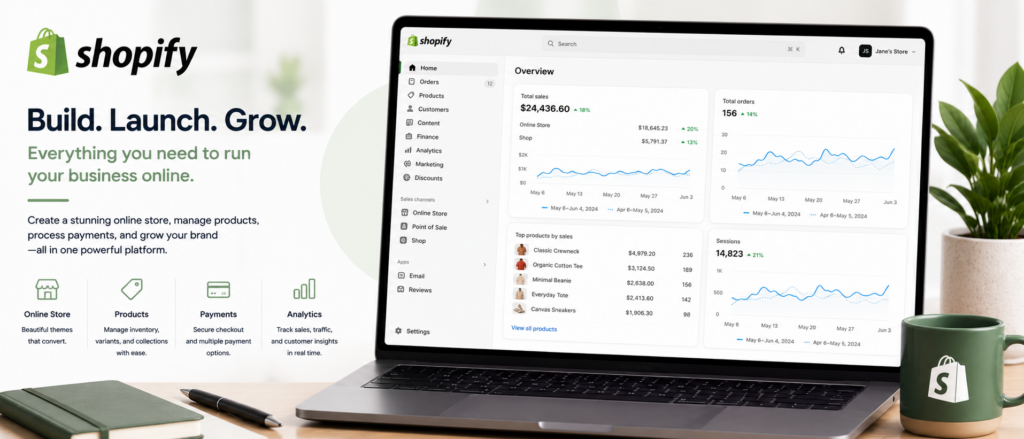
When most people picture starting an online store, they picture Shopify. It powers millions of businesses worldwide, from single-founder dropshipping stores to major global brands, and it’s become the default recommendation in nearly every “how do I sell online” conversation. That reputation is well-earned — Shopify built its business around the parts of ecommerce that matter most: checkout, payments, inventory, shipping, and reliability.
But “the most popular choice” and “the right choice for your business” aren’t always the same answer, and reviewers in 2026 are specific about where Shopify’s costs and limitations show up as a store grows. In this article, we’ll cover what Shopify actually does, what reviewers and real merchants say about it, how to launch your store, and the tips that help you avoid the cost creep reviewers warn about most.
What Is Shopify?
Shopify is a hosted, all-in-one ecommerce platform handling the full operational stack of running an online store — product and inventory management, checkout, payment processing, shipping, multichannel selling (web, social, marketplaces, and in-person via Shopify POS), analytics, and a growing set of AI tools. Because it’s fully hosted, Shopify handles web hosting, security updates, and SSL certificates on every plan, removing the technical overhead that self-hosted platforms like WooCommerce require store owners to manage themselves.
Shopify’s built-in payment processing, Shopify Payments, lets merchants accept payments immediately without setting up a separate gateway — a meaningful convenience for new sellers wanting to launch quickly. Merchants aren’t required to use it and can connect third-party payment providers instead, though Shopify applies an additional transaction fee when you do. The Shopify App Store, with thousands of integrations, extends functionality well beyond what ships natively — reviewers consistently point to this ecosystem as one of Shopify’s defining strengths, while also noting it’s the mechanism through which real costs tend to accumulate, since many genuinely useful features require paid apps rather than coming built in.
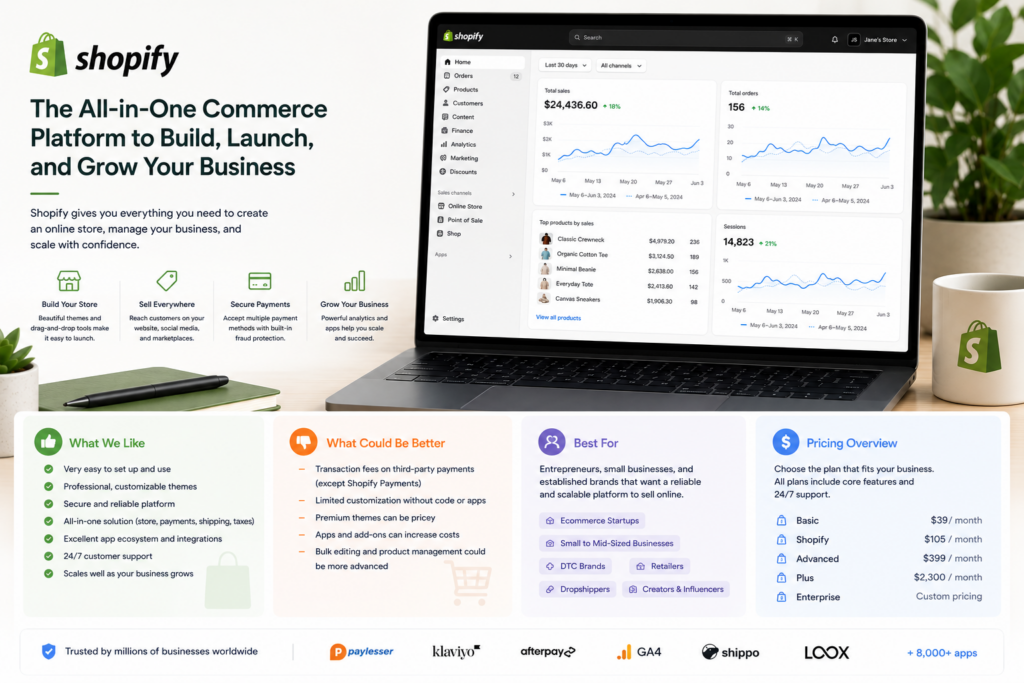
Pricing spans five tiers, though most small and midsize businesses evaluate three of them. Starter, around $5/month, is designed for social and link-based selling rather than a full storefront. Basic, commonly cited between $29–39/month depending on billing cycle and current promotions, is the most cost-effective entry point with all core ecommerce features. The mid-tier “Shopify”/Grow plan runs roughly $79–105/month, and Advanced runs roughly $299–399/month, both adding deeper reporting, lower transaction fees, and higher shipping discounts. Shopify Plus, an enterprise tier with custom pricing and contracts, sits outside this standard comparison entirely. Given how frequently Shopify has adjusted pricing and promotions, confirm current numbers directly on shopify.com before budgeting. A free trial (commonly 3 days, sometimes extended via promotion) is available, along with periodic promotional rates like $1/month for the first few months.
Shopify Is Best For
- Product-first businesses that want a reliable, scalable online store without managing hosting or technical infrastructure
- DTC brands, dropshippers, and print-on-demand sellers
- Businesses selling across multiple channels — web, social, marketplaces, and in-person via POS
- Merchants who value ecosystem maturity and app availability over deep, no-code design customization
Not recommended for:
- Very low-margin or early-stage sellers where cumulative plan, app, and transaction fees represent a real financial strain
- Businesses with complex product variant structures, which reviewers note hit hard limits on standard plans
- Content-driven or heavy-editorial businesses, where Shopify’s content management and SEO tools lag behind specialist platforms
- Merchants needing granular control over checkout behavior and tracking without upgrading to enterprise-tier Shopify Plus
At a Glance
| Best For | Product-first small to mid-sized ecommerce businesses |
| Starting Price | Starter $5/mo (social selling); Basic ~$29–39/mo (full store) |
| Free Trial | Short trial (commonly 3 days); periodic promotional rates |
| Mobile App | iOS and Android, full store and POS management |
| AI Features | Growing AI toolset for product descriptions, insights, and support |
| Ease of Use | High — beginner-friendly, no coding required to launch |
| Integrations | Thousands of apps via the Shopify App Store |
Pros & Cons
Pros
- Extremely easy to launch and manage a professional store, even without technical experience
- Best-in-class multichannel selling — web, social, marketplaces, and POS in one system
- Comprehensive built-in sales features from entry-level plans: abandoned cart recovery, discount codes, multi-location inventory
- Fully hosted — no need to manage hosting, security updates, or SSL separately
- Massive, mature app ecosystem covering nearly any functionality gap
Cons
- No permanent free plan, and the free trial is shorter than many competitors offer
- Costs grow meaningfully as you add apps, premium themes, and hit transaction fees (if not using Shopify Payments)
- Hard limits on product variants can be a real constraint for complex-catalog retailers
- Content management and SEO tools lag behind specialist platforms and even some competitors like WordPress/WooCommerce
- Advanced customization typically requires developer help, unlike more design-flexible builders
Shopify Review: What Reviewers and Real Merchants Are Saying
Reviewers are remarkably consistent that Shopify remains the strongest all-round ecommerce platform for small to midsize businesses, while being equally consistent about exactly where its costs and limitations show up. eCommerceCEO’s in-depth 2026 review awards Shopify 4.6/5 overall, calling it the strongest all-round platform for most small to mid-sized businesses thanks to an unmatched sales feature set, huge app ecosystem, and reliable infrastructure — while naming rising costs, hard limits on product variants, and weaker content/SEO tools compared to specialist platforms as the main trade-offs. Their explicit fit guidance: Shopify is best suited to product-first businesses like DTC brands, dropshippers, and print-on-demand sellers, while very low-margin sellers, complex-catalog retailers, and content-driven businesses may find better-suited alternatives.
Work-Management.org’s review reaches a similar conclusion through a different lens, framing the core decision simply: if your store is the center of your business, Shopify is usually a better choice than general website builders; if your website is mainly content-driven with ecommerce as secondary, WordPress with WooCommerce may offer more flexibility. StyleFactory Productions’ review praises Shopify’s strength in multi-channel selling, point-of-sale commerce, dropshipping, and international selling, combined with increasingly useful AI features and solid SEO tools relative to earlier versions of the platform — while noting content management tools still lag behind competitors, and that accessing important functionality often requires paying for apps.
Ecomm.design’s detailed pros-and-cons breakdown offers perhaps the most balanced, direct framing available: Shopify is a very good platform with a growing price tag, and whether that’s worth it depends entirely on fit — if your business model maps well to what Shopify does best, the costs are justifiable; if you find yourself working around its limitations from day one, it’s worth exploring alternatives before committing rather than after. Their specific list of poor-fit scenarios is worth taking seriously: merchants with complex product variant structures, businesses with heavy editorial or SEO needs, stores requiring granular checkout control, and anyone particularly sensitive to cumulative SaaS and transaction-fee costs as they scale. NetworkSolutions’ review echoes the pattern from a more general angle, confirming Shopify’s modern templates and responsive support make it ideal for small businesses, while specifically flagging hidden fees and customization challenges as common complaints, especially among growing brands whose needs outpace their starting plan.
Pricing
| Plan | Price (approx.) | Best For |
|---|---|---|
| Starter | ~$5/month | Social and link-based selling, not a full storefront |
| Basic | ~$29–39/month | New and small businesses wanting all core ecommerce features |
| Shopify (Grow) | ~$79–105/month | Growing businesses needing deeper reporting and lower fees |
| Advanced | ~$299–399/month | Larger operations needing advanced reporting and shipping discounts |
| Shopify Plus | Custom | Enterprise-tier businesses needing custom contracts and features |
Hidden costs to watch for: Reviewers are unanimous that the advertised plan price is not your real cost. Budget separately for apps (many genuinely useful features aren’t included natively), premium themes if the free ones don’t fit your brand, and transaction fees if you use a payment processor other than Shopify Payments. Given how frequently Shopify adjusts pricing and promotions, confirm current numbers directly before committing rather than relying on any single review’s figures, including this one.
Setup Guide: Launching Your Shopify Store
1. Choose a Theme Before Customizing Your Store
- Pick a theme that fits your product type and photography style, not just the most popular one
- Customize colors, fonts, and layout before adding products
- Preview the theme on mobile before finalizing — most traffic will be mobile Payoff: theme choice sets the ceiling for how polished your store looks without custom development.
2. Set Up Your Product Catalog With SEO in Mind
- Write unique product titles and descriptions rather than manufacturer copy-paste
- Add alt text to every product image for both SEO and accessibility
- Organize products into collections that match how customers will actually browse Payoff: SEO-optimized product pages are free organic traffic that compounds over time.
3. Configure Payment and Shipping Settings
- Set up Shopify Payments or your preferred processor, and test a transaction
- Build shipping rates that reflect your real costs, not flat guesses
- Set up tax settings correctly for every region you ship to Payoff: shipping and tax misconfiguration are among the most common reasons carts get abandoned.
4. Install Only the Apps You’ll Actually Use
- Start with essential apps (reviews, email capture) rather than installing everything in the App Store
- Audit installed apps monthly for ones that are slowing down your store
- Prioritize apps with strong reviews and clear pricing over flashy features Payoff: reviewers consistently note that app bloat is what tanks Shopify store speed.
5. Test the Full Purchase Flow Before Launch
- Place a full test order from browsing to checkout to confirmation email
- Check that abandoned cart emails and order notifications are firing correctly
- Fix any friction points before driving real traffic to the store Payoff: catching checkout friction before launch protects your conversion rate from day one.
Getting Value Fast: Your First Week Checklist
- Publish a small, real product catalog on day one rather than a placeholder store, so you can evaluate genuine usability against your actual business.
- Complete one full test purchase yourself through your live checkout to confirm payments, taxes, and shipping all calculate correctly.
- Set up abandoned cart recovery — it’s included from entry-level plans and is one of Shopify’s most immediately valuable built-in sales features.
- Connect one additional sales channel (Instagram, Facebook, or a marketplace) to start testing Shopify’s multichannel strength beyond your website alone.
- Track your first week’s app and fee spend against your subscription price, so you have an honest, early sense of your real monthly cost — not just the advertised plan price.
Tips & Tricks for Growing Your Business with Shopify
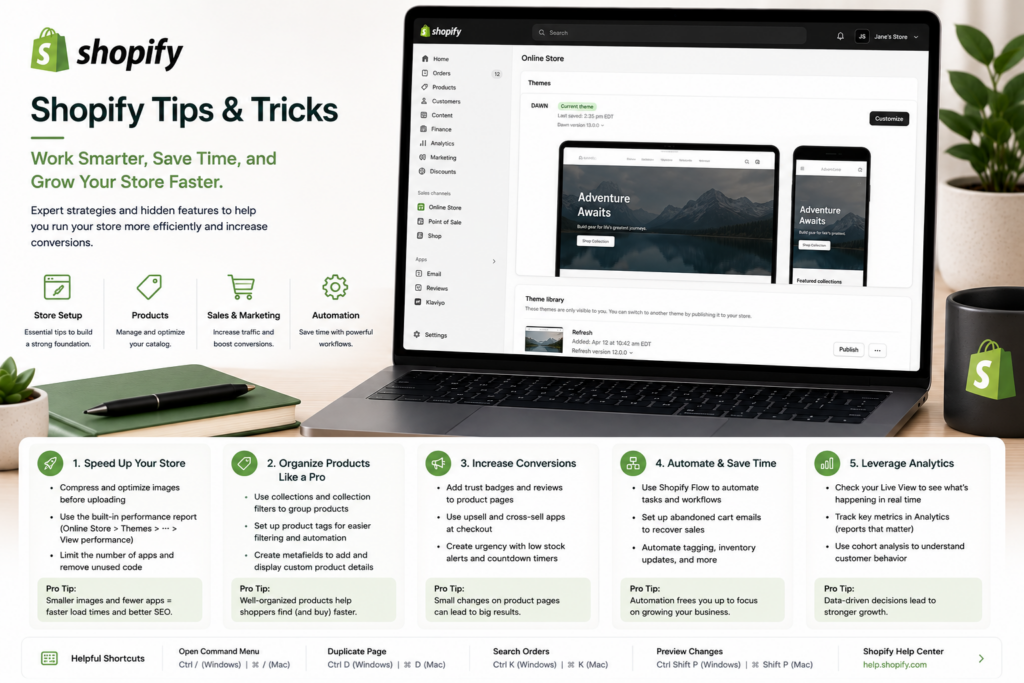
1. Audit Your App List Every Quarter
- Review what you’re actually using versus paying for
- Cut anything not earning its subscription fee
- Track cumulative app cost against your plan price Payoff: app costs are the single most consistent driver of Shopify budget creep — regular audits control it.
2. Plan Product Variant Structure Before You Scale
- Map your catalog complexity against known variant limits
- Evaluate early if your product line is growing more complex
- Don’t wait to discover the limit mid-growth Payoff: avoids hitting a hard constraint after your catalog has already scaled past it.
3. Use Shopify Payments Wherever Eligible
- Confirm eligibility in your country
- Avoid the third-party transaction fee by defaulting to Shopify Payments
- Reassess if you ever switch processors Payoff: one of the most straightforward ways to control costs at any plan tier.
4. Lean on Multichannel Selling Deliberately
- Connect social and marketplace channels early, not as an afterthought
- Treat multichannel as a core strategy, not a bonus feature
- Track which channel drives the most revenue Payoff: reviewers consistently cite multichannel as Shopify’s standout strength — use it fully.
5. Budget for Content/SEO Help if Organic Traffic Matters
- Plan for a complementary SEO tool or extra content attention
- Don’t assume Shopify’s native tools cover this fully
- Compare content performance against competitors periodically Payoff: reviewers consistently note Shopify’s content tools lag specialist platforms — planning ahead closes the gap.
Alternatives to Shopify
Choose WooCommerce (WordPress) if your business is primarily content-driven with ecommerce as a secondary function, and you want more flexibility and lower baseline software costs in exchange for managing your own hosting.
Choose BigCommerce if you have a complex product catalog with many variants and want more built-in functionality without relying as heavily on paid apps.
Choose Shopify if your store is the center of your business, you want a fully hosted, reliable platform with best-in-class multichannel and POS selling, and you’re comfortable budgeting for apps as real, ongoing costs.
Final Verdict
Shopify earns its position as the default ecommerce recommendation for good reason: reviewers consistently rate it the strongest all-round platform for product-first small and mid-sized businesses, with an unmatched sales feature set, mature app ecosystem, and reliable, fully hosted infrastructure. The honest trade-off, echoed across nearly every review, is cost growth — the advertised plan price is rarely the real number once apps, premium themes, and transaction fees enter the picture, and reviewers are consistent that low-margin sellers and complex-catalog retailers should weigh this carefully. If your business model genuinely fits what Shopify does best — physical products, multichannel selling, a hosted and reliable checkout — the investment is easy to justify. If you find yourself working around its limits from the start, it’s worth comparing alternatives before committing.
Frequently Asked Questions
Is Shopify good for small businesses?
Yes, particularly for product-first businesses selling physical goods — reviewers consistently rate it the strongest all-round ecommerce platform in its category. Very low-margin or early-stage sellers should carefully budget for cumulative app and transaction costs beyond the base plan price.
Does Shopify have a free plan?
No — Shopify offers a short free trial (commonly a few days, sometimes extended via promotion) rather than a permanent free tier, which is a real difference from some competing platforms.
Why does Shopify get expensive as a business grows?
Many genuinely useful features aren’t included in the base plan and require paid apps from the Shopify App Store, and third-party payment processors incur an additional transaction fee. Reviewers consistently identify these — not the advertised plan price — as where real cost growth happens.
Is Shopify better than WooCommerce?
It depends on your business. Shopify is generally the better choice if your store is the center of your business and you want fully hosted simplicity; WooCommerce often offers more flexibility and lower baseline costs for content-driven businesses where ecommerce is secondary.