Clover POS Review: Is This All-in-One System Worth the 36-Month Commitment?
Clover POS Review: What You Actually Pay Once Everything’s Added Up
If you’ve started shopping for a point-of-sale system, you’ve probably run into Clover pretty quickly. It’s one of the most widely used POS systems in the country, built on Android hardware made by Fiserv, and it genuinely is a solid product — flexible, reliable, and packed with features through its app marketplace. But the pricing is layered in a way that trips up a lot of buyers, and this Clover POS review is mostly about walking through those layers clearly so you know what you’re actually signing up for before you talk to a salesperson about a contract you’ll be living with for years.
Here’s the thing to understand right away: Clover’s total cost comes from four separate places, not one. There’s the hardware itself, which you either buy outright or finance over time. There’s a monthly software subscription that varies depending on what kind of business you run. There’s payment processing, which is priced as a percentage of every transaction plus a small flat fee. And then there are add-on apps from Clover’s marketplace, which range from free to twenty dollars a month or more depending on what you need. Most pricing guides you’ll find online only really talk about the second item, the software subscription, and stop there. That’s the smallest number on your bill for most businesses. The real money usually sits in payment processing, especially if you run a high-volume, small-basket business like a coffee shop or convenience store, where processing fees can end up being the majority of what you pay Clover every month.
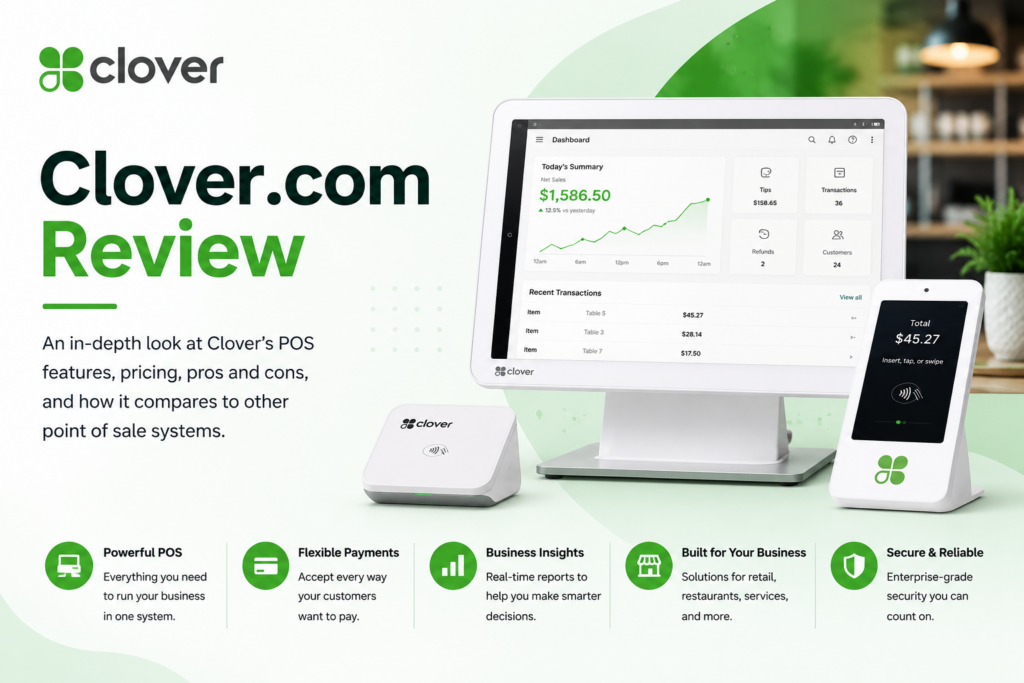
Let’s start with hardware, since that’s the first real decision. Clover Go, a basic mobile card reader for swipe, dip, and tap payments, runs around $199. Clover Flex, a handheld device with a built-in receipt printer and barcode scanner, costs about $749 upfront or around $40 a month if you finance it. Clover Mini, a compact countertop unit with an eight-inch touchscreen, runs about $849 or $45 a month. The bigger countertop options, Clover Station Solo and Duo, run $1,799 to $1,899 upfront, or somewhere around $174 to $180 a month financed. There’s also a kiosk option for self-service ordering and a kitchen display system for restaurants, both priced separately with their own monthly device fees on top of the hardware cost. Financing sounds convenient, and for a lot of new businesses it is, but it’s worth knowing upfront that financing typically locks you into a 36-month contract, and getting out of that contract early usually comes with a real termination fee that can add up to a meaningful chunk of change if your business needs change sooner than you expected.
Software is where things get more specific to your business type, because Clover restructured its plans a couple of years back and now has you pick your business category first — retail, restaurant, personal services, and so on — and then choose a Starter, Standard, or Advanced tier within that category. There’s also a bare-bones Payments plan, essentially free, that works only with the Clover Go reader and gives you basic payment acceptance with no real inventory or employee management features. Most businesses outgrow that within a few weeks, once they realize they actually need to track stock or manage staff schedules. Beyond that entry point, retail software plans generally run somewhere between $15 and $105 a month depending on tier, and restaurant plans run a bit higher, often landing between $90 and $165 a month once you’re on a tier with the features a full-service restaurant actually needs, like revenue center reporting for splitting bar and dining room sales.
Now, the part that actually determines most of your bill for a lot of businesses: processing fees. Clover uses flat-rate processing, typically somewhere between 2.3% and 3.5% plus about ten cents per transaction, with the exact rate depending on your plan tier and which reseller you’re working with. That second part matters more than people expect. Clover is sold through banks, independent sales organizations, and warehouse clubs, not directly as a single standardized product, which means two businesses running the exact same hardware and software plan can end up with meaningfully different processing rates depending on who sold it to them. If you’re shopping for Clover, it’s worth getting quotes from more than one reseller before signing anything, because the software price is often the same everywhere, but the processing rate is where you can actually negotiate.
Here’s a real scenario that shows why this all matters together rather than separately. Say you’re running a small café doing about $10,000 a month in card sales, with an average ticket of $15. Your software plan might run $60 to $90 a month depending on tier. But at that sales volume, processing fees at around 2.6% plus ten cents a transaction can easily add another $260 to $300 a month, since you’re processing hundreds of small transactions rather than a smaller number of large ones. All told, you might be looking at $350 or more a month before you’ve even accounted for hardware financing or any add-on apps you’re using for things like loyalty programs or QuickBooks integration. That’s a very different number than the $60 to $90 software price that shows up in most quick pricing summaries, and it’s exactly the kind of gap that catches business owners off guard a few months in.
Add-on apps are the last layer, and they’re easy to underestimate because each one looks small individually. A QuickBooks integration might run you ten to twenty dollars a month. A loyalty program app might be similar. None of these feel like a big deal on their own, but three or four of them together can add another fifty to a hundred dollars to your monthly bill without you really noticing it happen gradually over the course of setting up your system.

One more thing worth mentioning before you sign anything: because Clover is proprietary hardware, you can’t take Clover’s software and run it on a cheaper third-party terminal, and you can’t take your Clover terminal to a different POS provider if you decide to switch later. That’s a real lock-in point worth thinking about, especially if you’re financing the hardware over 36 months. If you switch providers halfway through that contract, you’re often left with a device you can’t use anywhere else and a remaining balance you still owe on it. This isn’t unique to Clover — most POS hardware works this way — but it’s worth going in with eyes open rather than assuming you can easily switch later if something about the pricing or service doesn’t work out for your business.
It’s also worth talking through what a real business conversation with a Clover reseller should sound like, because the way it’s typically sold can obscure some of what we just walked through. A “$180 a month” quote you might hear is usually the bundled deal — hardware financing and software subscription combined into one number. An “$84.95 a month” quote is usually software only, with hardware either already paid for or not included in that particular conversation. Both numbers can be accurate, but they’re describing two completely different deals, and it’s easy to compare a bundled quote from one reseller against a software-only quote from another and think you’re comparing apples to apples when you’re not. The fix is simple: ask every reseller you talk to for a full breakdown covering hardware cost, software fee, processing rate, contract length, and cancellation terms, all written down in one place. If a reseller won’t give you that breakdown in writing, that’s worth treating as a warning sign on its own, regardless of how good the verbal pitch sounds.
For businesses in food service specifically, there’s an added wrinkle worth knowing about: restaurant profit margins typically run just two to six percent, which means processing fees and software costs eat into your bottom line more directly than they would for a business with fatter margins. A quarter of a percentage point difference in processing rate might sound trivial when someone’s pitching you a POS system, but on a restaurant doing meaningful volume, that quarter point can be the difference between a comfortable margin and a razor-thin one by the end of the year. This is exactly why comparing processing rates across a few different resellers, not just software plans, matters so much more for restaurants than it might for a business with more room to absorb a slightly higher rate.
So is Clover worth it, given all of this? For a business that wants a complete, reliable system with hardware and software bundled together and doesn’t mind a bit of a premium for that convenience, yes — Clover is a genuinely good product, and the app marketplace means you can extend it to do almost anything a small business needs. Where it gets less appealing is for a high-volume, low-margin business where processing fees dominate the bill, since that’s exactly the kind of business where a few tenths of a percentage point in processing rate makes a real difference over a year, and where a competitor with lower processing rates might save meaningfully more than Clover’s software convenience is worth. If that’s you, it’s worth comparing Clover’s total cost, all four layers included, against a competitor like Square before committing to a 36-month hardware contract you can’t easily walk away from.
Integrations
Clover’s app marketplace covers most of what a small business needs to extend beyond core payment processing, including QuickBooks for accounting sync, loyalty and rewards programs, and employee scheduling tools. Pricing for these add-ons varies from free to twenty dollars or more per month per app, and it’s worth adding up the ones you’ll actually use before finalizing your total monthly budget rather than treating them as an afterthought.
Alternatives
- Square — Generally the strongest comparison point for businesses wanting simpler pricing without a 36-month hardware contract requirement.
- Shopify POS — Worth considering for businesses already running an online store on Shopify who want unified online and in-person inventory.
- Lightspeed — A stronger fit for retailers needing deeper inventory management than Clover’s standard tiers provide out of the box.