
ExpressVPN Review 2026: What Changed When It Split Into Three Pricing Tiers

ExpressVPN Review: What Changed When It Split Into Three Pricing Tiers
For most of its history, ExpressVPN sold one plan: pay monthly, six-monthly, or annually, and every subscriber got the identical feature set. That changed with the rollout of a three-tier structure — Basic, Advanced, and Pro — that now gates a password manager, identity monitoring, and a dedicated IP behind higher-priced plans.
Our Take: the core VPN underneath all three tiers is still one of the fastest and most reliably audited on the market, but the new tier system means the plan a small business should buy is no longer automatic — it depends on what security tools the business already owns. This ExpressVPN review is research-based, built from ExpressVPN’s own pricing and terms pages, independent lab testing data, and third-party audit reports; it does not reflect in-house hands-on network deployment.
At a Glance
| Category | Consumer/small-business VPN |
| Best For | Businesses that prioritize proven speed and a long independent audit trail over bundled extras |
| Starting Price | $12.99/month (Basic, monthly); roughly $3.26–$4.99/month on annual and 2-year Basic terms |
| Free Trial | No free trial; 30-day money-back guarantee on all tiers |
| Standout Strength | TrustedServer RAM-only infrastructure paired with the Lightway protocol |
| Biggest Drawback | Password manager and identity monitoring — standard on many competitors — now require the Advanced or Pro tier |
| Top Alternative | NordVPN for Meshnet and a larger server count; Proton VPN for a genuinely free tier |
The New Tier Structure, In Plain Terms
- Basic — the VPN itself: Lightway protocol, TrustedServer infrastructure, and 10 simultaneous device connections. No password manager, no identity tools.
- Advanced — everything in Basic, plus 12 simultaneous connections, a password manager, and identity/dark-web monitoring.
- Pro — everything in Advanced, plus 14 simultaneous connections and a dedicated IP address, aimed at businesses that need a consistent, whitelistable IP for banking or vendor portals.
Per ExpressVPN’s official pricing page, monthly billing runs $12.99 for Basic, roughly $13.99 for Advanced, and roughly $19.99 for Pro. Multi-year commitments bring those figures down substantially — independent pricing trackers and ExpressVPN’s own promotional pages put the 2-year Basic rate around $3.26–$3.49/month, Advanced around $4.19–$4.49/month, and Pro around $6.99–$7.49/month. As with most VPN providers, those discounted rates apply to the first billing term only; ExpressVPN’s terms page discloses that renewal happens at the then-current standard rate, so a business budgeting past year one should check the renewal figures listed at checkout rather than assuming the promotional price repeats indefinitely.
Where ExpressVPN Still Leads
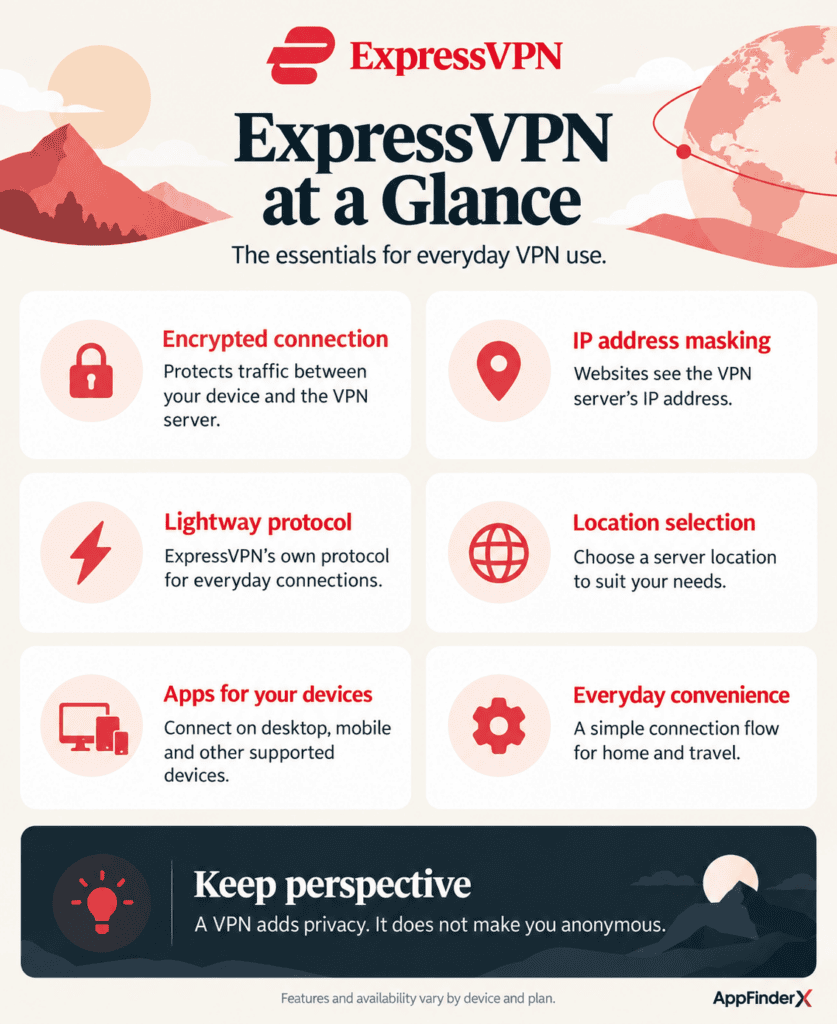
- TrustedServer technology. Every ExpressVPN server runs entirely on RAM rather than a hard drive, meaning the underlying software is wiped and reinstalled from a secure image on every reboot. For a business concerned about data persisting on a server it doesn’t control, this architecture — independently audited by PwC — is a meaningfully stronger privacy guarantee than software-only no-logs claims.
- Lightway protocol. ExpressVPN’s own open-sourced protocol is built for fast reconnection after network switches, which matters directly for staff who move between office Wi-Fi, mobile data, and client-site networks throughout the day without wanting to manually reconnect a VPN client each time.
- Jurisdiction. Incorporated in the British Virgin Islands, ExpressVPN sits outside most international data-sharing treaties, which is a genuine differentiator for businesses serving privacy-conscious clients who ask where a vendor is legally based.
- Independent audits. ExpressVPN has published multiple rounds of third-party security and no-logs audits going back further than most competitors, giving buyers actual documentation to point to rather than a marketing claim.
What the Restructuring Took Away From Budget-Conscious Buyers
- The password manager is no longer free with every tier. ExpressVPN previously included its password manager, ExpressVPN Keys, at no extra cost. Under the new structure, it’s an Advanced/Pro feature — a real cost increase for anyone who was using it on the old single-plan model.
- Device limits now vary by tier. Basic caps out at 10 simultaneous connections, which is fine for a small team but noticeably behind competitors that don’t tier device counts at all.
- Pro’s headline features are narrow. The jump from Advanced to Pro buys a dedicated IP and two extra device slots — useful for a specific use case, but not a broad value increase for most small businesses.
- Renewal pricing is not prominently disclosed at signup. As with most of the category, the advertised rate is promotional; confirm the renewal number in your account settings rather than assuming it matches the intro offer.
What This Means If You Were Already a Subscriber
Businesses that signed up under ExpressVPN’s old single-plan structure are a specific edge case worth addressing directly, since the transition isn’t automatic in the way a simple price increase would be. Existing subscribers typically keep their current plan’s feature set and price through the remainder of their billing term, with the new tier structure applying at the next renewal or new signup. If your business is currently on a legacy plan, it’s worth checking your account dashboard before renewal rather than assuming the old features carry forward unchanged — a legacy plan that used to include the password manager at no extra charge may map to Basic at renewal, which would silently drop that feature unless you actively select Advanced.
For a business that hasn’t touched its ExpressVPN account settings in a year or two, this is a reasonable moment to audit exactly which tier the account will renew into and confirm it still matches what the team actually uses day to day.
The Dedicated IP Case for Small Businesses
Pro’s dedicated IP add-on deserves a closer look than “two extra device slots,” because it solves a specific and fairly common small-business problem: services that flag or block connections from shared VPN IP addresses. A bookkeeping firm logging into a bank’s business portal, an agency accessing a client’s IP-restricted analytics dashboard, or a remote team hitting a vendor’s allowlisted API endpoint can all run into repeated CAPTCHA challenges or outright blocks when connecting from an IP address that thousands of other VPN users share simultaneously. A dedicated IP resolves that by assigning one IP address that only your account uses, which most banking and enterprise-vendor systems treat the same as a normal, non-VPN connection.
This is a genuinely narrow use case — most small businesses don’t hit IP-based blocking often enough to justify Pro’s price jump over Advanced — but for the subset that does, it’s the one part of the new tier structure that maps cleanly onto a real operational cost rather than a bundled convenience feature.
Basic at $3.26 vs. Advanced at $4.49: Which One a Ten-Person Team Should Buy
A ten-person business that only needs an encrypted tunnel for remote staff on public Wi-Fi has no reason to pay for Advanced — Basic on a 2-year term runs roughly $78–$84 total, or about $3.30–$3.50 per month. If that same business instead defaults to Advanced because it looks like the “recommended” middle tier, it pays closer to $100–$125 over two years for a password manager and identity monitoring it may never open, particularly if the team already standardizes on a separate password manager. The lesson mirrors what’s increasingly true across the VPN category, and it’s the throughline of this ExpressVPN review: check what your business already owns in adjacent security tools before letting the pricing page’s default recommendation decide the tier.
ExpressVPN vs. NordVPN vs. Proton VPN
| ExpressVPN | NordVPN | Proton VPN | |
|---|---|---|---|
| Entry 2-year price | ~$3.26–3.49/mo (Basic) | ~$2.99/mo (Basic) | ~$2.99/mo (VPN Plus) |
| Server infrastructure | RAM-only (TrustedServer) | Standard + specialty servers | RAM-only on core network |
| Unique feature | Lightway protocol, longest audit history | Meshnet private networking | Fully open-source client apps |
| Free tier | None | None | Yes, unlimited data |
Choose NordVPN over ExpressVPN if your business wants Meshnet’s private device networking or a larger overall server count at a comparable price. Choose Proton VPN over ExpressVPN if you want to trial a VPN with no time limit before committing budget, since Proton’s free tier never expires. Choose ExpressVPN when jurisdiction and a long, independently documented audit history are the deciding factors, or when Lightway’s fast reconnection matters more to your team’s daily workflow than extra bundled tools.
Frequently Asked Questions
Does ExpressVPN still offer one plan for everyone? No. As of the 2025–2026 restructuring, ExpressVPN sells three separate tiers — Basic, Advanced, and Pro — each with a different device limit and feature set, rather than a single plan with identical features at every price point.
Which ExpressVPN tier is right for a small business? Basic covers most businesses that just need an encrypted connection for remote or traveling staff. Advanced only makes sense if the team doesn’t already have a password manager and identity-monitoring tool. Pro is worth it mainly for the dedicated IP, useful for consistent access to IP-restricted banking or vendor systems.
Is ExpressVPN’s price negotiable or does it always renew higher? ExpressVPN’s terms page confirms that discounted introductory pricing applies to the first term only, and renewal happens at a disclosed standard rate. Check the exact renewal figure in your account before your first term ends.
Does ExpressVPN offer a free trial? ExpressVPN does not offer a time-limited free trial. It backs every plan with a 30-day money-back guarantee instead, which functions as a full-featured trial with a refund window.
Is ExpressVPN still worth it after the pricing changes covered in this ExpressVPN review? Yes, for most small businesses — the core VPN quality hasn’t changed, only how the extras are packaged. Buyers who stick with Basic and skip tiers they don’t need are generally paying about the same as before the restructuring.
How does ExpressVPN’s speed compare to NordVPN’s? Independent throughput testing consistently places both providers near the top of the category, with the gap between them typically small enough that server location and network conditions matter more than the protocol itself on a given day.
Integrations
- Aircove router — ExpressVPN’s own hardware router with the VPN built in at the network level, useful for covering every device in a small office without installing client software individually.
- Browser extensions (Chrome, Firefox, Edge) — lightweight proxy extensions for browser-only protection alongside the full desktop app.
- Media player and smart TV apps — native apps for major streaming devices, relevant for businesses using shared screens for client presentations across regions.
Alternatives
- NordVPN — a strong pick for businesses that want Meshnet’s private networking or a larger server footprint at a similar starting price.
- Proton VPN — the better option for a business that wants to test a VPN with an unlimited-time free tier before paying anything.
- Surfshark — typically the lowest-cost major provider and one of the few offering unlimited simultaneous device connections on a single plan.