Best Software For Small Businesses 2026: Top Picks by Category
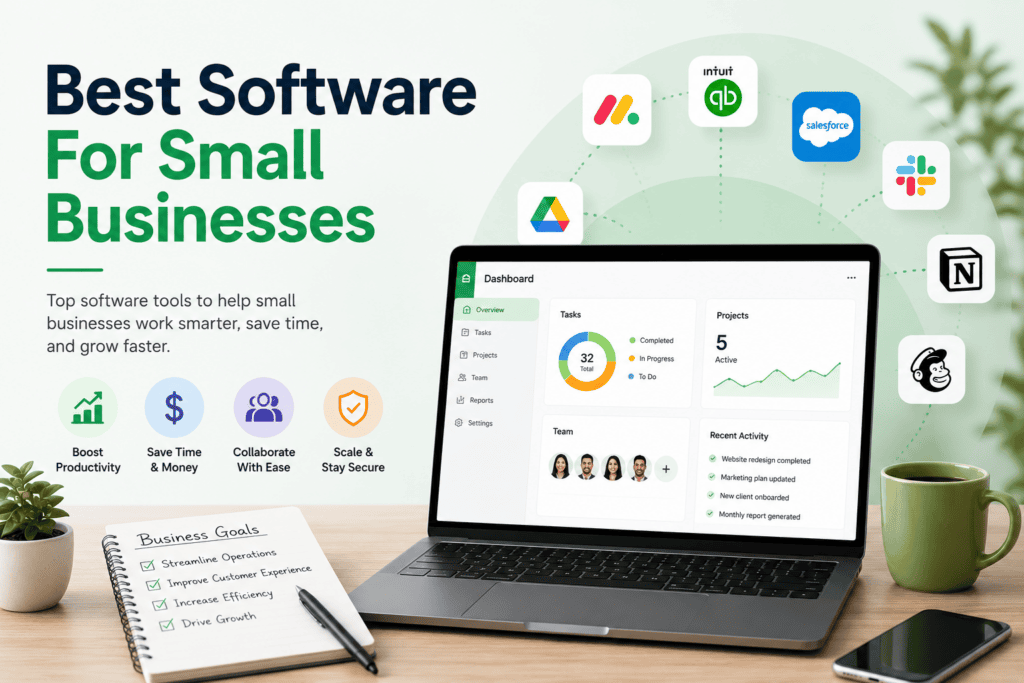
Our Take: There’s no single “best” small business software — there’s a best CRM, a best accounting tool, a best way to manage projects, and so on. The businesses that build an effective stack pick one strong tool per job instead of one bloated platform that does everything poorly. This guide names our top pick in each core category, explains the trade-off behind each pick, and shows what a realistic stack actually costs a small team.
Most small businesses aren’t underspending on software — they’re spending on the wrong things, paying for enterprise features they’ll never use, or stitching together five tools that don’t talk to each other. The picks below assume a business with 2–15 employees, a real budget, and no dedicated IT staff to babysit the stack.
Quick Picks by Category
| Category | Top Pick | Starting Price | Best For |
|---|---|---|---|
| CRM | HubSpot | Free (paid from ~$15/seat/mo) | Businesses that need marketing + sales in one place |
| Accounting | QuickBooks Online | ~$38/mo | Businesses that will eventually need payroll and an accountant |
| Project Management | ClickUp | Free (paid from ~$7/seat/mo) | Teams that want one workspace instead of five apps |
| Email Marketing | Brevo | Free (paid from ~$25/mo) | Growing lists without per-contact billing anxiety |
| Customer Support | Zoho Desk | Free (paid from ~$14/agent/mo) | Multichannel support without enterprise pricing |
| HR / People Ops | Gusto | ~$49/mo + $6/employee | Payroll and HR basics in one place |
| AI Business Tools | ChatGPT Team / industry-specific tools | ~$25–30/seat/mo | General AI assistance across departments |
Pricing checked: August 2026. Confirm current pricing directly with each vendor before budgeting, since SaaS pricing shifts often.
CRM: Track Every Customer Relationship in One Place
Top pick: HubSpot. HubSpot’s free tier includes unlimited contacts, a visual deal pipeline, and email tracking — genuinely usable, not a crippled trial. The paid tiers bundle marketing automation, so a business that would otherwise buy a CRM and a separate email tool can often consolidate into one HubSpot subscription instead.
The trade-off: HubSpot’s Professional tier gets expensive quickly once you need advanced automation, and its cost scales in ways that surprise businesses who started on the free plan. If your team runs a high-volume, linear sales process rather than an inbound marketing motion, Pipedrive’s drag-and-drop pipeline is faster to onboard a sales team onto, and Zoho CRM offers more features per dollar for businesses already using other Zoho products — including Zoho Desk on the customer-support side, where the two products share data natively.
See our full Sales & Marketing Software hub for deeper CRM and marketing-automation comparisons.
Accounting: Get Books That Survive Tax Season
Top pick: QuickBooks Online. It’s the accounting software most CPAs and bookkeepers already know, which matters more than any single feature — file compatibility and accountant familiarity save real time and money at tax season. It scales into payroll, inventory tracking, and multi-entity reporting as the business grows, which most small businesses eventually need even if they don’t today.
The trade-off: QuickBooks isn’t cheap, and pricing has climbed — Simple Start runs around $38/month, with payroll billed as a separate add-on starting near $50/month plus a per-employee fee. If the business is a solo operation or very early-stage, Wave’s free tier covers basic invoicing and bookkeeping with no monthly cost, though real bank-feed automation requires its paid tier. FreshBooks is the stronger pick specifically for service businesses that live in client invoices and time tracking rather than inventory.
See our full Accounting & Finance Software hub for category-specific comparisons.
Project Management: Stop Losing Track of Who’s Doing What
Top pick: ClickUp. Its free tier is the most generous in the category — unlimited members, unlimited tasks, docs, and time tracking, where most competitors gate at least two of those behind a paywall. For a small business trying to avoid per-seat costs while multiple people touch the same projects, that free ceiling goes further than anywhere else.
The trade-off: ClickUp’s flexibility comes with a real learning curve — new users routinely report losing their first week to configuration options they don’t yet understand. If the team wants something a new hire can use in ten minutes with zero training, Trello’s kanban boards are faster to adopt, and Asana’s cleaner interface suits teams that value polish over configurability (though Asana’s free plan has narrowed to two users on newer signups, making it a better fit as a paid tool for small teams than as a long-term free option).
See our full Project Management & Productivity Software hub for more.
Email Marketing: Reach Customers Without Punishing List Growth
Top pick: Brevo. Its free tier allows up to 100,000 contacts with automation, templates, and signup forms included — a genuinely different pricing model than competitors that charge by list size regardless of engagement. For a small business building a list slowly, that model prevents the “your list grew, so did your bill” problem that hits Mailchimp users hard once they cross a few thousand contacts.
The trade-off: Brevo’s automation depth doesn’t match ActiveCampaign, which remains the strongest pick for businesses that want sophisticated, multi-branch automation sequences and are willing to pay $15+/month with no free tier to get it. Mailchimp is still the most recognizable name in the category, but its usable free tier has shrunk to 250 contacts, and per-audience contact counting can quietly inflate costs as a list grows.
See our full Sales & Marketing Software hub for more comparisons.
Customer Support: Keep Every Channel in One Queue
Top pick: Zoho Desk. Our full review covers this in depth: Zoho Desk holds a strong G2 rating and undercuts Zendesk’s $55–115/agent/month range significantly, while still delivering a unified queue across email, chat, social, and phone. For a small business already in the Zoho ecosystem — using Zoho CRM, for instance — the native integration is a compounding advantage rather than a marginal one.
The trade-off: Zoho Desk’s most capable AI features, including Freddy AI Copilot, cost extra rather than coming bundled, and the interface carries a real, repeatedly documented learning curve. If faster initial setup matters more than deep ecosystem tie-ins, Freshdesk is generally quicker to stand up, and Help Scout is worth a look for businesses that want a simpler, email-centric support experience without a full ticketing system’s complexity.
See our full Customer Service & Support Software hub for the complete comparison set.
HR & Payroll: Handle People Operations Without a Dedicated HR Hire
Top pick: Gusto. For a small business running its first real payroll, Gusto handles federal and state tax filings, direct deposit, and basic benefits administration without requiring HR expertise to configure correctly — a meaningful advantage when nobody on the team has run payroll before.
The trade-off: Gusto’s per-employee pricing adds up as headcount grows, and its HR feature depth (performance reviews, more advanced compliance tracking) trails dedicated HRIS platforms built for larger teams. A business under five employees with simple payroll needs may find a leaner, cheaper payroll-only tool sufficient rather than paying for Gusto’s fuller HR layer.
See our full Human Resources Software hub for more.
AI Business Tools: Use AI Without Overbuying It
The AI category is the one where small businesses most often waste money — paying for AI seats nobody uses, or missing free AI features already bundled into tools they already own. Before buying a standalone AI tool, check whether your existing CRM, accounting software, or support desk already includes AI features in a tier you’re paying for; several of the picks above (HubSpot, Zoho Desk) bundle meaningful AI capability once you’re on the right plan. Where a dedicated tool makes sense — drafting content, summarizing meetings, building simple internal apps — a general-purpose assistant covers most small-business use cases before a specialized tool is worth the added cost.
See our full AI Business Software hub for category-specific picks, including tools for AI-assisted app building and coding, covered in depth in our Best Software For AI Coding guide.
What a Realistic Small-Business Stack Costs
For an 8-person business running HubSpot’s Starter CRM tier, QuickBooks Online Essentials, ClickUp’s paid tier for 8 seats, Brevo on a mid-size list, and Zoho Desk Standard for 3 support agents, a realistic monthly total lands somewhere in the $500–750/month range before add-ons like payroll or a dedicated AI seat. That’s a meaningful number for an early-stage business, which is exactly why starting on free tiers (HubSpot, ClickUp, Brevo, Wave, Zoho Desk’s Free plan) and upgrading tool-by-tool as specific limits get hit — rather than committing to five paid platforms on day one — is usually the more defensible approach.
What to Look For When Building Your Stack
Integration over feature count. A CRM that talks natively to your accounting software and your support desk is worth more than a CRM with more features that lives on an island. Check integration lists before comparing feature checklists.
Per-seat pricing traps. Many tools price attractively at low seat counts and become expensive fast as you add people. Model the cost at your expected headcount in 12 months, not just today.
Free-tier ceilings that match your actual use. A generous-looking free tier is only useful if its specific limit (contacts, boards, agents, automations) is one your business won’t hit in the first few months.
Ecosystem lock-in. Standardizing on one vendor’s ecosystem (Zoho, Google Workspace, Microsoft) can mean real integration savings — or real switching costs later. Decide deliberately rather than by accident.
How AppFinderX Evaluated These Picks
These recommendations are research-based, drawing on current vendor pricing pages, third-party review platforms (G2, Capterra), and independent comparison coverage published in 2026. We did not conduct hands-on testing of every tool listed here; where AppFinderX has published a full hands-on or research-based review — Zoho Desk, Freshdesk, Help Scout — we’ve linked directly to it for deeper analysis.
Frequently Asked Questions
Do I need a CRM if I’m a very small business?
If you’re tracking customer relationships in a spreadsheet and it’s still working, you may not need one yet. Once you have more than a handful of active deals or support relationships to track, a free-tier CRM like HubSpot starts paying for itself in avoided dropped follow-ups.
Should I buy an all-in-one platform instead of separate tools?
All-in-one platforms reduce the number of logins and can simplify billing, but they rarely match a specialized tool’s depth in any one category. Most small businesses get better results from a small number of best-in-category tools that integrate well, rather than one platform trying to do everything.
How much should a small business budget for software overall?
There’s no universal number, but the stack modeled above (~$500–750/month for an 8-person team across five core categories) is a reasonable starting benchmark. Businesses under 5 people can often run a functional stack on free and near-free tiers alone.