Surfshark VPN Review: Is Unlimited-Device VPN Protection Worth It for a Small Business?
Think about how many devices your business actually touches the internet with — your laptop, your phone, maybe a tablet at the front desk, and every device your employees use when they’re working from a coffee shop or an airport lounge between meetings. Most VPN services charge you per device, or cap you at five or ten connections, which means protecting a real team gets expensive fast. Surfshark built its whole reputation around solving exactly that math problem: one subscription, unlimited devices, no per-seat pricing to think about as your team grows.
That’s a genuinely appealing pitch for a small business, and it’s worth understanding both what Surfshark actually protects and — just as importantly — what it doesn’t. Let’s walk through what the platform offers, what reviewers and real testing say about it in 2026, how to roll it out to your team, and where the line sits between “solid VPN” and “real business security.”
What Is Surfshark?
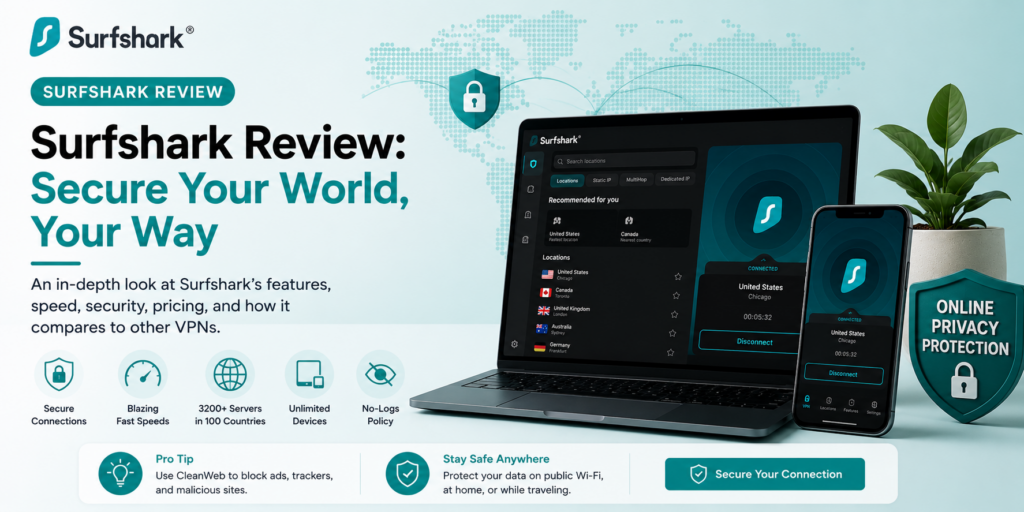
Surfshark is a VPN service that encrypts your internet traffic and hides your IP address on any network, including the public Wi-Fi your team probably connects to more often than you’d like. Under the hood, it’s built on solid fundamentals: AES-256 encryption, modern protocols including WireGuard and OpenVPN, a network of more than 4,500 RAM-only servers across 100 countries (RAM-only meaning data gets wiped on every reboot), and 10Gbps server capacity for fast connections. An independent Deloitte audit in 2025 backed up the company’s no-logs claims, which matters if you’re trusting this with real business traffic.
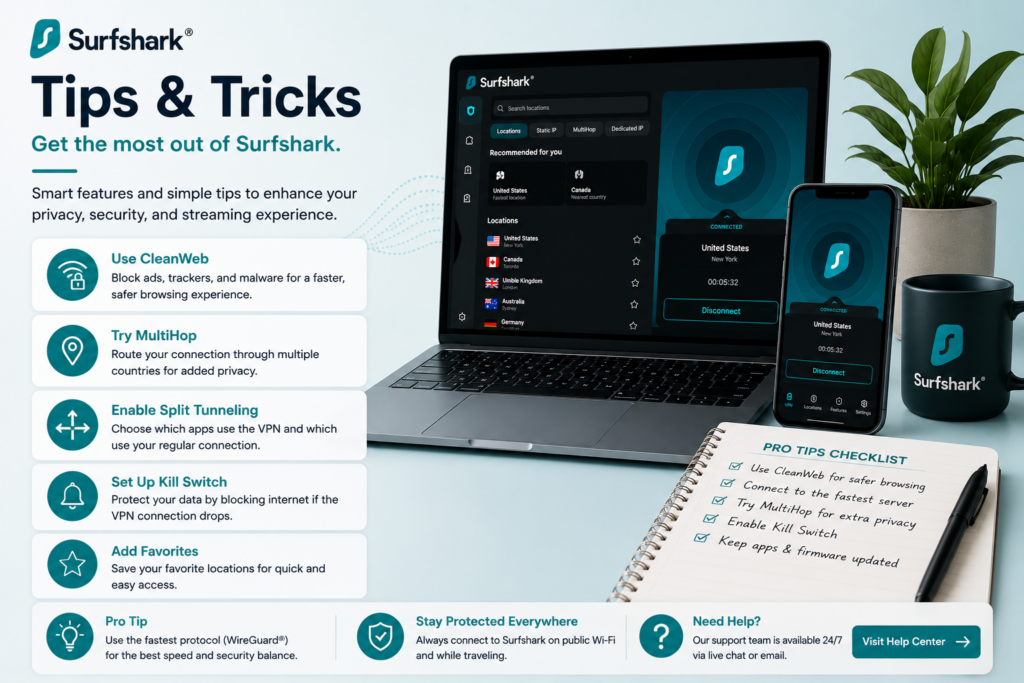
The feature that consistently sets Surfshark apart from competitors is unlimited simultaneous device connections on a single subscription — most VPN services cap you at five or ten devices and charge extra beyond that. Beyond the core VPN, you get a Kill Switch (cuts your internet if the VPN drops, so you’re never accidentally exposed), CleanWeb (ad and malware blocking), Bypasser split tunneling, Dynamic MultiHop for routing through two countries at once, and Alternative ID for masking personal details.
Plans are organized in three tiers rather than pure feature add-ons. Starter covers the core VPN, unlimited devices, CleanWeb, and Alternative ID — genuinely enough if VPN protection is all you’re after. One adds antivirus, data breach alerts, webcam protection on supported devices, and private search, which is worth considering if you’d rather have basic endpoint monitoring bundled in than pay for it separately. One+ adds personal data removal through Incogni in supported countries, aimed at people specifically worried about data-broker listings.
Here’s the part worth reading twice: Surfshark uses promotional pricing heavily, so the exact monthly-equivalent rate shifts depending on your country, plan length, and whatever campaign happens to be running. As a general rule, long-term plans (one or two years, paid upfront) commonly land in the $2-4/month range, while month-to-month pricing runs considerably higher — public pricing pages have shown the one-month plan around $15-16/month. A 30-day money-back guarantee covers eligible first purchases, though recurring renewals are generally non-refundable.
Surfshark Is Best For
- Small teams and remote workers who need encrypted connections across many devices without per-seat cost
- Businesses whose employees regularly work from cafes, co-working spaces, or airports
- Budget-conscious teams willing to commit to a longer-term plan for real savings
- Anyone wanting a genuinely easy-to-use VPN without a complicated setup process
Not recommended for:
- Businesses needing to restrict internal app access by employee identity or role
- Teams wanting device compliance policies, centralized security logs, or automatic access revocation when someone leaves
- Companies needing integration with identity providers like Okta or Microsoft Entra ID
- Anyone assuming a VPN alone constitutes a complete business security setup
At a Glance
| Best For | Small teams needing affordable, unlimited-device VPN protection |
| Starting Price | $2-4/month on long-term plans; ~$15-16/month billed monthly |
| Free Trial | 30-day money-back guarantee on eligible first purchases |
| Mobile App | iOS and Android, plus desktop and router support |
| AI Features | Not applicable — core value is encryption and privacy |
| Ease of Use | High — consistently praised for simple, friendly apps |
| Integrations | Not a business-integration tool — device-level protection only |
Pros & Cons
Pros
- Unlimited device connections on one subscription, a genuine advantage over per-device competitors
- Strong long-term pricing, commonly $2-4/month when paid upfront for one or two years
- Independently audited no-logs policy (Deloitte, 2025) backs up privacy claims
- Fast, reliable performance — 2026 testing showed speeds reaching 752 Mbps with flawless streaming unblocking
- Genuinely easy to use, which matters for a team without dedicated IT support
Cons
- Heavy reliance on promotional pricing makes it hard to know your real long-term cost upfront
- Month-to-month pricing is considerably higher than the advertised long-term rate
- Renewal payments are generally non-refundable, unlike the initial purchase
- Not built for managed business access — no identity-based restrictions, device compliance, or centralized logging
- Some reviewers in head-to-head comparisons rate competitors like Windscribe or ZenMate higher on business-specific fit
Surfshark Review: What Reviewers and Real Testing Say
Here’s what stands out across the reviews: nearly everyone agrees Surfshark performs well as a VPN, and the more thoughtful business-focused reviews are careful to draw a hard line around what “performs well as a VPN” actually means for a company. CyberInsider’s 2026 hands-on testing recorded speeds reaching 752 Mbps on nearby servers, with flawless unblocking across 16+ Netflix libraries, BBC iPlayer, Disney+, Hulu, and Amazon Prime Video — concluding that despite launching relatively recently in 2018, Surfshark ranks near the top in almost every category tested. That’s a strong technical foundation, and it’s echoed across most of the reviews I looked at.
SaaSCompared’s business-specific 2026 review is the most useful one here, precisely because it doesn’t stop at “is this a good VPN.” It frames Surfshark as one of the best-value VPNs available, combining unlimited device connections, competitive long-term pricing, a large server network, and useful extras like CleanWeb and Alternative ID — while drawing a very clear, very important boundary. A five-person agency, the review points out, probably doesn’t have MDM, endpoint detection, a secure web gateway, or formal network access controls — and Surfshark isn’t a substitute for any of that. It’s better than sending your whole team onto airport Wi-Fi with zero protection, but if you need to restrict access to internal apps by identity, enforce device posture, integrate with Okta or Microsoft Entra ID, or automatically cut access when someone leaves the company, you need dedicated business VPN, ZTNA, or SASE tooling instead. Their mental model is worth remembering exactly as stated: Surfshark protects internet traffic on devices. It does not manage your business network.
Reviews Ally’s breakdown adds a helpful, very practical pricing caution: Surfshark’s public pricing page has listed the one-month plan around $15.45/month, and while long-term plans advertise a much lower “per month” rate, that’s genuinely not the same thing as paying month to month — always confirm final checkout pricing before you commit, since promotional rates shift with plan length, country, and whatever campaign is running. The same review notes the 30-day money-back guarantee covers eligible first purchases specifically, with recurring payments treated as non-refundable under the terms reviewed.
On direct competitive comparisons, the picture is a little more mixed than Surfshark’s individual reviews might suggest. G2’s head-to-head data shows Surfshark holding a 3.9 rating with small businesses making up 73.7% of its reviewer base — solid, but reviewers in direct comparisons against ZenMate VPN for Business and Windscribe felt those alternatives better met their specific business needs, even while rating Surfshark competitively on ongoing product support and feature direction. That’s a useful reminder that “great consumer VPN” and “great VPN specifically for business needs” aren’t automatically the same evaluation.
Pricing
| Plan | What’s Included | Typical Long-Term Rate |
|---|---|---|
| Starter | Core VPN, unlimited devices, CleanWeb, Alternative ID | ~$2-4/month (1-2 year plans) |
| One | Adds antivirus, breach alerts, webcam protection, private search | Moderate step up from Starter |
| One+ | Adds Incogni personal data removal (supported countries) | Highest tier |
Hidden costs to watch for: The biggest thing to understand upfront is that Surfshark’s advertised “per month” pricing almost always reflects a long-term plan paid in full, not what you’d pay month to month — the one-month plan can run around $15-16/month, several times the promotional rate. And remember that renewals are generally non-refundable, so if you’re testing the platform, do it deliberately within your first purchase window rather than assuming you can back out easily after a renewal charges.
Setup Guide: Getting Your Team Protected
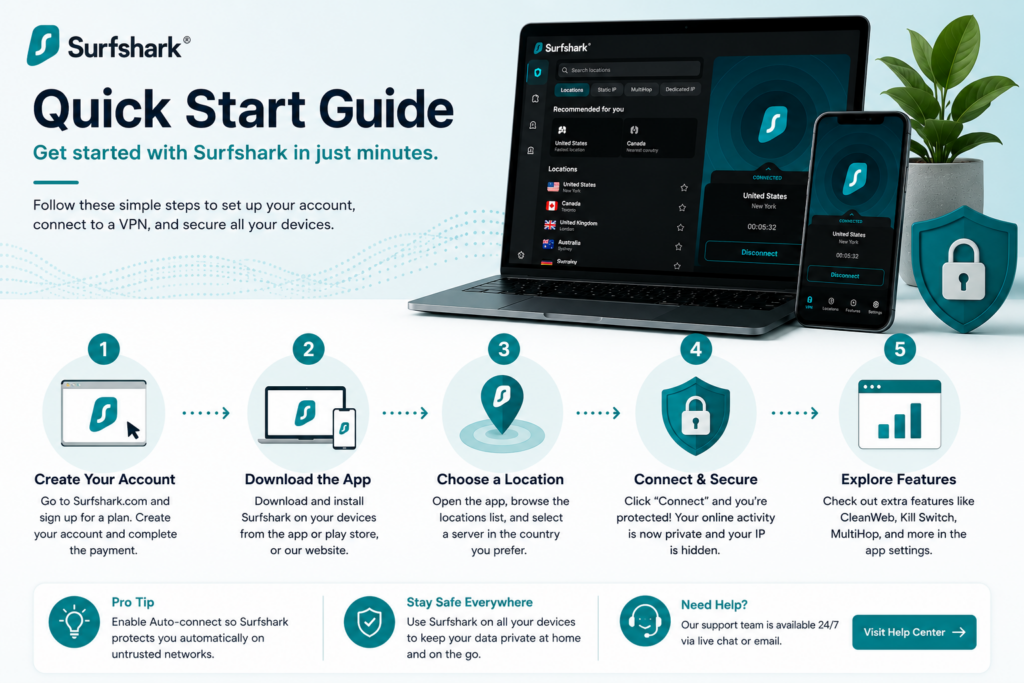
1. Install Across Every Device You Actually Use
- Set up Surfshark on desktop, mobile, and any router-level installation if needed
- Use the unlimited device feature to cover the whole team rather than sharing logins
- Confirm each installation connects successfully before relying on it Payoff: unlimited device coverage is one of Surfshark’s biggest advantages — underusing it leaves gaps in your security setup.
2. Configure Kill Switch and Leak Protection
- Enable the kill switch so traffic stops if the VPN connection drops unexpectedly
- Turn on DNS and IP leak protection in settings
- Run a leak test after setup to confirm protection is actually active Payoff: these settings are what actually protect sensitive business traffic — skipping them defeats much of the VPN’s purpose.
3. Set Up Split Tunneling for Business Use Cases
- Configure split tunneling so only specific apps or sites route through the VPN if you don’t need full-tunnel coverage
- Test performance with and without split tunneling to see what fits your workflow
- Adjust settings per device if some machines need full coverage and others don’t Payoff: split tunneling balances security needs against connection speed for day-to-day business use.
4. Choose Server Locations Strategically
- Select servers based on your actual need (accessing region-locked business tools, testing geo-targeted content)
- Test connection speed across a few server options before settling on a default
- Document which server locations your team uses for which purposes Payoff: server choice materially affects both speed and what content or tools you can access.
5. Set Up Team Access if Covering Multiple Employees
- Distribute login credentials securely rather than sharing them informally
- Set expectations for when VPN use is required (public Wi-Fi, remote work, accessing sensitive systems)
- Periodically confirm all team installations are still active and updated Payoff: a documented team policy is what turns Surfshark from a personal tool into consistent business-wide protection.
Getting Value Fast: Your First Week Checklist
- Install the app on every device your team uses for work, not just laptops — unlimited connections mean there’s no reason to be selective.
- Turn on the Kill Switch immediately rather than leaving it as an optional setting someone might forget.
- Test the connection from a real public network — a coffee shop, an airport if anyone’s traveling — to confirm the experience is smooth for your team.
- Walk through what the VPN does and doesn’t protect against in a short team conversation, so expectations are set correctly from day one.
- Calendar your renewal date now, while it’s fresh, so you’re not caught off guard by an auto-renewal at a different rate.
Tips & Tricks for Growing Your Business with Surfshark
1. Use Split Tunneling to Balance Speed and Protection
- Route your most sensitive traffic through the VPN tunnel
- Exclude apps that don’t play well with VPN connections or don’t need the extra layer
- Test performance before and after configuring Bypasser Payoff: keeps your most VPN-sensitive traffic protected without slowing down everything else your team does.
2. Make Public Wi-Fi Habits Non-Negotiable
- Set a firm team rule: VPN on before connecting to any public network
- Cover the obvious spots specifically — cafes, co-working spaces, airports
- Reinforce the habit periodically, not just once during onboarding Payoff: this is the single biggest real-world risk Surfshark actually protects against — the habit closes the gap the software alone can’t.
3. Only Bundle Antivirus If You’ll Actually Use It
- Check whether your team will genuinely engage with One’s antivirus and breach alerts
- Compare against any endpoint security you already have in place
- Avoid paying for coverage that duplicates something you already run Payoff: the upgrade is genuinely useful, but only if it’s replacing a real gap rather than adding redundant coverage.
4. Know Exactly When You’ve Outgrown It
- Watch for the specific trigger: needing to restrict internal app access by employee role
- Treat identity-aware access control as a planned next step, not a failure of Surfshark
- Layer dedicated business VPN, ZTNA, or SASE tooling alongside it when that need arises Payoff: Surfshark protects devices, not your business network — knowing exactly where that line sits prevents a false sense of complete security.
5. Re-Shop Pricing Before Every Renewal
- Check current promotional rates before your plan auto-renews
- Don’t assume your original signup price carries forward automatically
- Compare against the current long-term deals being offered to new customers Payoff: a few minutes of comparison shopping can genuinely change your annual cost, given how much pricing shifts with promotions.
6. Pair the VPN With Basic Security Hygiene
- Add a password manager across your business accounts
- Turn on two-factor authentication everywhere it’s available
- Treat the VPN as one protective layer, not your entire security posture Payoff: this combination covers far more real-world risk than any single tool, including Surfshark, could on its own.
Alternatives to Surfshark
Choose ZenMate VPN for Business or NordLayer if you need identity-aware access controls, device compliance, or integration with an identity provider like Okta.
Choose Windscribe if direct comparison reviewers’ feedback on business fit and ongoing support matters more to you than Surfshark’s unlimited-device pricing model.
Choose Surfshark if your priority is affordable, unlimited-device encryption for a team working across public networks, and you don’t need managed, identity-based access controls.
Final Verdict
Surfshark delivers exactly what independent 2026 testing confirms: fast, reliable VPN protection with a genuinely rare advantage — unlimited devices on one subscription, which matters a lot for a small team working across laptops, phones, and public Wi-Fi. The most important thing to walk away with, though, is the boundary the best business-focused reviews are careful to draw: this protects your devices’ internet traffic, not your business network as a whole. Set it up as one solid, affordable layer in your small business’s security stack, understand clearly where its job ends, and it’s an easy way to close a real gap most small businesses never think about until something goes wrong.
Frequently Asked Questions
Is Surfshark good for a small business?
Yes, specifically as device-level protection for a team working across public networks. It’s not a substitute for business network security — identity-based access controls, device compliance, and centralized logging require dedicated business VPN or ZTNA tooling instead.
How much does Surfshark actually cost?
It depends heavily on plan length. Long-term plans (one or two years, paid upfront) commonly run $2-4/month, while month-to-month pricing has been listed around $15-16/month — always confirm final checkout pricing before purchasing.
Does Surfshark really support unlimited devices?
Yes — this is one of its clearest differentiators from competitors, who typically cap simultaneous connections at five or ten devices per subscription.
Can Surfshark replace dedicated business security tools?
No — it encrypts internet traffic and protects individual devices, but it doesn’t offer identity-aware access restrictions, device compliance enforcement, or centralized security logs. Growing businesses with those needs should look at dedicated business VPN, ZTNA, or SASE platforms alongside or instead of Surfshark.