TurboTenant Review: The Rental Management Platform That’s Actually Free — Here’s the Data
TurboTenant serves over 700,000 landlords. Its core product costs $0. No unit cap, no trial period, no upgrade prompt buried in the fine print. Tenants cover the cost through application fees and optional services instead. That’s an unusual business model in software, and it’s worth understanding exactly how it works before deciding whether it works for you.
The short version, backed by consistent data across every major review source: TurboTenant is built for independent landlords managing 1–20 units, and it’s rated highly for exactly that use case. It is not built for growing property management companies needing advanced accounting. This article breaks down what the platform does, what the numbers say, how to set it up, and how to get real value out of it fast.
What Is TurboTenant?
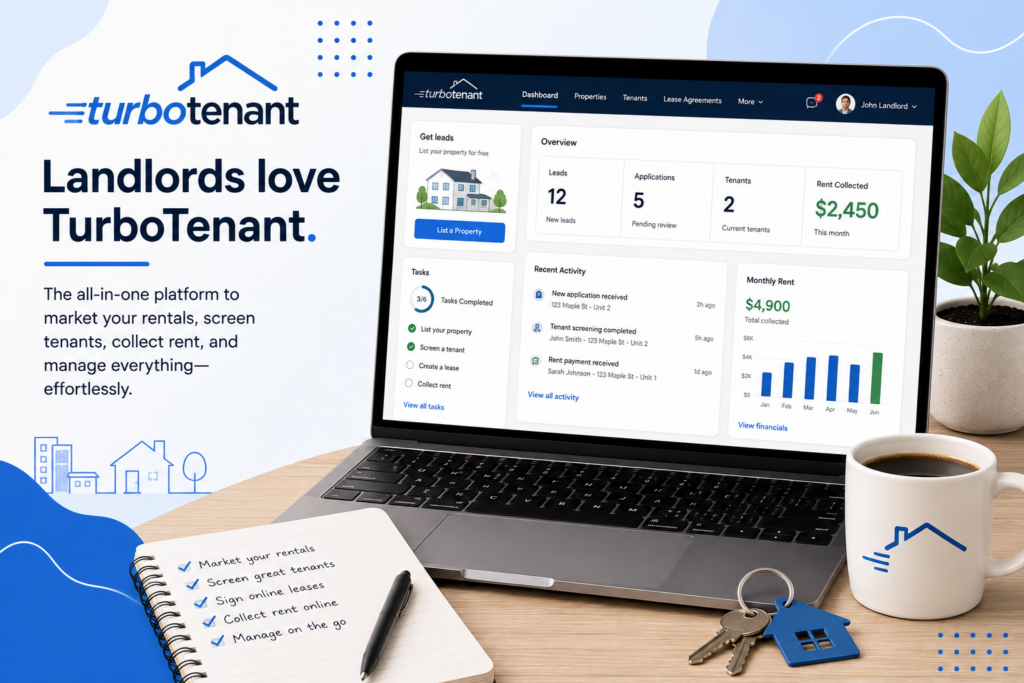
TurboTenant is a cloud-based rental property management platform founded in 2015 in Fort Collins, Colorado, built specifically for independent landlords rather than large management companies. It covers the full rental lifecycle from one dashboard: listing syndication, applicant screening, lease creation, rent collection, and maintenance tracking.
The listing feature is the platform’s clearest differentiator. Create one listing, and it syndicates automatically to Zillow, Apartments.com, Realtor.com, Rent.com, Zumper, and more than 20 additional sites — at no cost. No other free platform matches that syndication breadth. Leads from every channel route into a single inbox.
Screening runs through TransUnion, covering background checks, credit reports, and eviction history. The applicant pays the fee, not the landlord — commonly cited at $55 per application. One caveat worth flagging directly: because the applicant initiates the screening request, timing sits in the renter’s hands, while FCRA compliance responsibility stays with you as the landlord. Communication runs through a built-in messaging system rather than email or text, which keeps a documented record of every landlord-tenant exchange.
Tenants access their side through a dedicated portal and a highly rated mobile app. Landlords, notably, do not get a dedicated mobile app — TurboTenant offers a mobile-responsive website instead, a specific limitation worth knowing if you manage properties primarily from your phone.
TurboTenant Is Best For
- Independent landlords managing 1–20 units
- Self-managing owners who want free listing syndication across 20+ rental sites
- Landlords comfortable with tenant-paid screening fees rather than covering that cost themselves
- Small portfolio owners who don’t need integrated accounting software
Not recommended for:
- Growing property management companies needing advanced accounting or multi-user team features
- Landlords who want a dedicated mobile app rather than a mobile-responsive website
- Anyone needing fast phone support without a paid plan
- Landlords wanting full control over screening timing rather than an applicant-initiated model
At a Glance
| Best For | Independent landlords, 1–20 units |
| Starting Price | $0 (Free plan, forever); Premium from ~$8.25/mo annually |
| Free Trial | Not applicable — free plan has no time limit |
| Mobile App | Tenant app only; landlords use a mobile-responsive website |
| AI Features | Limited; core value is workflow automation, not AI |
| Ease of Use | High — 96% user satisfaction rating cited by SelectHub |
| Integrations | Limited third-party integrations |
Pros & Cons
Pros
- Genuinely free core plan — no unit limits, no credit card required, no contract
- Listing syndication to 20+ sites (Zillow, Apartments.com, Realtor.com, and more) included at no cost
- TransUnion-powered screening paid by the applicant, not the landlord
- Built-in messaging system documents every landlord-tenant communication
- 4.5/5 rating on G2 (98 reviews), with small businesses making up 77.2% of reviewers
Cons
- No dedicated mobile app for landlords — mobile-responsive website only
- Phone support is paywalled behind paid plans
- ACH transfer windows are slower than some competitors
- Limited third-party integrations compared to larger platforms
- Applicant-initiated screening model means landlords don’t control the timing
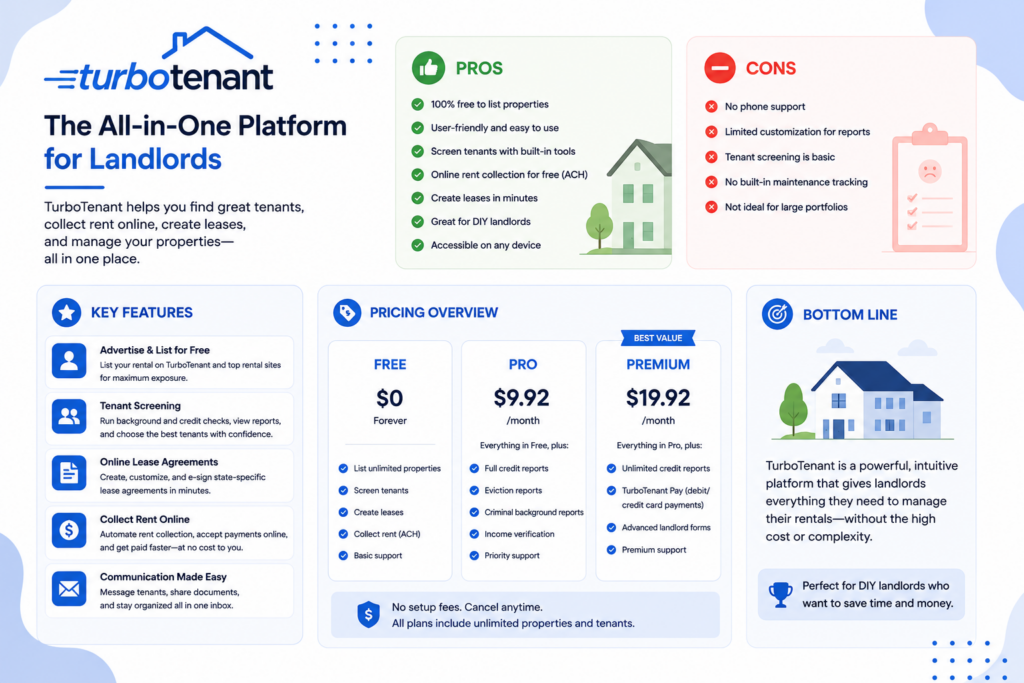
TurboTenant Review: What the Data and Reviewers Say
The numbers are consistent across sources. SelectHub cites a 96% user satisfaction rating based on aggregated reviews. G2 places TurboTenant at 4.5/5 across 98 reviews, ahead of TenantCloud’s 4.4/5 in a direct comparison, with small businesses representing 77.2% of TurboTenant’s reviewer base. CRE Daily’s structured 2026 review — evaluating product offerings, ease of use, customer support, and pricing transparency — concludes TurboTenant offers one of the most complete and accessible rental management solutions available for small and midsize landlords.
CompareGiants’ 2026 testing, which covered tenant screening, lease creation, rent collection, and maintenance tracking directly, reaches the same conclusion with more specificity: TurboTenant is one of the strongest free property management platforms available, and the free plan is genuinely generous rather than a stripped-down trial. Their identified friction points are precise, not vague — slower ACH transfer windows, phone support locked behind paid plans, and a smaller integration library than competitors. Their verdict: for solo landlords or small portfolio owners managing 1–50 units, TurboTenant is hard to beat.
ThePropertyCEO’s review, based on months of hands-on testing, states the core value proposition in numbers: most landlords with 1–3 units can run their entire operation without ever paying, and the Premium plan becomes worth it specifically once you’re managing 5+ units, primarily for expense tracking and faster ACH payments. Their assessment of the listing syndication feature is direct: no other free platform offers this breadth, and it functions as advertised — upload photos, set screening criteria, publish, and leads from every channel funnel into one inbox.
HelpManageMyUnits draws the clearest competitive line: TurboTenant won’t replace a full accounting suite like Buildium for large portfolios, but for 1–20 units, it’s hard to beat. A specialized screening-focused review adds one precise caveat worth weighing directly — the applicant-initiated screening model means timing sits in the renter’s hands, while FCRA compliance responsibility stays with the landlord regardless of who requested the report. Capterra’s individual reviews reinforce the pattern at ground level: landlords consistently cite the applicant-paid fee structure and ease of setup as top reasons for choosing the platform, with site navigation cited as the most common — though minor — complaint.
Pricing
| Plan | Price | Best For |
|---|---|---|
| Free | $0/month, forever | 1–3 unit landlords running a full operation at no cost |
| Essentials | ~$149/year (~$8.25/mo, non-standard billing may vary) | Landlords wanting state-specific e-leases and unlimited e-signatures |
| Pro | ~$199/year | Landlords wanting ACH fee waivers, expedited payouts, income verification, and phone support |
Hidden costs to watch for: The core product is free with no catch for the landlord — tenants absorb the cost through the ~$55 application fee. The real cost consideration is time, not money: ACH transfers run slower on the free plan, and phone support requires a paid tier. If you’re managing 5+ units, the data is consistent that Premium’s expense tracking and faster payouts justify the cost.
Setup Guide: Getting Started with TurboTenant
- Create your free account. No credit card, no trial clock running.
- Build one listing per property, using the built-in listing builder — upload photos, enter details, set screening criteria.
- Publish and let syndication do the work. Your listing pushes automatically to Zillow, Apartments.com, Realtor.com, Rent.com, Zumper, and 20+ additional sites.
- Monitor your unified inbox as leads arrive from every channel in one place.
- Order screening reports through the platform once an applicant applies — the applicant pays, TransUnion runs the report.
- Generate a lease using TurboTenant’s e-lease tools (state-specific leases require Essentials or Pro).
- Turn on rent collection and set up ACH for ongoing payments.
Getting Value Fast: Your First Week Checklist
- Publish your first listing on day one and confirm syndication is live across major sites within 24–48 hours.
- Respond to your first three leads through the unified inbox to test the communication workflow before your first real applicant.
- Run one full screening report to confirm the applicant-paid flow works as expected.
- Send one message through the built-in messaging system rather than email, to start building a documented communication record from day one.
- Calculate your real unit count against the 5-unit threshold cited by reviewers as the point where Premium’s expense tracking and faster ACH pay for themselves.
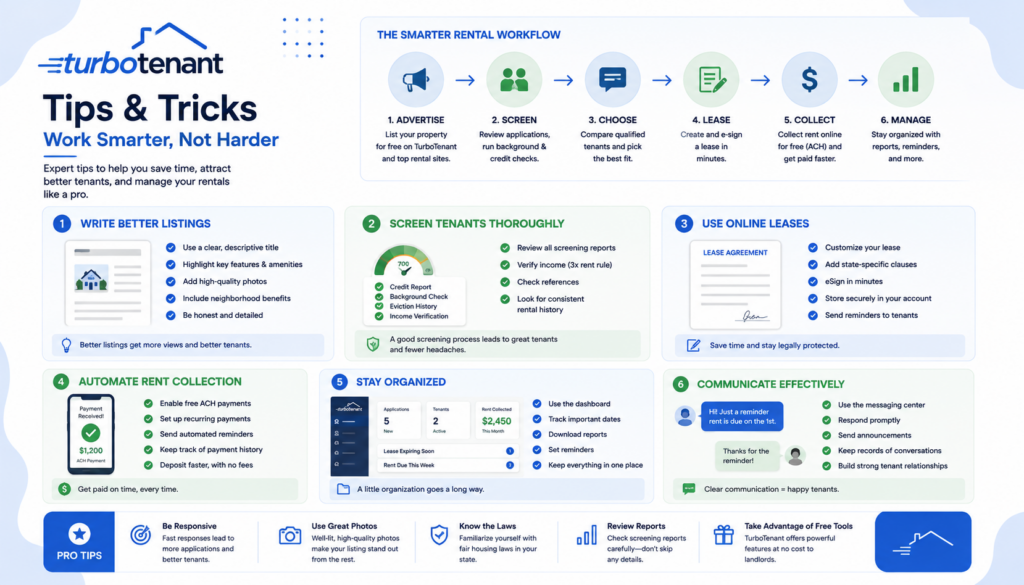
Tips & Tricks for Growing Your Business with TurboTenant
- Use the free plan as long as the data supports it. Reviewer consensus is consistent: 1–3 units rarely justifies a paid upgrade.
- Set expectations with applicants about screening timing. Since the model is applicant-initiated, a quick heads-up message reduces the back-and-forth reviewers cite as the platform’s main friction point.
- Document communication exclusively through TurboTenant’s messaging system. This is a compliance advantage, not just convenience — it creates a clean, timestamped record if a dispute ever arises.
- Reassess Premium once you cross 5 units. The math cited across multiple reviews (expense tracking, faster ACH) consistently favors upgrading at that threshold, not before.
- Budget separately for accounting software if you scale past 20 units. Every source is consistent that TurboTenant isn’t built to replace a dedicated accounting suite at that scale.
Alternatives to TurboTenant
Choose Buildium if you’re managing a larger portfolio and need integrated, full-featured accounting alongside property management.
Choose TenantCloud if you want more built-in integrations and don’t mind starting at a paid entry tier (~$17/month) rather than a free plan.
Choose TurboTenant if you’re an independent landlord with 1–20 units who wants free listing syndication and screening without a monthly fee.
Final Verdict
The data holds up: TurboTenant delivers a genuinely free, full-featured rental management platform for independent landlords, backed by a 96% satisfaction rating and a 4.5/5 G2 score built on real usage, not marketing claims. The friction points are specific and well-documented — no landlord mobile app, paywalled phone support, slower ACH transfers — but none of them undermine the core value proposition for its target user. For 1–20 units, the numbers say TurboTenant is hard to beat.
Frequently Asked Questions
Is TurboTenant actually free?
Yes — the free plan has no time limit, no unit cap, and requires no credit card. Tenants cover costs through application fees, which is how the platform generates revenue instead of charging landlords.
Does TurboTenant have a landlord mobile app?
No — tenants get a dedicated, highly rated mobile app, but landlords manage their properties through a mobile-responsive website rather than a native app.
How much does TurboTenant’s paid plan cost?
Essentials runs approximately $149/year and Pro approximately $199/year, both well under $200 annually for unlimited properties, unlocking state-specific e-leases, faster ACH payouts, and phone support.
Is TurboTenant good for a growing property management company?
Data across reviewers is consistent: TurboTenant is built for independent landlords with 1–20 units. Larger, growing portfolios needing advanced accounting typically outgrow it and move to platforms like Buildium.