
Clover POS Review: Is This All-in-One Point-of-Sale System Right for Your Small Business?
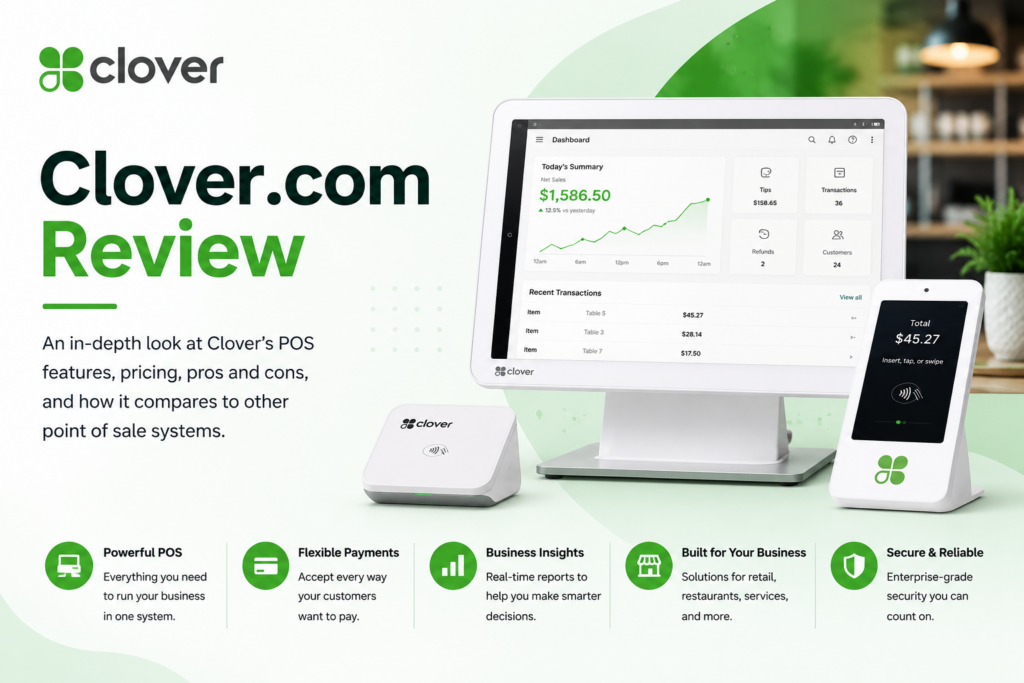
Ask ten small business owners what they hate most about running a storefront or restaurant, and “juggling five different systems to ring up a sale, track inventory, and manage staff” shows up on most lists. Clover, now part of Fiserv, was built to collapse all of that into one countertop terminal (or handheld device) that handles payments, inventory, employee management, and reporting together.
Clover has become one of the most recognizable point-of-sale brands in the country, with sleek hardware showing up in coffee shops, salons, retail boutiques, and full-service restaurants alike. But the reviews online are consistent about one thing: Clover’s biggest strength — doing everything — is also where the cost adds up fastest. In this article, we’ll cover what Clover actually offers, what professional reviewers and real merchants say about it, how to get a new Clover system running, and the tips that help you get real value out of the investment.
What Is Clover and Who Is It For?
Clover is an all-in-one point-of-sale (POS) platform combining proprietary hardware, cloud-based software, and integrated payment processing. Unlike software-only competitors, Clover sells purpose-built devices: the Station Duo and Station Solo (full countertop terminals with customer-facing screens), the compact Mini, the handheld Flex for tableside or on-the-go orders, and the pocket-sized Go card reader that pairs with a phone.
The software adapts to your industry. Clover offers dedicated systems for full-service restaurants, quick-service restaurants, retail shops, professional services, personal services (salons, spas), and home and field services — each with tools tailored to that business, such as table-side ordering and menu management for restaurants, or appointment scheduling and service catalogs for salons. Every configuration includes a cloud dashboard for monitoring sales and inventory remotely, employee management with permissions and time tracking, and built-in reporting covering daily sales, category performance, and tax summaries.
The Clover App Market extends the platform further, with hundreds of third-party apps covering accounting, loyalty programs, marketing, and advanced reporting — plus payroll integration as an add-on. A built-in website designer and online ordering tools round out the package for businesses that need a basic digital storefront alongside their physical one.
Pricing is genuinely complex, structured around six business categories, each offered in Starter, Standard, and Advanced tiers, with software fees typically layered on top of hardware costs and payment processing rates around 2.3%–2.6% + $0.10 per transaction. Restaurant plans start around $135/month for quick-service and $179/month for full-service configurations; hardware ranges from a $49 Clover Go reader up to roughly $1,799 for a full Station Duo setup. Most merchants need a conversation with a sales rep or reseller to land on a final number, and many plans involve either a significant upfront hardware cost or a multi-year processing contract — commonly 36 months.
Clover Review: What Reviewers and Real Merchants Are Saying
We looked at professional evaluations from NerdWallet, Forbes Advisor, Business.com, ConnectPOS, and POSUSA, alongside verified merchant feedback aggregated across POS review platforms. The pattern is clear: Clover earns strong marks on capability and hardware quality, and equally strong criticism on price transparency and contract terms.
The Professional Verdict
NerdWallet calls Clover a worthy contender for most small businesses, citing its distinctive hardware, competitive processing fees, and solid feature set, while flagging that plans “cost a lot for what they offer” compared to lower-cost alternatives like Square, and warning about potential early termination fees if Clover also serves as your payment processor. Forbes Advisor is similarly two-sided: impressed by the hardware lineup and breadth of features — inventory, menu management, online ordering, appointment scheduling, even a built-in website builder — but direct that the high monthly rates and multi-year commitment “might not be enough to justify the high cost for most businesses,” especially simple quick-service or retail operations that could get by on a free platform like Square.
POSUSA’s in-depth review rates Clover 8/10 overall, praising the intuitive interface, deep app marketplace, reliable offline payment processing, and the convenience of one platform spanning restaurants, retail, and services — while identifying the 36-month contract and proprietary hardware as the main catches, and specifically recommending merchants buy direct from Clover rather than through a reseller to get transparent pricing. ConnectPOS reaches a similar conclusion, positioning Clover as a solid choice for small and midsize businesses that want integrated hardware and software rather than assembling separate systems.
What Merchants Love
True all-in-one convenience. The most consistent praise: one system for payments, inventory, staff, and reporting instead of stitching together separate tools. Merchants like being able to monitor sales and inventory from the cloud dashboard from anywhere, and having employee permissions and time tracking built directly into the same platform that rings up sales.
Hardware quality and design. Reviewers describe the Station systems as polished and professional-looking on a countertop, with solid build quality and reliable connectivity. The Flex holds up well to handheld, on-the-go use despite the obvious drop risk, and the Go reader offers a genuinely portable option for mobile vendors.
Deep app marketplace. The Clover App Market gives merchants a way to extend the base system with accounting, loyalty, and marketing apps as they need them, without waiting on Clover itself to build every feature natively.
Industry-specific fit. Because Clover offers distinct configurations for restaurants, retail, and service businesses, merchants report the system genuinely matches how their business operates rather than forcing a generic checkout flow onto a specialized workflow — table-side ordering for restaurants, appointment booking for salons, and so on.
Reliable offline processing. Several reviewers highlight that Clover continues accepting payments during internet outages, syncing once connectivity returns — a meaningful reliability feature for merchants who can’t afford downtime at the register.
What Merchants Complain About
Pricing opacity. By far the most common frustration. Clover’s plans span six business categories and three tiers each, with hardware, software, and processing priced separately, and most merchants end up needing a sales call to get real numbers. Review aggregators note that billing surprises and reseller-related contract issues are the most common source of low individual ratings, even though the software itself scores well when reviewed directly.
Contract length and termination fees. Many plans involve a 36-month commitment, and using Clover as your payment processor can trigger early termination fees if you leave before the term ends. This is a serious consideration for a new or unproven business.
High cost relative to free alternatives. Reviewers repeatedly point out that Square offers comparable core functionality — including appointment management, in Forbes Advisor’s example — for free, making Clover’s monthly fees hard to justify for merchants with simple needs and tight budgets.
Hardware wear points. Some reviewers note the Mini’s tamper sensor depends on a small internal battery not meant for continuous standalone operation, and that printer heads can become a point of failure at high print volumes on certain units.
Reseller inconsistency. Because Clover is sold both directly and through a network of resellers and payment processors, pricing and contract terms can vary significantly depending on where you sign up — reviewers consistently advise buying direct for the clearest terms.
The Bottom Line
Clover is a genuinely capable, professionally built POS platform that earns real praise for its hardware and all-in-one feature set — reviewers and merchants agree the software itself performs well. The consistent warning is about the business side of the purchase: opaque category-based pricing, long contracts, and reseller variability mean the effective cost and terms depend heavily on how and where you buy. For an established small business ready to commit to a full-featured system, Clover is a strong contender. For a brand-new or very simple operation, it’s worth comparing against free or lower-commitment alternatives first.
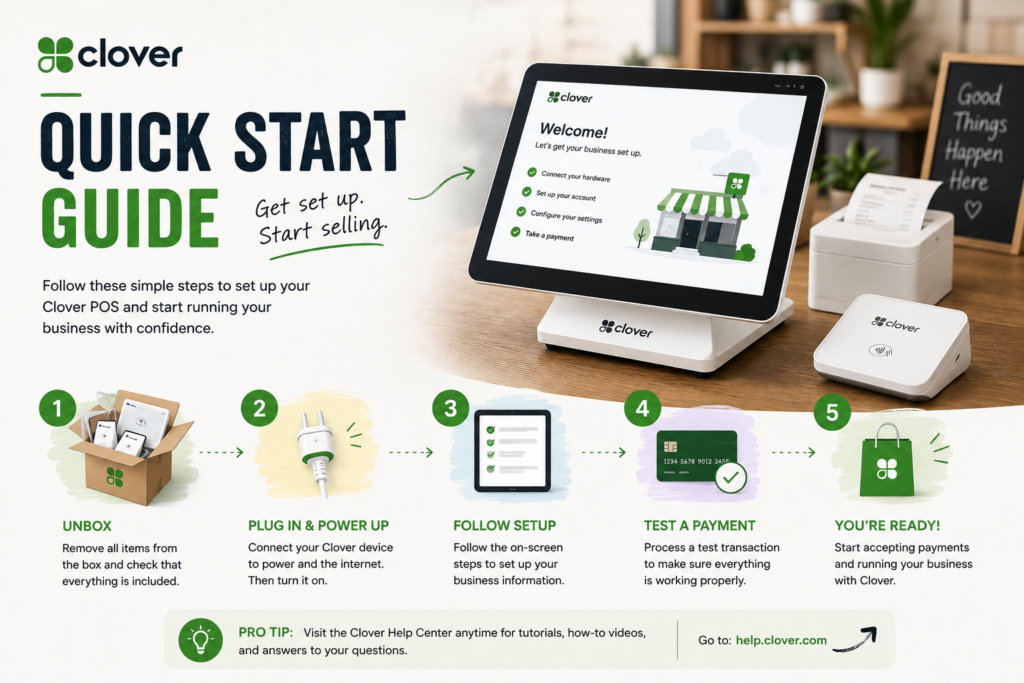
Quick Start Guide: Setting Up Your Clover System
Step 1: Identify Your Business Category and Needs
Before talking to anyone, decide which of Clover’s six business types fits you — full-service restaurant, quick-service, retail, professional services, personal services, or home and field services — and whether you need Starter, Standard, or Advanced features. Knowing this upfront keeps the sales conversation focused and makes it easier to compare quotes.
Step 2: Buy Direct When Possible
Given the reviewer consensus on reseller inconsistency, start with Clover’s own site or a Fiserv representative rather than a third-party reseller, and get the full pricing breakdown — hardware, software fees, processing rate, and contract length — in writing before signing anything.
Step 3: Choose Your Hardware
Match the device to how you actually sell: a Station Duo or Solo for a fixed countertop checkout, a Mini for tighter spaces, a Flex for tableside or line-busting mobility, or a Go reader for a fully mobile or pop-up setup. Many businesses end up combining devices — a Station at the main register and a Flex for the floor.
Step 4: Set Up Your Product Catalog or Menu
Load your inventory or menu into the Clover dashboard, organized by category, with pricing, modifiers, and tax settings configured correctly from day one. This is the step most likely to cause register-line problems if rushed, so budget real time for it rather than doing it the night before opening.
Step 5: Configure Employee Accounts and Permissions
Add staff members with appropriate permission levels — who can issue refunds, void transactions, or access reporting — and set up time tracking if you’re using it. Getting roles right upfront avoids awkward permission gaps during a busy shift.
Step 6: Connect Apps You Need
Browse the Clover App Market for accounting, loyalty, or marketing integrations relevant to your business, and connect payroll if you’re using that add-on. Add only what you’ll actually use — every extra app is another subscription line.
Step 7: Run a Test Day Before Going Live
Process test transactions, refunds, and any modifiers or discounts you plan to offer, and confirm the cloud dashboard is reporting correctly. Test offline mode too, if your location has unreliable internet, so you know how the system behaves before a real outage happens.
Step 8: Train Your Team
Walk staff through the actual device they’ll use daily — Station, Flex, or Mini — including how to process refunds, apply discounts, and handle offline transactions. Clover’s interface is generally described as intuitive, but a short hands-on session prevents fumbling in front of customers.
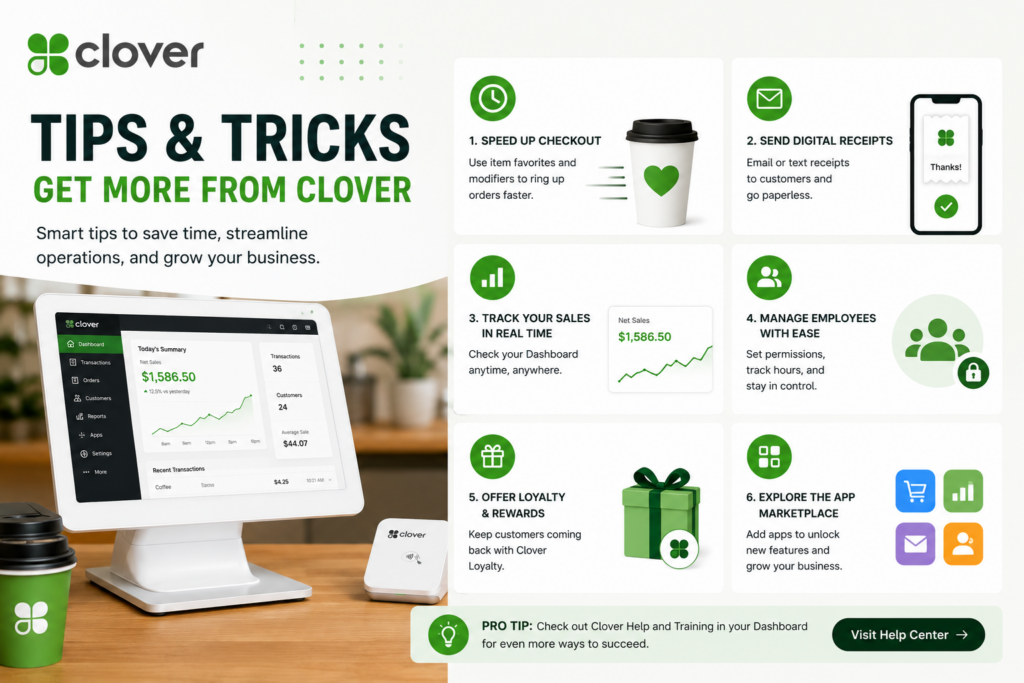
Tips & Tricks: Getting Real ROI from Clover
Negotiate the Contract Terms, Not Just the Price
Because so much merchant frustration centers on contracts and reseller variability, treat the 36-month commitment as a negotiable term, not a fixed rule. Ask about shorter agreements, hardware buyout options, and exactly what triggers an early termination fee before you sign.
Use the Cloud Dashboard as a Daily Habit, Not Just a Reporting Tool
Check sales, category performance, and labor reports regularly rather than only at month-end. Spotting a slow-moving category or an overstaffed shift early is worth far more than a quarterly review after the fact.
Lean on Industry-Specific Features You’re Paying For
If you’re on a restaurant plan, actually use table-side ordering and menu management rather than defaulting to a generic checkout flow. If you’re on a service plan, put appointment scheduling to work. These tools are often what differentiates Clover’s pricing from cheaper alternatives — using them is how you justify the cost.
Curate Your App Market Additions
The marketplace is a strength, but subscription creep is real. Review connected apps quarterly and cut anything you’re not actively using — a habit that keeps Clover’s all-in-one convenience from quietly becoming an all-in-one expense.
Keep Offline Mode Ready
Clover’s ability to keep processing payments through an internet outage is one of its most-praised reliability features — make sure your staff know it exists and how transactions sync once you’re back online, so an outage doesn’t turn into a missed-sale panic.
Match Hardware to Failure Points
Given reviewer notes about printer heads under heavy volume and the Mini’s battery-dependent tamper sensor, choose hardware suited to your actual transaction volume and keep it on consistent power where possible. A device mismatched to your traffic is the most common source of hardware headaches.
Revisit Square as a Sanity Check
Even if you choose Clover, pricing it against Square’s free tier periodically is a useful discipline — reviewers note Square includes features like appointment management for free that Clover only unlocks on higher-cost plans. If your needs are genuinely simple, that comparison might save you real money; if you need Clover’s deeper feature set, the comparison at least confirms you’re paying for something you use.
Final Thoughts
Clover earns its reputation as a serious, full-featured POS system — the hardware is well built, the software genuinely adapts to different business types, and the all-in-one convenience is real. The catch, echoed by nearly every reviewer and merchant, isn’t the software itself but the business side of the purchase: pricing that requires a sales call to understand, contracts that can run three years, and costs that vary depending on where you buy. Go in with your business category and needs defined, buy direct, negotiate the contract terms, and actually use the industry-specific features you’re paying for — and Clover can be a genuinely strong long-term investment in how your business runs.