How to Choose HR Software for a Small Business

Our Take: “HR software” covers two genuinely different problems that get sold under the same label: running compliant payroll and benefits for a workforce, and scheduling and communicating with an hourly team day to day. A business that picks a tool built for the wrong one of those two problems ends up paying for features it doesn’t need while still lacking the one it does.
The Real Question: Payroll Compliance or Workforce Scheduling?
Before comparing any specific HR platform, figure out which problem is actually costing your business time and risk right now.
If your pain point is running payroll correctly, filing the right tax forms, and administering benefits without errors, you need a payroll-and-compliance-first platform. This is the higher-stakes category — mistakes here mean tax penalties and compliance exposure, not just inconvenience.
If your pain point is building the weekly schedule, communicating shift changes, and tracking hours for an hourly workforce, you need a scheduling-and-workforce-management tool. Payroll accuracy matters here too, but the daily friction is about coordinating people and shifts, not tax compliance.
Many small businesses need both eventually, but they rarely need both from day one, and buying a full HRIS platform to solve a scheduling problem — or a scheduling app to solve a payroll compliance problem — is one of the most common HR software mistakes small businesses make.
Decision Criteria That Actually Separate These Tools
Your hourly-to-salaried employee ratio. A team that’s mostly salaried has simpler payroll needs and fewer scheduling headaches. A team that’s mostly hourly — retail, restaurants, field services — has the opposite profile: scheduling and shift communication become the daily operational challenge, and payroll needs to handle overtime and shift differentials correctly.
Multi-state or contractor complexity. If you employ people across multiple states, or mix W-2 employees with 1099 contractors, confirm the platform handles multi-state tax filing and contractor payments correctly — this is exactly the kind of detail that’s easy to get wrong manually and expensive to fix after the fact.
Real per-employee cost at your headcount. Most HR platforms price per employee per month on top of a base platform fee. Model the actual monthly cost at your current headcount plus realistic near-term growth, not just the advertised starting price for a small team.
Manager and employee self-service. A platform where employees can view pay stubs, request time off, and swap shifts without a manager mediating every request saves real administrative time as the team grows. If your current process routes everything through one person, this is often the single biggest efficiency gain from switching to dedicated software.
Compliance and documentation depth. Confirm the platform handles the specific compliance requirements relevant to your industry and location — required break tracking, minor work-hour restrictions, sick leave accrual rules — rather than assuming generic payroll software covers every local requirement automatically.
Integration with your existing accounting software. Payroll data needs to flow into your books correctly. Confirm direct integration with your accounting platform before assuming a manual export-and-import process will be a minor inconvenience — for many small businesses, it isn’t.
How the Leading Options Actually Differ
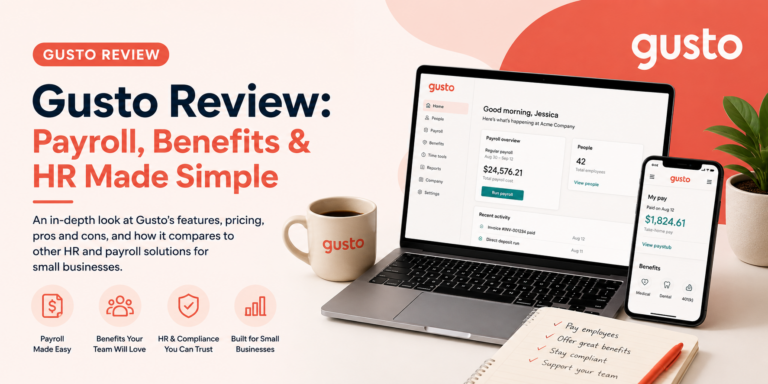
Gusto is built specifically around payroll accuracy and compliance for a small business running its first real payroll. It handles federal and state tax filings, direct deposit, and basic benefits administration without requiring HR expertise to configure correctly — a meaningful advantage when nobody on the team has run payroll before and getting it wrong carries real financial and legal risk. Gusto is the right starting point for a business whose core problem is “we need payroll and compliance handled correctly,” regardless of whether the team is salaried or hourly.
Homebase solves the other problem: it’s built around scheduling, time tracking, and team communication for hourly workforces, with the operational features — shift swapping, availability tracking, labor-cost forecasting against a schedule — that a payroll-first platform typically doesn’t prioritize. It’s the stronger fit for a retail, restaurant, or service business where the daily friction is building and adjusting the schedule, not filing payroll taxes.
Connecteam occupies similar territory to Homebase but leans further into broader workforce communication and operations beyond scheduling alone — team messaging, task checklists, and training modules alongside time tracking. It’s worth comparing directly against Homebase specifically when the business needs more than scheduling: onboarding new hires, running compliance training, or coordinating a distributed field team where a simple schedule isn’t the only coordination challenge.
Businesses in especially shift-intensive service industries — restaurants and hospitality in particular — should also weigh 7shifts, which is built specifically around restaurant scheduling and labor-cost management, and Sling, which covers similar shift-scheduling ground with its own take on team communication features.
None of these tools is a universal “best HR software” — Gusto and the scheduling-first tools (Homebase, Connecteam, 7shifts, Sling) solve different problems, and the right starting point depends entirely on which one is actually costing your business time and risk today.
See our full Human Resources Software hub for a broader comparison across the category.
Questions to Ask During a Trial
Most platforms in this category offer a trial or a live demo with sample data — use it to answer these specific questions rather than just browsing the interface:
Can a manager actually approve a time-off request and see the schedule update in real time? This is the daily workflow that either saves real administrative time or doesn’t, and it’s worth testing directly rather than taking a features page’s word for it.
What does the tax filing confirmation process actually look like? For payroll-first tools specifically, confirm you’ll get clear, verifiable confirmation that filings were submitted correctly, not just an assumption that the platform “handles it.”
How does the platform handle a schedule change with less than 24 hours’ notice? For scheduling-first tools, this is the scenario that actually tests whether the shift-swap and notification features work the way the marketing page describes.
Does the mobile app cover what hourly employees actually need day to day? For a scheduling-first tool especially, the employee-facing mobile experience matters as much as the manager-facing dashboard — test it from an employee’s perspective, not just an admin’s.
When You Need Both
A growing business often ends up needing payroll compliance and workforce scheduling simultaneously — a restaurant with 20 hourly employees needs both accurate payroll and a workable weekly schedule. Rather than assuming one platform must do both jobs equally well, check whether your payroll-first pick integrates cleanly with a scheduling-first tool (or vice versa) before ruling out the two-tool approach. Running Gusto for payroll and Homebase for scheduling, connected through their integration rather than forced into one platform, is a common and reasonable setup for exactly this reason — it’s often more effective than a single all-in-one HRIS platform trying to do both jobs at once, particularly for a team under 30 people.
Red Flags Worth Checking Before You Commit
Payroll tax filing guarantees. Confirm whether the platform guarantees accurate tax filings and covers penalties if it makes a filing error — this varies by vendor and matters more than almost any other feature once real money and compliance risk are involved.
Hidden per-feature add-ons. Some platforms advertise a low base price but charge extra for benefits administration, time tracking, or multi-state filing — model your realistic total cost, not the advertised starting tier.
Contractor payment handling. If you pay any 1099 contractors alongside W-2 employees, confirm the platform handles both without requiring a separate tool or manual workaround.
Support responsiveness during actual payroll runs. Payroll problems are time-sensitive by nature — a missed direct deposit or filing error needs same-day resolution, not a multi-day support queue. This is worth testing during a trial if possible, not assumed from a features page.
What a Realistic HR Software Budget Looks Like
A 10-employee business running Gusto for payroll typically lands around $150–200/month, factoring in the base platform fee plus per-employee cost at that headcount. A retail or restaurant business layering Homebase or Connecteam on top for scheduling and time tracking typically adds another $50–150/month depending on the tier and how many of the communication and training features get used. Running both a payroll-first and a scheduling-first tool together, rather than a single all-in-one HRIS platform, often lands in a similar total cost range while doing each job noticeably better — which is worth knowing before assuming a single “all-in-one” platform is automatically the cheaper or simpler path.
How AppFinderX Evaluated These Criteria
This guide is research-based, drawing on current vendor pricing pages, documentation, and independent 2026 comparison coverage, cross-referenced against AppFinderX’s own published reviews of Gusto, Homebase, and Connecteam. We did not conduct hands-on testing of every tool referenced here.
Frequently Asked Questions
Do I need HR software if I only have a few employees?
Even a very small team benefits from dedicated payroll software once you have any employees at all, given the compliance risk of manual payroll and tax filing. Full HRIS features (performance reviews, advanced benefits administration) usually aren’t necessary until the team grows well past a handful of people.
Can I run payroll and scheduling from the same platform?
Some platforms offer both, but often with one function noticeably stronger than the other. Evaluate each function independently against the criteria above rather than assuming an all-in-one platform is automatically the more efficient choice — for many small teams, a payroll specialist paired with a scheduling specialist works better than one platform doing both adequately.
How much should a small business budget for HR software per employee?
Payroll-first platforms commonly run in the $6–12 per employee per month range on top of a base platform fee, while scheduling-first tools are often priced lower per employee but may charge separately for advanced features like labor-cost forecasting. Model your total cost at current headcount before comparing advertised starting prices.