
Gusto Payroll Review: Is It Still the Easiest Way to Pay Your Team?
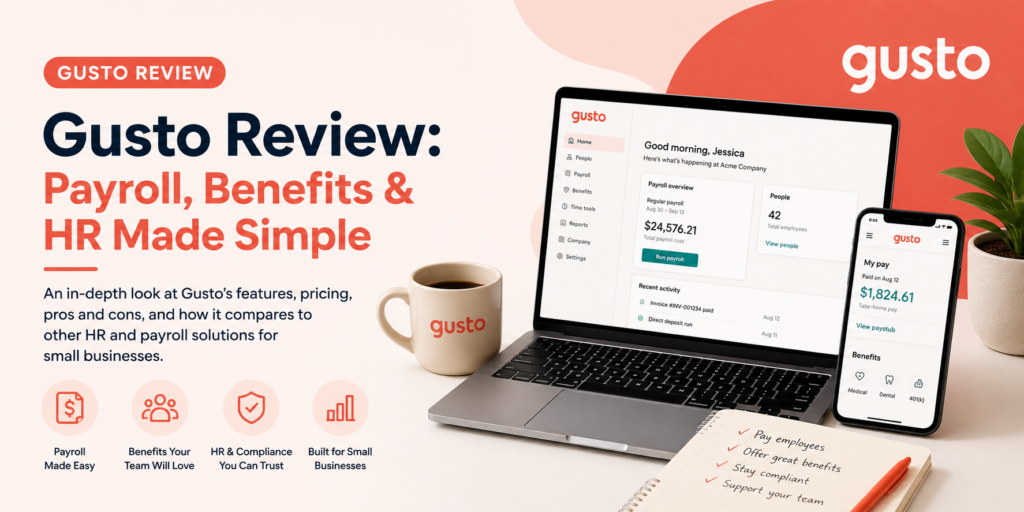
There’s a particular kind of dread that comes with payroll day when you’re doing it manually — the spreadsheet formulas you don’t fully trust, the tax withholding math you’re hoping you got right, the quiet fear that you’ve missed a filing deadline somewhere. Gusto built its entire reputation on making that feeling go away. Enter hours, review the numbers, click run, and you’re done — usually in under five minutes.
That reputation is well-earned, and it’s part of why Gusto now serves more than 400,000 businesses. But 2026 brought a real price increase that’s worth understanding before you commit, and it’s changing how Gusto stacks up against its competitors. Let’s walk through what Gusto actually does, what real users and reviewers think of it today, how to get your first payroll run live, and how to get genuine value out of the platform once you’re in.
What Is Gusto?
Gusto is a cloud-based payroll, benefits, and HR platform built specifically for small and mid-sized businesses. At its core, it automates full-service payroll: calculating wages, withholding taxes, and filing them automatically at the federal, state, and local level, plus generating W-2 and 1099 forms at year-end. Once you’re set up, most users report finishing a payroll run in under five minutes, and a feature called AutoPilot can run payroll automatically on a schedule so you don’t even need to log in for a routine cycle.
Beyond payroll, Gusto layers on real HR infrastructure — digital employee onboarding, benefits administration for health insurance and 401(k) plans, a self-service employee portal, time tracking, and hiring tools. It handles W-2 employees and 1099 contractors in the same platform, which is genuinely convenient if your team is a mix of both, and even the base plan can manage more complex calculations than you might expect — wage garnishments, holiday pay, tip credits — without needing to upgrade. More than 650 integrations connect Gusto to accounting software and other business tools you’re probably already using.
Pricing follows a base fee plus per-person model, with no long-term contracts or setup fees. As of the March 2026 pricing update, Simple runs $49/month plus $6 per person, designed for single-state payroll with the essentials. Plus runs $80/month plus $12 per person, adding multi-state payroll, time tracking, and deeper HR tools — this is the tier most growing businesses land on. Premium adds a dedicated service advisor and the fullest HR feature set. A separate Contractor Only plan exists for businesses paying 1099 workers with no W-2 employees, running $35/month plus $6 per contractor. You only pay for active employees, which is a small but genuinely fair touch.
Here’s the honest catch: that March 2026 base-fee increase is real, and reviewers are direct that it’s narrowed Gusto’s historical price advantage over some cheaper competitors. It’s still a strong platform — just worth knowing you’re paying a bit more for it than you would have a year ago.
Gusto Is Best For
- U.S.-based small and mid-sized businesses with W-2 employees, 1099 contractors, or both
- Businesses that want payroll, benefits, and HR genuinely unified in one system
- Teams under roughly 100-150 employees, where Gusto’s HR depth is a strong fit
- Business owners who want a minimal learning curve on something as important as payroll
Not recommended for:
- Businesses above 100-150 employees, where HR depth starts to feel limiting
- Companies with international full-time employees — Gusto Global runs $599/month per employee
- Businesses needing 24/7 support, since Gusto’s hours are Monday through Friday, 8am-8pm ET
- Anyone whose growth plans include hiring in a second state soon, without budgeting for the Plus upgrade that requires
At a Glance
| Best For | U.S. small and mid-sized businesses needing payroll, HR, and benefits together |
| Starting Price | Simple $49/month + $6/person; Contractor Only $35/month + $6/contractor |
| Free Trial | Available — check current offer directly |
| Mobile App | iOS and Android |
| AI Features | Limited; core value is automation and compliance, not AI |
| Ease of Use | High — G2 users consistently praise the straightforward interface |
| Integrations | 650+ apps, including accounting and time-tracking tools |
Pros & Cons
Pros
- Genuine minimal learning curve, even for owners acting as their own HR department
- Even the base Simple plan handles complex calculations like wage garnishments and tip credits
- AutoPilot lets stable payrolls run automatically without logging in every cycle
- No long-term contracts, setup fees, or termination penalties
- Strong G2 rating — 4.6 out of 5 across more than 8,300 reviews
Cons
- March 2026 base-fee increase narrowed Gusto’s value edge over cheaper competitors
- Hiring your first employee in a new state forces a Simple-to-Plus upgrade — a real cost cliff
- Fewer workflow automations than some competitors outside of automated tax filing
- Limited dashboard customization compared to platforms like Paychex or ADP
- Trustpilot rating (2.5/5) is notably lower than G2’s, reflecting a real split in support-related sentiment
Gusto Review: What Reviewers and Real Users Are Saying
Read enough Gusto reviews and you’ll notice something: the people running their actual payroll through it, day to day, tend to rate it very highly. Business.com’s editorial review scored Gusto 9.2 out of 10 and named it the best payroll software for HR integration, specifically highlighting that even the base plan can handle complex calculations most competitors reserve for higher tiers. Employsome’s independent analysis calls Gusto “close to the default choice” for U.S. small and mid-sized businesses, citing that same strong 4.6 G2 rating and pointing to multiple satisfaction awards along the way.
Comparisun’s 2026 breakdown captures the honest trade-off happening right now better than most: transparent pricing, AutoPilot, digital onboarding, automated tax filing, and 650+ integrations are genuinely difficult for competitors to match — but the March 2026 base-fee increase has narrowed that value edge. The same review flags real limits worth knowing: Gusto isn’t a fit past 100-150 employees, international full-time employees get expensive fast through Gusto Global, and support hours don’t cover businesses that need help outside standard weekday hours.
Nav’s review echoes this balanced read directly, describing Gusto as best for SMBs wanting payroll, HR, and benefits together in one place — while noting customer support specifically as a genuine weak point, with both Trustpilot and Better Business Bureau reviews describing it as slow and unhelpful at times. That’s worth sitting with, because it’s the clearest explanation for the gap between Gusto’s strong G2 score and its considerably lower Trustpilot rating — people evaluating the product itself and people who’ve had a bad support experience are, understandably, telling two different stories.
Business.org’s comparison offers a genuinely useful pricing nuance most reviews skip: QuickBooks Payroll’s basic plan actually has a higher starting price but a lower per-payee fee, meaning it becomes more affordable than Gusto specifically once you’re past around five employees — a good reminder that “best” depends heavily on your team size, not just the sticker price. DianaHR’s cost breakdown makes the real math concrete: a 10-employee team on Plus runs about $200/month ($80 base + $120 for employees), while a 20-person team on Premium lands around $620/month — numbers worth running against your own headcount before you commit to a tier.
Pricing
| Plan | Price | Best For |
|---|---|---|
| Contractor Only | $35/month + $6/contractor | Businesses paying 1099 workers with no W-2 employees |
| Simple | $49/month + $6/person | New, single-state businesses needing core payroll |
| Plus | $80/month + $12/person | Multi-state payroll, time tracking, deeper HR tools |
| Premium | Higher tier | Dedicated service advisor, full HR management platform |
Hidden costs to watch for: If there’s any chance you’ll hire in a second state this year, budget for Plus now — the Simple-to-Plus upgrade isn’t optional once that happens, and it’s a real cost jump rather than a gradual scaling curve. The March 2026 base-fee increase is also worth factoring into any comparison against competitors, since it’s genuinely changed Gusto’s price position relative to alternatives like QuickBooks Payroll, especially for teams above five employees.
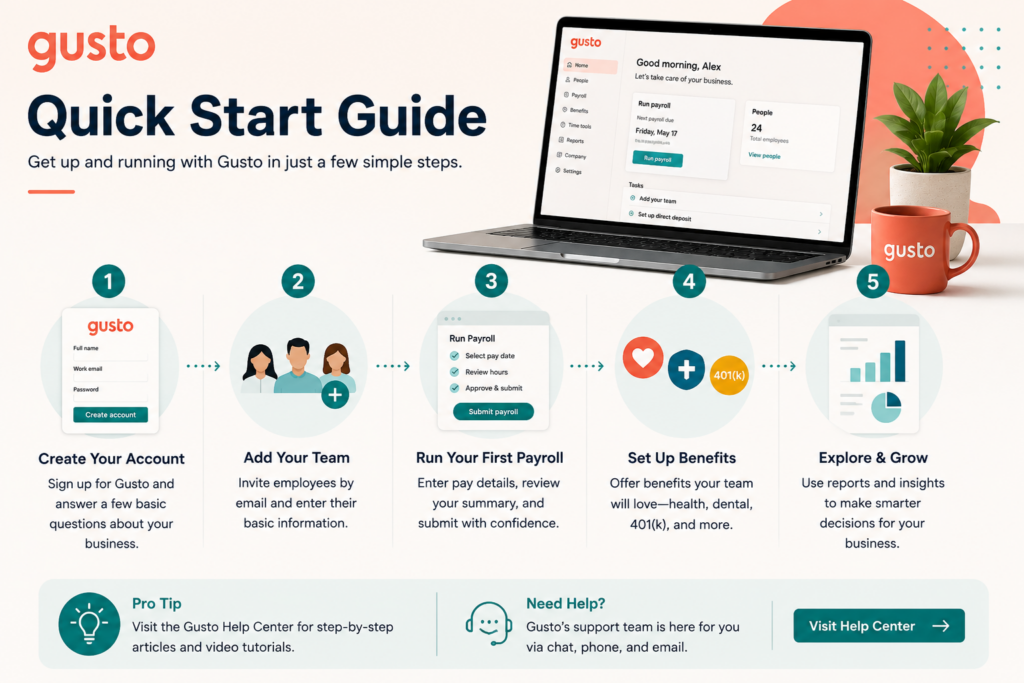
Setup Guide: Running Your First Payroll on Gusto
1. Set Up Your Company and Tax Information
- Enter your EIN, state tax IDs, and banking details completely before your first payroll run
- Confirm your pay schedule and pay period settings match your actual practice
- Verify state and local tax settings for every location where you have employees Payoff: incomplete tax setup is the most common cause of payroll processing delays.
2. Add Employees With Complete Onboarding Information
- Invite employees to self-onboard through Gusto rather than entering their data manually
- Confirm W-4 and direct deposit information is complete before the first pay run
- Set up benefits enrollment during onboarding if offering benefits through Gusto Payoff: self-onboarding shifts data entry to employees and reduces setup errors on your end.
3. Configure Benefits and Deductions
- Set up health insurance, retirement, and other benefit deductions before your first payroll cycle
- Confirm deduction amounts match your actual benefit plan documents
- Review the first payroll run closely to confirm deductions calculated correctly Payoff: benefit deduction errors are difficult to correct retroactively — verify them before go-live.
4. Run a Test Payroll Before Your First Live Run
- Use Gusto’s preview feature to review gross-to-net calculations before submitting
- Check that hours, overtime, and PTO are reflected accurately
- Compare the preview against your own manual calculation for at least one employee Payoff: catching calculation errors in preview avoids the headache of correcting an already-processed payroll.
5. Set Up Compliance and Reporting Tools
- Enable Gusto’s compliance alerts for filing deadlines relevant to your state
- Review new-hire reporting requirements to confirm Gusto is filing them automatically
- Check your first quarterly tax filing for accuracy before relying on it long-term Payoff: automated compliance tracking is a real time-saver, but only once verified against your first real filing cycle.
Getting Value Fast: Your First Week Checklist
- Complete your business setup and bank connection on day one so nothing holds up your first real payroll run.
- Get every employee through self-service onboarding in the first few days, rather than entering their information for them.
- Run one full payroll cycle manually, reviewing every line carefully before you trust the system with AutoPilot.
- Connect your accounting software so payroll data starts flowing into your books immediately.
- Check your state and multi-state status honestly — if you’re likely to hire elsewhere soon, plan your tier accordingly now.
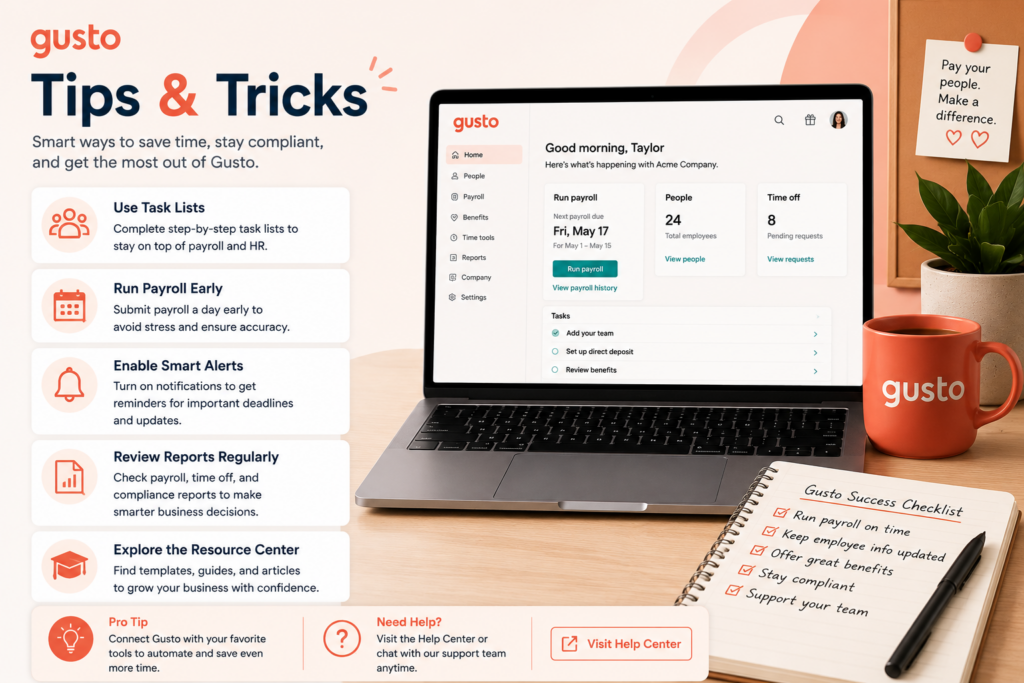
Tips & Tricks for Growing Your Business with Gusto
1. Plan Around the Multi-State Cost Cliff Before It Happens
- Check now whether you’re likely to hire in a second state this year
- Budget for Plus proactively if the answer is yes
- Avoid the surprise of a forced mid-year upgrade Payoff: turns a potential cost shock into a planned, predictable line item.
2. Let AutoPilot Run, But Check In Monthly
- Enable AutoPilot once you genuinely trust your setup
- Review one payroll report per month regardless
- Catch drift in hours, rates, or deductions before it quietly compounds Payoff: automation saves real time, but a monthly glance keeps small errors from becoming big ones.
3. Connect Everything You Already Use
- Link your accounting software, time tracking, and any HR tools in your current stack
- Treat Gusto as the hub of your financial and HR data, not an island
- Reconcile connected data monthly for accuracy Payoff: businesses getting the most from Gusto are the ones who’ve actually integrated it, not just run payroll in isolation.
4. Let Compliance Features Handle the Risky Paperwork
- Rely on automatic new-hire reporting and tax registration
- Skip the manual tracking of these requirements entirely
- Spot-check your first few filings to build confidence in the system Payoff: this is exactly the kind of paperwork that’s genuinely dangerous to get wrong on your own.
5. Reserve Premium for When You Actually Need the Advisor
- Upgrade if you’re navigating real multi-state complexity or benefits administration
- Don’t upgrade for support alone if your situation is straightforward
- Reassess this as your team and complexity grow Payoff: matches your spend to genuine need rather than a vague sense that “more support” is always worth it.
6. Compare Your Real Cost Against Alternatives Annually
- Run the QuickBooks Payroll comparison specifically if your team is over five employees
- Factor the March 2026 price increase into your evaluation
- Use the comparison to confirm — not assume — Gusto still fits your budget Payoff: given the narrowed price gap, a yearly gut-check keeps your software costs a deliberate choice.
7. Use the Self-Service Portal to Lighten Your Own Load
- Let employees update their own information and pull their own pay stubs
- Encourage self-service benefits elections through the portal
- Redirect routine requests into that workflow instead of your inbox Payoff: every task an employee handles themselves is one less thing landing on your desk.
Alternatives to Gusto
Choose QuickBooks Payroll if your team is larger than about five employees — its lower per-payee fee can make it more affordable at that scale despite a higher starting price.
Choose ADP if you’re approaching or past 50 employees and need more advanced HR features than Gusto’s current ceiling supports.
Choose Gusto if you’re a U.S. small or mid-sized business wanting payroll, HR, and benefits genuinely unified, with an interface built for owners who aren’t full-time HR professionals.
Final Verdict
Gusto earns its reputation the way most genuinely good software does: payroll that takes minutes instead of hours, compliance handled automatically, and real HR depth bundled in without a punishing learning curve. The March 2026 price increase is a real factor worth weighing, and the gap between Gusto’s strong G2 rating and its lower Trustpilot score is worth understanding before you commit — it points to real, if inconsistent, support friction. Even with that considered, the reviewer consensus, backed by a strong G2 rating and hundreds of thousands of active customers, is that Gusto remains close to the default choice for U.S. small businesses. Set up your first payroll run carefully, and let it earn back the time you used to spend dreading payroll day.
Frequently Asked Questions
Is Gusto worth the price increase?
For most small and mid-sized businesses, reviewers say yes — Gusto still delivers strong value through automated compliance, HR integration, and ease of use, even though the March 2026 increase narrowed its price advantage over some competitors.
Does Gusto handle multi-state payroll?
Yes, but only on the Plus plan or higher. If you hire an employee in a second state while on Simple, you’ll need to upgrade — budget for this in advance if it’s a realistic possibility.
Why is Gusto’s Trustpilot rating so much lower than its G2 rating?
The gap largely traces back to customer support experiences. Reviewers evaluating the core product tend to rate it highly, while some Trustpilot and BBB reviews specifically describe slow or unhelpful support — worth knowing both sides before you commit.
Is Gusto good for a business with both employees and contractors?
Yes — Gusto handles W-2 employees and 1099 contractors in the same platform, which reviewers consistently cite as a genuine convenience for mixed-workforce small businesses.


