How to Build a Small Business Marketing Software Stack (Instead of Collecting Tools)
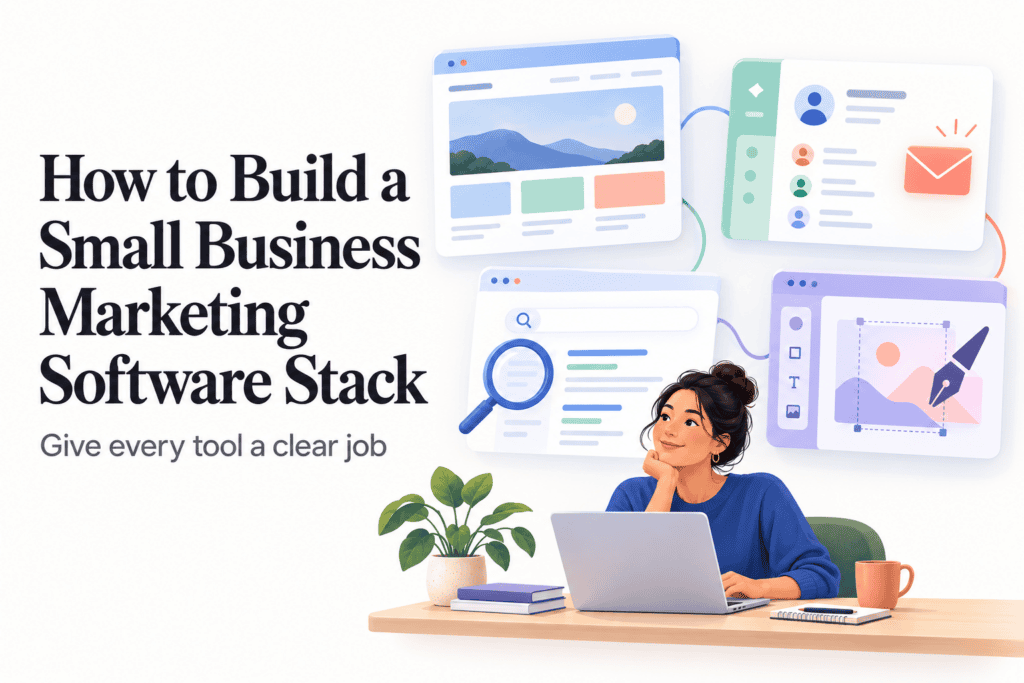
Most small businesses don’t have a marketing software problem because they have too few tools. They have one because they bought tools in whatever order a sales call or a blog post convinced them to, and now they’re paying for an email platform, a CRM, an SEO tool, and a design app that barely talk to each other and mostly duplicate each other’s contact lists. A “stack” isn’t just a list of software — it’s a small number of tools that each do a specific job and actually connect to the others. This guide walks through building one on purpose, instead of accumulating one by accident.
Start With the Job, Not the Category
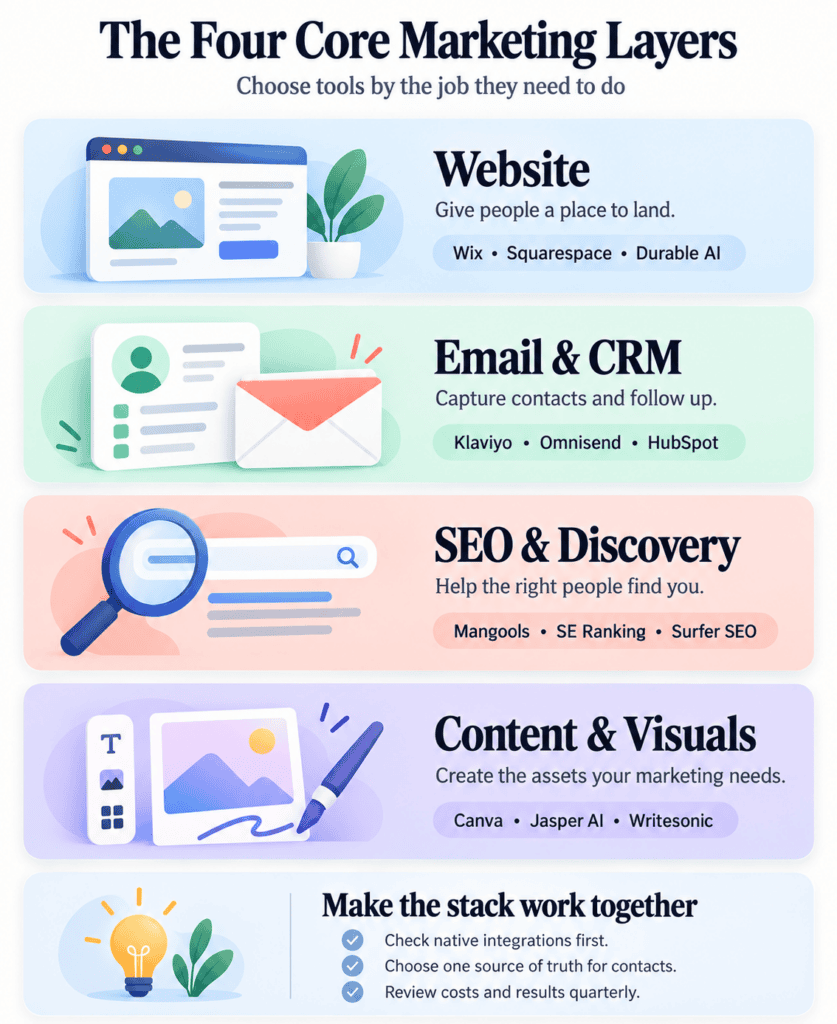
Before picking a single tool, write down the handful of jobs your marketing actually needs to do right now — not the jobs a more mature version of your business might need someday. For most small businesses, that list is shorter than it feels: a place for people to land (your website), a way to capture and follow up with interested people (email and/or a CRM), a way to get found (SEO or paid acquisition), and a way to produce the content and visuals that support all of that. Everything else — influencer tools, advanced automation, multi-channel attribution — is a layer you add once the core four are actually working, not before.
Layer One: Your Website Is the Foundation Everything Else Points To
Every other tool in your stack exists to send people somewhere or collect data from somewhere, and that somewhere is almost always your website. If you’re still deciding on this piece, Wix and Squarespace both cover the needs of most small businesses without requiring a developer, while Durable AI is worth a look specifically if you want a functional site generated in minutes rather than built over a weekend. The choice here matters less for marketing purposes than getting it done — a mediocre website that’s actually live and connected to your other tools beats a perfect one still in progress.
Layer Two: Capturing and Nurturing Contacts
This is usually where the real stack decision happens, because email marketing and CRM tools increasingly overlap, and picking the wrong one here creates duplicate-data headaches later. If most of your revenue runs through an online store, Klaviyo is built specifically around that kind of purchase and browsing data, with Omnisend as a lighter, cheaper alternative for a smaller store. If your business is more relationship-driven — consultations, proposals, ongoing sales conversations — a proper CRM matters more than an email platform, and HubSpot’s free CRM tier is a genuinely reasonable starting point precisely because it won’t force a painful migration later if you outgrow it.
The decision worth making explicitly: are you choosing an email tool that happens to have light CRM features, or a CRM that happens to send emails? Pick based on which job — selling through a store, or managing individual relationships — actually describes your business, and let that decision anchor everything else in this layer.
Layer Three: Getting Found
Once you have somewhere to send people and a way to capture them, getting found matters more than almost anything else in the stack. For most small businesses just starting to take SEO seriously, Mangools or SE Ranking cover keyword research and rank tracking without the price tag or learning curve of a full enterprise suite like Semrush, which is worth graduating to once your content output and competitive landscape actually justify it. If content creation specifically is the bottleneck — you know what you want to rank for but not what a winning page needs to include — Surfer SEO or Frase both solve that more directly than a general SEO suite does.
Layer Four: Producing Content and Visuals Without a Design Team
Almost every layer above needs assets — graphics for social, images for the website, something for an email header — and most small businesses don’t have a dedicated designer to produce them. Canva covers the vast majority of this need for a non-designer, quickly and cheaply. Figma is worth adding specifically once you’re doing real interface or product design work rather than marketing graphics — it’s a different tool for a different job, not an upgrade from Canva. On the writing side, Jasper AI or the more budget-friendly Writesonic can meaningfully speed up first drafts of blog posts, ad copy, and email content, though neither replaces someone who actually knows your business reviewing the output before it goes out.
Making the Layers Actually Talk to Each Other
A stack only earns the name if the pieces connect. Before adding any new tool, check its native integrations with what you already have — most CRMs and email platforms list this directly on their pricing or integrations page — and only reach for a connector tool like Zapier when a native integration genuinely doesn’t exist. Native integrations tend to be more reliable and don’t carry an extra monthly fee, so they should always be the first thing you check, not an afterthought once you’ve already built a workaround.
The most common failure here isn’t a lack of integrations — most mainstream tools integrate with each other reasonably well in 2026 — it’s duplicate contact lists that drift out of sync because nobody decided which tool is the actual source of truth for a customer’s information. Pick one system of record (usually your CRM or your email platform, not both) and treat every other tool as something that reads from or writes to that one source, rather than maintaining its own competing copy.
What a Reasonable Stack Actually Costs at Each Stage
A genuinely early-stage business — pre-revenue or just past it — can run a functional stack for well under $100 a month: a website builder’s base plan, a CRM’s free tier, Canva’s free tier, and a free-tier SEO tool for basic keyword tracking. That’s not a compromise; it’s the right amount of software for that stage of business, and upgrading past it before you’ve outgrown the free tiers is usually premature.
As revenue grows and the team grows past just the founder, expect the real cost center to shift toward whichever tool prices by contact count or seat count — usually the email platform or CRM — rather than any single expensive tool. Budget for that curve explicitly rather than being surprised by it: a CRM that’s free at 500 contacts and $50 a month at 2,000 is not a $50-a-month tool, it’s a tool whose price is a function of your own growth, and that’s a feature worth understanding before you’re deep into the free tier and emotionally committed to not migrating.
Common Stack Mistakes Worth Avoiding
The most expensive mistake is buying for the business you hope to have rather than the one you actually run today — an enterprise SEO suite or a complex marketing automation platform bought on day one, sitting mostly unused, is money that would have done more good spent on content, ads, or simply saved. A close second is tool overlap: an email platform with CRM features running alongside a separate CRM, both claiming to be the contact database, neither actually being trusted as the real one. And a quieter but real cost is subscription creep — a tool added for a specific campaign eighteen months ago that nobody remembers to cancel once the campaign ends.
A useful habit, regardless of stack size: review every recurring software subscription once a quarter and ask, specifically, what job it’s still doing. A tool that can’t answer that question clearly is a tool worth canceling, not renewing out of habit.
Putting Real Numbers to the Budget Curve
It helps to see the stages laid out concretely rather than in the abstract. A solo founder with a few hundred contacts might reasonably spend $0 to $50 a month total: a free-tier website builder plan, a CRM or email tool’s free tier, Canva’s free plan, and a free keyword-tracking tool. A small business with a few thousand contacts and some real content output tends to land somewhere between $150 and $400 a month once the email platform or CRM moves past its free tier and a proper SEO tool enters the picture. Somewhere past that — a growing list, a dedicated person doing marketing full time, content being produced weekly rather than occasionally — $500 to $1,000 a month across the full stack is a realistic range for a business that has genuinely outgrown the earlier tiers rather than one that jumped there on day one.
None of these numbers are a target to hit. They’re a sanity check — if your stack costs meaningfully more than the range that matches your actual business size, that’s worth investigating, and if it costs meaningfully less, you may be leaving real capability on the table rather than being admirably frugal.
Checking Whether the Stack Is Actually Paying Off
A stack is only as good as whether it’s actually moving the numbers that matter to the business, and it’s worth checking that deliberately rather than assuming a tool is working just because it’s running. For the website and SEO layer, that’s organic traffic and, more importantly, how much of it converts into an actual lead or sale, not just a page view. For the email and CRM layer, it’s list growth matched against engagement — a growing list with falling open rates is quietly rotting, not succeeding. For paid content or design tools, it’s a simpler question: is content actually going out on a predictable schedule, or is the tool mostly making unused drafts easier to produce.
Check this roughly once a quarter, around the same time you’re reviewing subscriptions for the cost-creep habit mentioned above. The two reviews pair naturally — a tool that isn’t earning its place on the performance side is often the same tool worth cutting on the cost side.
When to Add the Next Layer
Resist adding a new category of tool — influencer marketing platforms, advanced marketing automation, a dedicated sales engagement tool for cold outreach — until the core four layers above are genuinely working and you’ve hit a specific, felt limitation of what they can do. If influencer partnerships are becoming a real part of the business rather than a one-off experiment, tools like GRIN or Aspire earn their place. If outbound cold email becomes a real growth channel, it’s worth reading AppFinderX’s Lemlist vs. Instantly.ai comparison before picking a tool, since the two work on genuinely different pricing models that matter a lot depending on team size.
For a broader look at the full field of options in any one of these layers, AppFinderX’s best marketing software guide breaks each category down product by product, and the sales and marketing software hub is the place to browse if you’re still deciding what belongs in your stack at all.
The Real Test of a Good Stack
A marketing stack is working when you can explain, in one sentence each, what job every tool in it does and why it’s that specific tool instead of another one. If you can’t answer that for something you’re paying for every month, that’s usually the clearest sign of what to cut before you add anything new.