Best Project Management Software
A friend running a five-person agency once told us she’d tried four different project management tools in two years, and every single switch happened for the same reason: the tool matched what a consultant told her to buy, not how her team actually worked. That’s the trap worth avoiding here. The best project management software isn’t the most popular one — it’s the one that fits how your specific team already thinks about work. Below, we’ve grouped the strongest options by team type rather than by ranking, based on our research into each product’s pricing and features plus what real users report once the honeymoon period ends.
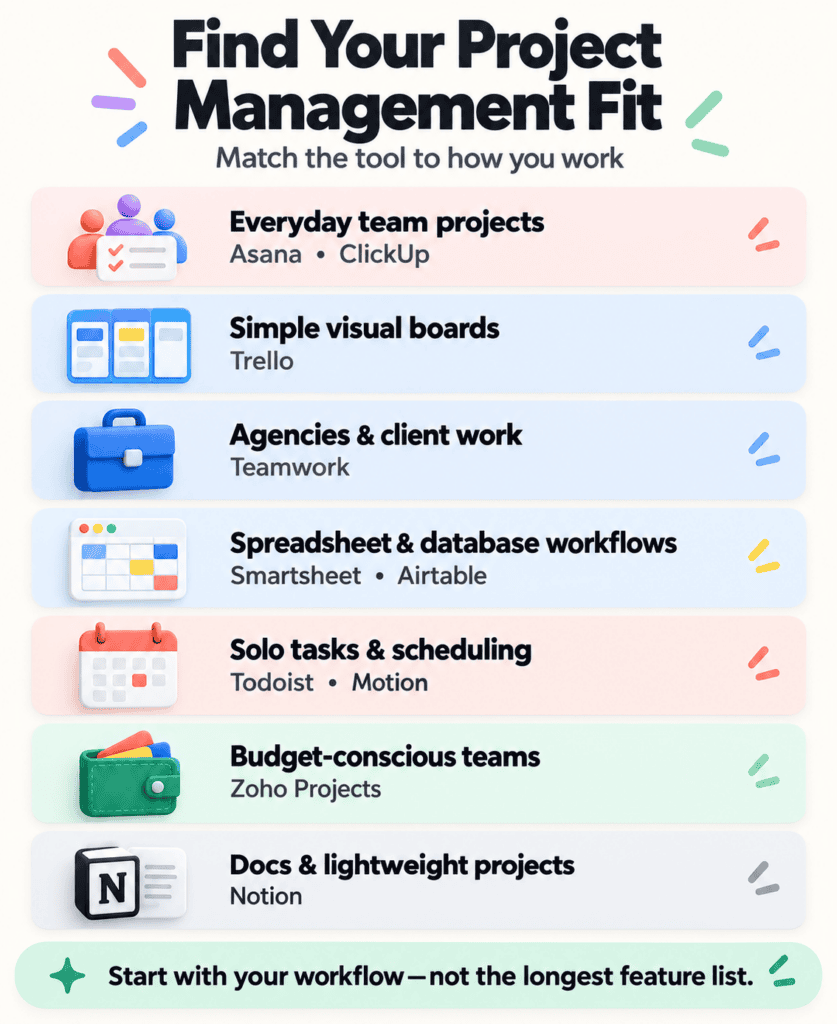
| If you’re… | Start with | Skip if |
|---|---|---|
| A small team new to PM tools | Trello | You need complex dependencies or heavy reporting |
| Running a mid-size team with real workflows | Asana | You want maximum customization over simplicity |
| Willing to configure in exchange for flexibility | ClickUp | Your team resists setup time |
| An agency managing client deliverables | Teamwork | All your work is internal-only |
| A spreadsheet-native operations team | Smartsheet | You want something visual and card-based |
| A solo freelancer or consultant | Todoist | You need to assign work to other people |
The Five-Person Startup That Just Needs Visibility
For a small team that’s never used dedicated PM software, Trello‘s board-and-card layout is close to how most people already picture tasks moving through stages — you can have something functional running in about ten minutes, no training required, and no one on the team has to read a manual first. It’s not built for complex dependencies or serious reporting, and teams do outgrow it eventually, but for a group that just needs to see what’s happening and who owns it, that simplicity is the point, not a limitation to apologize for.
The Growing Team That Needs Real Structure
Once “everyone just knows what they’re doing” stops being true, Asana tends to be where teams land — timeline views, dependencies, and workload tracking that most small-to-midsize teams genuinely need, without becoming a second full-time job to maintain. Asana’s own platform sits deliberately in that space between “simple enough people use it” and “structured enough to run something real,” and it rarely feels like it’s actively fighting you.
ClickUp is the answer for a team that wants more control than Asana offers and is willing to pay for it in setup time — it supports lists, boards, calendars, docs, and goal tracking all in one product, with an enormous amount of configuration underneath. That flexibility is genuinely valuable for a team with specific workflow needs. It’s also, by a wide margin, the tool most likely to overwhelm a team that isn’t ready to invest in configuring it properly.
The Agency Managing Six Clients at Once
Internal task tools tend to fall apart the moment clients need visibility into the work being done on their behalf, and a shared Trello board with a client added as a guest is rarely the answer anyone’s comfortable with long-term. Teamwork was built specifically around that problem — client-facing permissions, time tracking tied directly to billing, and templates built around deliverables rather than internal sprints. If client work is the whole business rather than a side of it, that focus saves real setup time compared to bending a general tool into an agency shape.
The Ops Team That Thinks in Rows and Columns
Some teams just think better in spreadsheets, and forcing them onto a card board creates friction that never goes away no matter how many times someone tries to make the switch stick. Smartsheet leans into that directly, adding automation, Gantt charts, and reporting on top of something that still looks and feels like a spreadsheet — a strong fit for operations-heavy teams tracking a lot of interconnected data. Airtable sits nearby but leans more database than spreadsheet, which fits better if your “projects” are really structured collections — content calendars, applicant trackers, product catalogs — rather than a task list in the traditional sense.
The Solo Consultant Who Doesn’t Need a Team Tool at All
Not everyone needs collaboration features, and paying for them anyway is its own kind of waste. Todoist is built around one person’s list rather than a shared board, and it’s genuinely good at that single job — natural-language due dates, recurring tasks, priority levels, none of the overhead of assigning work to anyone else. Motion goes a step further for a solo operator specifically: its AI scheduling actually rebuilds your calendar around your task list and deadlines automatically, which is a real change in how you work, not just a feature — whether that appeals depends entirely on how much control you’re comfortable handing over.
The Budget-Conscious Team Already Using Zoho
If Zoho Projects makes it onto a shortlist at all, it’s usually because a business already runs Zoho CRM or Zoho Desk and the integration is worth more than any single feature. On its own, it won’t out-feature ClickUp or Asana, but it covers tasks, Gantt charts, and time tracking competently at a noticeably lower price for a team that just needs the basics done well.
The Team That’s Really Just Writing Docs
Notion doesn’t fit cleanly into any category above because it isn’t a project management tool first — it’s a workspace that happens to include project tracking as one piece, alongside docs and wikis. Teams already living in Notion for documentation often extend it into lightweight project tracking rather than adopting a second tool, and for straightforward work that holds up fine. It gets shakier the moment you need real reporting, time tracking, or complex dependencies — at that point, a dedicated tool earns its keep.
None of this was tested by running the same fake project through ten tools — it’s built from each product’s pricing pages and what real, long-term users report once the initial setup phase wears off. If none of the profiles above quite match your team, the fuller project management and productivity hub covers a wider slice of the category than this guide does.