ClickUp Review: The “One App to Replace Them All” — Does It Actually Deliver?

ClickUp Review: One Workspace, Two Separate AI Bills
If you’ve looked into project management software recently, you’ve probably seen ClickUp described as an “everything app” — one place for tasks, docs, chat, goals, and whiteboards instead of five separate tools. That pitch is mostly true, and it’s a big part of why ClickUp has built such a loyal following. But there’s a specific pricing wrinkle in 2026 that’s worth understanding clearly before you sign up, because it changes what you’ll actually pay once you want the AI features that ClickUp advertises so heavily. This ClickUp review walks through what you get at each plan, how the AI add-on actually works, and where the real cost lands once everything is added up.
ClickUp has four main tiers: Free Forever, Unlimited, Business, and Enterprise. The free plan is genuinely more generous than most competitors’ free tiers — you get unlimited tasks, whiteboards, and collaborative docs, along with agile features like sprints that a lot of competing tools reserve for paid plans. The catch on Free is storage: your whole team shares just 60MB combined, not per person, which is easy to blow through if your team uploads even a modest number of images or files. For a solo user or a very small team doing lightweight work, Free can genuinely last a while. For anything more active, that shared storage cap tends to be the first thing that pushes people toward a paid plan.
Unlimited runs $7 per member per month on annual billing, and it removes the storage ceiling entirely along with unlocking most of ClickUp’s views and roughly a thousand automation runs per month. Business steps up to $12 per member per month annually, adding workload management, more advanced dashboards, goal folders, custom role permissions, and ten times the automation runs. For most growing teams, Business is where things settle — it’s the tier that unlocks the features people actually associate with “real” project management software, like workload balancing and custom permissions.
The Two-Bill Problem: Workspace Plan vs. Brain AI
Now here’s the part that catches people off guard. None of those prices include ClickUp Brain, which is ClickUp’s AI layer, and Brain is sold entirely separately from your workspace plan. It comes in two tiers: a basic Brain AI tier and a more capable Everything AI tier, and the pricing on these has actually shifted a few times over the past year as ClickUp has repositioned the offering — some sources put Brain AI around $7 a month per user, others around $9, with Everything AI landing around $28 per user per month. Given that inconsistency, treat any specific number here as a planning estimate and confirm the current rate directly on ClickUp’s pricing page before budgeting. What’s consistent across every source is the basic shape of it: your workspace plan and your AI plan are billed as two separate line items, both charged per user, and adding AI roughly doubles what a Business-tier seat costs you. A Business plan member at $12 a month becomes something closer to $21 a month with the basic Brain tier, or $40 a month with Everything AI.
It gets more complicated once you start actually using the heavier AI features. Beyond the flat per-user Brain fee, things like AI automations, image generation, and the more advanced “Super Agent” features draw from a separate pool of AI Super Credits, priced at roughly $10 per 10,000 credits. So for a team that leans hard into ClickUp’s AI capabilities — not just the basic assistant, but actual automated workflows built on top of it — you’re potentially managing three separate cost layers: your base workspace plan, your Brain AI tier, and a credit pool that depletes based on actual usage. None of these costs are hidden exactly, they’re all published, but they don’t show up together in one clean number anywhere, which means a lot of people budget off the workspace plan price alone and get a surprise later when the AI line items show up.
There’s another structural detail worth knowing before you commit: ClickUp’s plan upgrades apply to your whole workspace, not just the people who need the new features. If one person on your team needs a Business-tier feature — say, custom role permissions for a compliance reason — your entire workspace moves to Business pricing, even if everyone else would have been perfectly happy on Unlimited. This is worth checking against how your team actually works, because it means the cost driver isn’t really “how many people need advanced features,” it’s “does anyone on the team need even one advanced feature,” which can push the total bill up faster than a feature-by-feature needs assessment might suggest.
Putting a real number on this helps. Say you’re running a fifty-person team on Business with the Everything AI tier turned on for everyone. That’s $12 a member for the base plan plus $28 a member for AI, which works out to roughly $2,000 a month before you’ve even factored in any AI Super Credit overages from automation-heavy workflows. Compare that against a competitor like Asana, which as of 2026 bundles its core AI directly into its base paid tier rather than charging a separate AI subscription on top, and the gap in total cost of ownership for an AI-heavy team can be substantial even if ClickUp’s raw workspace plan price looked cheaper at first glance.
None of this means ClickUp is a bad deal — for a lot of teams, it genuinely isn’t. The base workspace plans at $7 and $12 per member are competitively priced against most direct competitors, and the sheer range of what’s built into those plans (whiteboards, docs, sprints, dashboards, goal tracking) can replace several separate subscriptions if you’re currently paying for a project tool, a docs tool, and a whiteboard tool separately. Where you need to be careful is specifically around AI: if AI features are a big part of why you’re considering ClickUp, price out the full stack — workspace plan, Brain tier, and a realistic estimate of Super Credit usage — rather than comparing ClickUp’s advertised $7 or $12 price against a competitor’s AI-inclusive pricing and assuming you’re comparing like for like.

What Setup Actually Feels Like
Let’s talk about what actually setting ClickUp up feels like, because the “everything app” pitch comes with a real trade-off in complexity. Because ClickUp tries to do so much — task management, docs, whiteboards, goals, chat, time tracking — the interface has a lot more going on than a simpler tool like Trello or Todoist. New users commonly describe an adjustment period where the sheer number of views, settings, and configuration options feels overwhelming before it starts feeling powerful. This isn’t necessarily a bad trade — a lot of teams grow into that complexity and end up glad the depth is there once they need it — but it’s worth being honest about going in. If your team wants something you can hand a new hire on day one with zero training, ClickUp asks more of you upfront than some of its simpler competitors do.
Think about how this plays out for two different kinds of teams. A five-person creative agency that mostly needs task boards, a shared calendar, and basic client reporting is probably fine on Unlimited at $7 a person, skipping the AI add-on entirely, and will likely find ClickUp’s learning curve pays off within the first couple of weeks. Compare that to a fifty-person operations team that wants workload balancing, custom permissions for different departments, and AI-assisted status reporting across the board — that team is looking at Business plus some tier of Brain AI, and the setup process alone (configuring permissions, building out custom fields, deciding which automations are worth the credit cost) is a real project in itself, not a quick afternoon task. Sizing up which of these two situations actually describes your team, before you commit to an annual plan, saves a lot of frustration down the line.
It’s also worth mentioning how ClickUp stacks up on raw feature range against what you’d pay for separate tools. If you’re currently paying for a project management app, a separate docs tool, and a separate whiteboard or diagramming tool, ClickUp’s ability to fold all three into one subscription is a genuine value proposition worth running the math on. Add up what you’re paying across those separate subscriptions today, compare it against a ClickUp Business plan for the same headcount, and for a lot of teams the consolidation alone justifies the switch even before AI enters the conversation. The AI pricing wrinkle covered above matters most for teams specifically drawn to ClickUp for its AI capabilities — if that’s not your primary reason for considering it, the base workspace plans stand on their own as a solid, competitively priced option.
If you do want to use ClickUp’s AI features without letting the cost run away from you, there’s a genuinely useful option worth knowing about: Brain AI can be disabled per-workspace from your billing settings without touching anything else about your ClickUp setup. Your tasks, docs, and integrations all stay exactly as they were. This means you can test the AI features during a trial period, decide they’re not worth the added cost for your team’s specific workflow, and turn them off cleanly rather than being stuck paying for a feature nobody’s really using. It’s a small detail, but it’s the kind of thing worth checking for in any tool that bundles AI as a separate line item — the ability to walk it back cleanly matters just as much as the ability to turn it on in the first place.

Integrations
- Slack — Common connection for task creation and notification workflows, available across all paid tiers.
- Google Drive — File linking and embedding for teams that store source documents outside ClickUp.
- HubSpot — CRM sync for teams that want project and customer data connected across tools.
- Figma — Design file linking, useful for product and design teams tracking work inside ClickUp.
Alternatives
Smartsheet — Worth a look for teams whose work management needs lean more toward spreadsheet-style tracking than task-and-project views.
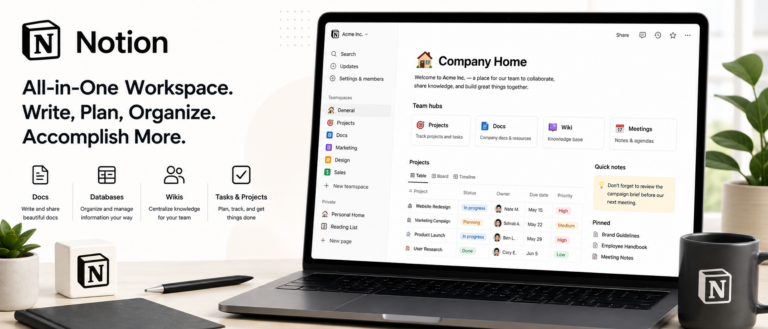
Notion — A better fit for teams whose priority is flexible documentation and a connected wiki over ClickUp’s deeper project management structure.
Asana — Worth comparing directly for teams that want AI bundled into the base paid plan rather than billed as a separate line item.
Monday — A more visual, board-first alternative for teams that find ClickUp’s feature depth more configuration than they need.