SignNow Review 2026: What “Unlimited Users” Really Costs Once Invites Run Out
SignNow Review: What “Unlimited Users” Really Costs Once Invites Run Out
SignNow markets itself on a number that sounds unambiguous: unlimited users on every paid plan. What that headline doesn’t say is that the actual cost driver isn’t how many people have an account — it’s how many signature invites those people send, since every subscription tier caps invites per user per year and charges overage fees once you exceed them. Our Take: SignNow remains one of the most affordably priced e-signature tools for a small business, but “unlimited users” is doing more marketing work than pricing work, and the invite math matters more than the headline number once a team scales past casual use. This SignNow review is research-based, drawn from SignNow’s published pricing and integration documentation, not hands-on deployment across a live account.
At a Glance
| Category | E-signature / document workflow software |
| Best For | Small teams with many occasional signers rather than a few heavy senders |
| Starting Price | $8/user/month (Business, billed annually); $20/month billed monthly |
| Free Trial | 7 days, no credit card required |
| Standout Strength | Deep native integrations with Salesforce, HubSpot, and Google Workspace |
| Biggest Drawback | Signature invites are capped per user per year, with tier-specific overage fees once exceeded |
| Top Alternative | Jotform Sign for teams already inside the Jotform ecosystem; PandaDoc for proposal-heavy sales teams |
The Invite-Based Math Behind “Unlimited Users”
SignNow’s three subscription tiers — Business, Business Premium, and Enterprise — all allow unlimited user seats on the account. What’s actually metered is signature invites: each tier includes 100 signature invites per user per year as part of the base subscription, and going over that allowance triggers a per-invite overage charge that scales with the plan — roughly $0.96 on Business, $1.80 on Business Premium, and $3.60 on Enterprise per excess invite, based on SignNow’s published rates. There’s also a separate Site License option, priced from $1.50 per invite with volume discounts, aimed at businesses whose usage pattern is dominated by invite volume rather than user count.
This distinction matters for how a small business should actually staff its account. A ten-person team where everyone sends a handful of documents a month fits comfortably inside the unlimited-user structure without ever touching the overage rate. A three-person team that each sends 40 client contracts a month will burn through the 100-invite annual allowance in under a year and start accumulating overage charges that a simpler per-seat competitor might not apply the same way. The practical takeaway: model your invite volume before assuming “unlimited users” means unlimited signing.
Where SignNow’s Engineering Holds Up
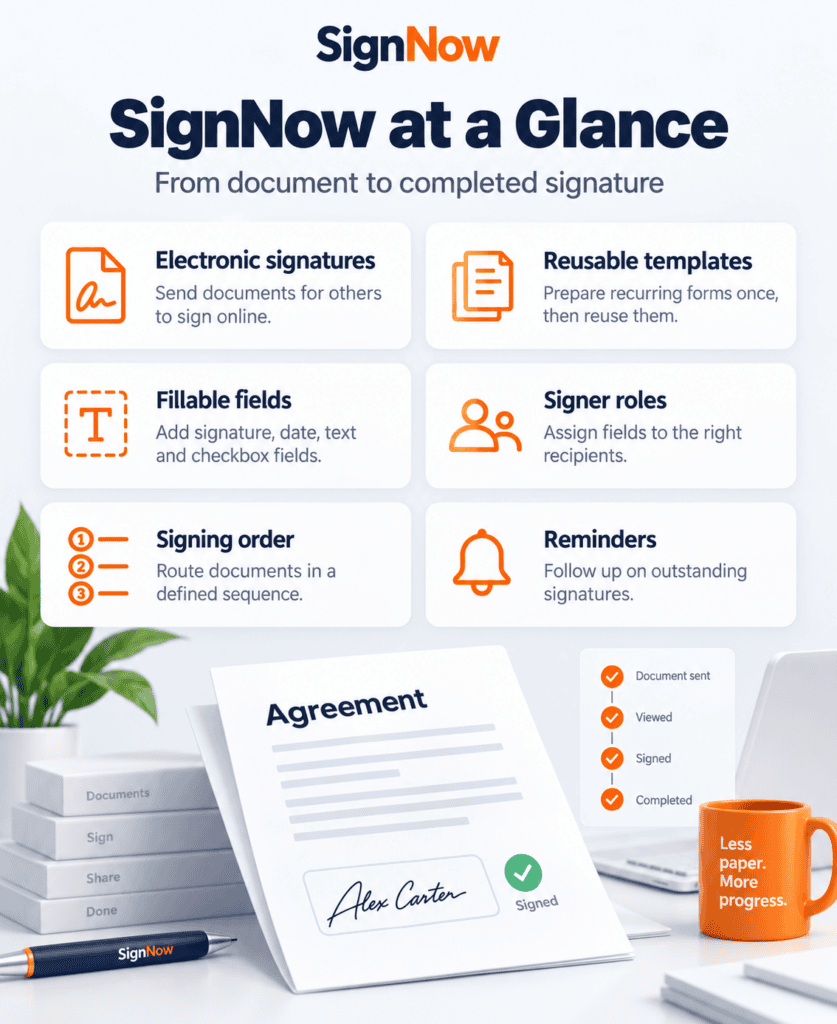
SignNow’s integration bench is genuinely deep for a tool at this price point. It connects natively to Salesforce and HubSpot for CRM-embedded signing, to Google Workspace and Microsoft Office 365 for document creation and sharing, and to QuickBooks for invoice and financial document signing — letting a bookkeeping or sales-heavy small business route contracts through the tools it already runs day to day rather than switching tabs. SignNow’s own integrations overview also lists Zapier and Microsoft Power Automate for teams that want to automate document routing across dozens of other apps without custom development.
Compliance is another genuine strength: SignNow is SOC 2 Type II certified and complies with the ESIGN Act, GDPR, HIPAA, and FERPA, according to its own pricing and compliance page — a credible baseline for a small healthcare practice, school, or professional-services firm that needs a defensible compliance story without paying for an enterprise-only platform. Native mobile apps for iOS and Android round out the package, letting field staff or traveling salespeople collect signatures without a laptop.
What the Business Premium Jump Actually Unlocks
The step from Business to Business Premium is where SignNow’s tier structure starts asking a genuine question rather than just charging more for the same thing. Business Premium adds bulk sending — pushing one document out to a large batch of recipients at once, useful for a property manager sending lease renewals or an HR team sending open-enrollment forms — along with document grouping, shareable signing links that don’t require an individual email invite per recipient, and the ability to request a payment alongside a signature in a single step. None of these are cosmetic; each one removes a manual workaround a Business-tier user would otherwise build with a separate tool. Enterprise, one step further up, adds recipient identity verification, branded signing pages and emails, and centralized reporting across every contract on the account — features that matter far more to a compliance officer overseeing dozens of active contracts than to a five-person team sending occasional NDAs.
The honest read on this SignNow review’s tier structure is that most small businesses can skip Business Premium unless bulk sending or in-line payment collection is a real, recurring need, and can skip Enterprise entirely unless recipient identity verification or centralized contract reporting is a genuine compliance requirement rather than a nice-to-have.
The March 2026 Price Restructuring
SignNow’s pricing looked meaningfully different a year ago. Independent pricing trackers recorded SignNow’s top published tier jumping from $15 to $30 per user per month on annual billing in March 2026 — a 100% increase — coinciding with a restructuring from two paid plans into the current five-tier lineup (Free, Business, Business Premium, Enterprise, and Site License). For a business that priced SignNow out in 2025 and is revisiting it now, the number that used to represent the top of the range is now the middle of it, and the actual ceiling has moved considerably higher.
The other detail worth flagging plainly: monthly billing costs noticeably more than annual billing across every tier — Business jumps from $8 to $20 per month, and Enterprise from $30 to $50, when paid month to month rather than annually. A business that’s still evaluating SignNow against competitors should budget on the annual rate it would actually commit to, not the monthly rate used for short trials.
What SignNow Actually Costs
| Plan | Price (Annual) | Price (Monthly) | Invite Overage |
|---|---|---|---|
| Business | $8/user/mo | $20/user/mo | ~$0.96/invite |
| Business Premium | $15/user/mo | $30/user/mo | ~$1.80/invite |
| Enterprise | $30/user/mo | $50/user/mo | ~$3.60/invite |
| Site License | From $1.50/invite | Custom | Volume-based |
(Figures reflect SignNow’s published U.S. pricing as of September 2026 and are subject to change; confirm current rates directly on signnow.com before budgeting.)
Run the numbers for a five-person real estate brokerage on the Business Premium plan, billed annually: base cost is $75/month, or $900/year, covering 500 total signature invites (100 per user) before overage applies. If that brokerage’s agents send closing documents heavily during a busy season and collectively use 650 invites in a year, the extra 150 invites at roughly $1.80 each add about $270 — pushing the effective annual cost closer to $1,170. That’s still competitive against most per-seat e-signature platforms, but it’s a materially different number than the advertised $900, and it’s the kind of gap that only shows up when a business actually maps its sending volume against the included allowance.
SignNow vs. Adobe Acrobat Sign vs. PandaDoc
| SignNow | Adobe Acrobat Sign | PandaDoc | |
|---|---|---|---|
| Entry price (annual) | $8/user/mo | ~$13–15/mo (individual) | ~$19/user/mo |
| Pricing driven by | Signature invites per user | Transactions per user/year | Documents and seats |
| Standout strength | CRM/ERP integration depth | PDF editing + enterprise compliance | Proposal and quote building |
| Best for | Small teams, occasional signers | PDF-heavy Adobe-ecosystem businesses | Sales teams building documents, not just signing them |
Choose Adobe Acrobat Sign over SignNow if your business is already paying for Acrobat’s PDF editing tools and wants e-signature bundled into that same subscription rather than a separate line item. Choose PandaDoc over SignNow if the real bottleneck is building proposals and quotes, not just collecting signatures on documents you already have. Choose SignNow specifically when the deciding factor is integration depth with an existing CRM or accounting stack at a genuinely low entry price — few competitors match its Salesforce and QuickBooks integration quality this far down the pricing ladder.
Put together, the picture is straightforward: SignNow earns its reputation as one of the more affordable e-signature tools for a small business, and the integration depth backs up that reputation rather than just padding a features list. This SignNow review keeps returning to the same practical distinction because it’s the one that actually changes the buying decision: “unlimited users” is a seat-count promise, not a usage promise, and a business with a few heavy signers will hit real costs the headline pricing doesn’t advertise. Teams with many light senders — the classic small-business shape, where a handful of people occasionally send a contract or NDA — get the best version of SignNow’s value proposition. Teams built around a small number of high-volume senders should model the invite overage before signing an annual contract, and should weigh the Site License’s per-invite pricing as a genuine alternative to the per-seat tiers rather than an enterprise-only afterthought. SignNow is covered as part of AppFinderX’s broader e-signature and legal software coverage, alongside the other document-signing tools it’s most often shortlisted against.
Integrations
- HubSpot — send, pre-fill, and track signature requests directly from HubSpot contact, company, and deal records without leaving the CRM.
- Salesforce — embed e-signature requests inside Salesforce workflows, auto-populate document fields from CRM data, and track signing status on the record.
- QuickBooks — add legally binding signatures to invoices and financial documents without exporting them to a separate tool first.
- Google Workspace and Microsoft 365 — create, share, and sign documents from within Gmail, Docs, Sheets, Drive, and Office apps, with SharePoint support for teams standardized on Microsoft’s document management stack.
Alternatives
- Jotform Sign — a stronger fit for a business that also needs a form builder, since e-signature is bundled into the broader Jotform platform.
- Adobe Acrobat Sign — worth comparing if PDF editing matters as much as signing, since both live under the same Acrobat subscription.
- PandaDoc — a better fit for sales teams that need to build proposals and quotes, not just collect signatures on finished documents.