
Surfshark VPN for Small Business: Is Unlimited-Device Protection Worth It in 2026?
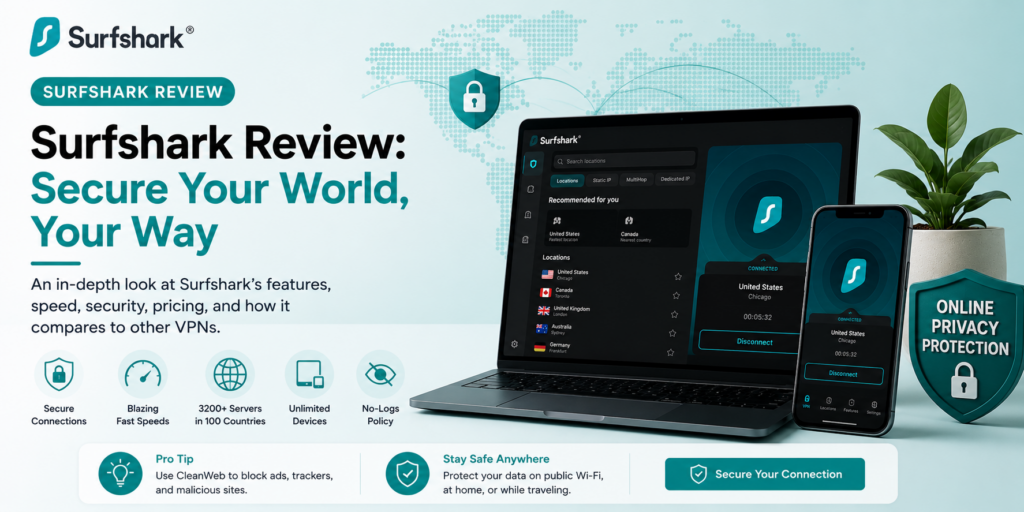
Small business owners think about a lot of security risks — but the coffee shop Wi-Fi your remote employee just connected to, or the airport hotspot you used to check email before a flight, rarely make the list. Surfshark built its reputation on solving exactly that gap: an affordable VPN that encrypts your internet traffic on every device, with no per-device pricing to worry about as your team grows.
Surfshark has become one of the most recommended consumer VPNs in the industry, prized for its aggressive pricing and unlimited device connections. But it’s important to be clear-eyed about what it is and isn’t — reviewers are consistent that Surfshark protects individual devices, not your business network. In this article, we’ll cover what Surfshark actually does, what reviewers and real users say about it, how to get your team set up, and the tips that help a small business get genuine security value out of it.
What Is Surfshark and Who Is It For?
Surfshark, launched in 2018, is a VPN service that routes your internet traffic through an encrypted tunnel, hiding your IP address and protecting your data on any network — including the public Wi-Fi that small business owners and remote employees rely on constantly. Its technical foundation is solid: AES-256 encryption, support for modern protocols including WireGuard, OpenVPN, and IKEv2, a network of more than 4,500 RAM-only servers (meaning data is wiped on every reboot) across 100 countries, and 10Gbps server capacity for fast connections. An independent audit by Deloitte in 2025 backed up the company’s no-logs policy claims.
Surfshark’s standout feature for growing teams is unlimited simultaneous device connections on a single subscription — most competitors cap you at five or ten devices and charge more for additional connections. Beyond the core VPN, the platform includes a Kill Switch (cutting internet access if the VPN drops, preventing accidental unprotected browsing), CleanWeb (ad and malware blocking), Bypasser split tunneling, Dynamic MultiHop for routing traffic through two countries at once, and Alternative ID for masking personal details.
Plans are organized in tiers rather than pure feature add-ons. Starter covers the core VPN, unlimited devices, CleanWeb, and Alternative ID — the right fit if you only need VPN protection. One adds antivirus, data breach alerts, webcam protection on supported devices, and private search, covering basic endpoint and identity monitoring in a single subscription. One+ adds personal data removal through Incogni in supported countries, aimed at users concerned about data-broker listings. Pricing is heavily promotional and varies by term length: long-term (one- or two-year) plans commonly run in the $2–$4 per month range when paid upfront, while month-to-month pricing is dramatically higher, often around $15/month. A 30-day money-back guarantee covers eligible first purchases.
Here’s the honest scope, though: Surfshark protects internet traffic on individual devices. It is not a business VPN, ZTNA, or SASE platform. If you need to restrict access to internal apps by employee identity, enforce device compliance policies, integrate with Okta or Microsoft Entra ID, centralize security logs, or automatically cut off access when someone leaves the company, you need dedicated business security tooling — Surfshark isn’t built to do that job, and reputable reviewers say so plainly.
Surfshark Review: What Reviewers and Real Users Are Saying
We examined professional evaluations from CyberInsider, TheBestVPN, Security.org, Reviews Ally, and SaaSCompared’s small-business-specific analysis, alongside G2’s aggregated user ratings. The consensus: Surfshark is genuinely excellent VPN technology at an outstanding price, with real, well-defined limits on what it can do for an actual business.
The Professional Verdict
CyberInsider’s 2026 hands-on testing recorded speeds reaching 752 Mbps on nearby servers along with reliable unblocking across more than 16 Netflix libraries plus BBC iPlayer, Disney+, Hulu, and Amazon Prime Video, concluding Surfshark “ranks near the top in almost every category we have tested” despite launching relatively recently in 2018. TheBestVPN names Surfshark its best-value VPN pick for 2026, citing ultra-fast performance, a rich feature set, and unlimited device support as the core reasons it now rivals NordVPN as a top recommendation, often at a lower monthly cost for comparable features.
Security.org’s comparison against NordVPN — historically Surfshark’s closest rival — concludes that even though NordVPN’s month-to-month rate can be lower, Surfshark wins on long-term value thanks to its rock-bottom multi-year pricing, sometimes as low as $1.78/month. SaaSCompared’s small-business-focused review is the most directly useful for owners evaluating Surfshark as a company tool: it frames Surfshark as one of the best-value VPNs in 2026 for combining unlimited devices, competitive pricing, and a large server network, while drawing a firm line around what it can’t replace — namely, any form of managed, identity-aware business access control.
On G2, Surfshark holds a 3.9-star rating with small businesses making up nearly three-quarters of reviewers, with particularly strong marks for ease of use (9.2/10) but a comparative disadvantage against purpose-built business VPN competitors like ZenMate for Business on meeting specific business requirements and product roadmap direction.
What Users Love
Unlimited devices, one price. This is Surfshark’s defining advantage and the most-cited reason small businesses choose it — a single subscription covers every laptop, phone, and tablet on the team, with no per-seat math to do as you add employees.
Genuinely excellent value on long-term plans. Reviewers across the board flag Surfshark’s multi-year pricing — commonly $2–$4/month — as some of the most competitive in the premium VPN category, a real advantage for cost-conscious small businesses.
Fast, reliable performance. Independent 2026 testing recorded high throughput and consistent server performance, which matters for a small team that can’t afford a VPN slowing down everyday work.
Strong privacy fundamentals. RAM-only servers, a Deloitte-audited no-logs policy, and modern encryption protocols give small businesses a credible privacy story without needing to evaluate the technical details themselves.
Ease of use. G2 reviewers rate Surfshark’s usability especially high — a meaningful factor for small businesses without dedicated IT staff to manage a more complex system.
What Users Complain About
Not built for managed business access. The most important limitation, repeated across every serious review: Surfshark cannot restrict access by employee identity, enforce device posture, integrate with identity providers like Okta or Microsoft Entra ID, centralize logs, or automatically revoke access when someone leaves. Reviewers are blunt that this isn’t a shortcoming to fix later — it’s simply outside what a consumer-grade VPN is built to do.
Weaker fit against purpose-built business tools. G2’s head-to-head comparison shows reviewers preferring dedicated business VPN alternatives like ZenMate for Business on meeting specific organizational requirements and product direction, even while rating Surfshark competitively on support quality.
Promotional pricing complexity. Multiple reviewers caution that Surfshark’s advertised “per month” pricing reflects long-term plans paid upfront, not month-to-month cost — the one-month plan can run around $15/month, several times the advertised long-term rate, so it’s worth confirming final checkout pricing before assuming you’re getting the promotional number.
Non-refundable renewals. The 30-day money-back guarantee applies to eligible first purchases only; recurring subscription renewals are generally non-refundable under Surfshark’s terms, so calendar your renewal date if you want to reassess before it charges again.
The Bottom Line
Surfshark is a genuinely strong, well-tested VPN that delivers outstanding value for what it actually does: encrypting internet traffic on unlimited devices at a price that’s hard to match. For a small business, that makes it a smart, low-cost layer of protection for a team working from cafes, airports, and home Wi-Fi. What it is not — and reviewers are unanimous on this — is a replacement for real business network security. Know which problem you’re solving before you buy, and Surfshark is an easy recommendation.
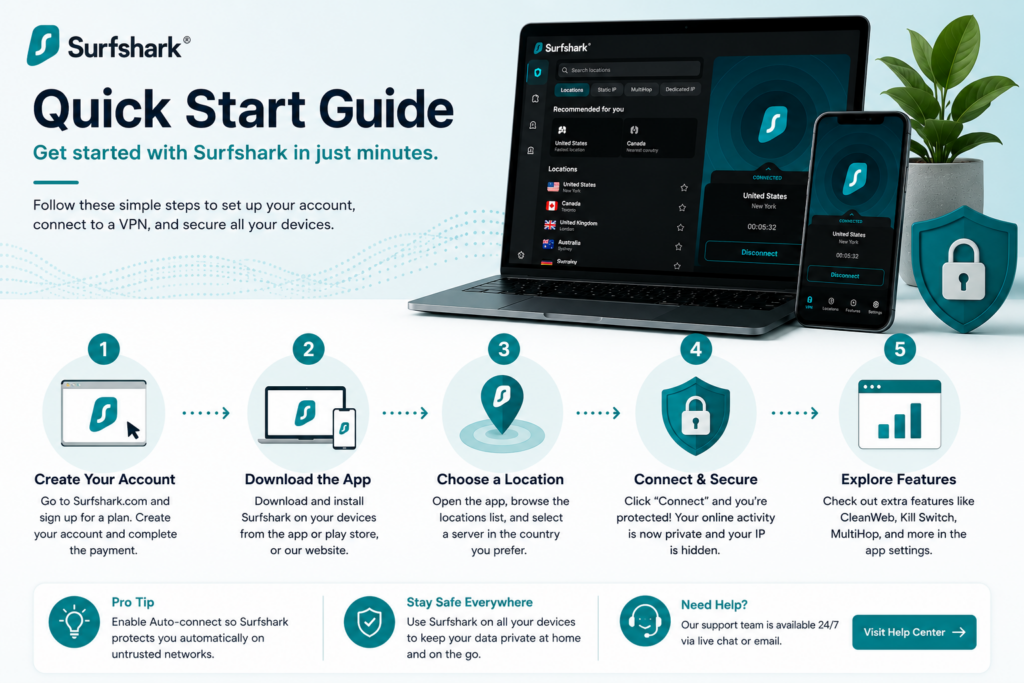
Setup Guide: Getting Your Team Protected
Step 1: Choose the Right Tier for Your Actual Needs
If you just need encrypted connections for a remote or hybrid team, Starter covers it. If you want built-in antivirus and breach monitoring bundled in rather than a separate subscription, One is worth the upgrade. Skip One+ unless data-broker removal is a specific concern for your business or leadership team.
Step 2: Commit to a Long-Term Plan for Real Savings
Given how dramatically month-to-month pricing exceeds long-term rates, decide upfront whether you’re testing Surfshark short-term or committing to it as a standing tool. If you’re confident, a one- or two-year plan captures the real value; if you’re still evaluating, expect to pay significantly more for the flexibility.
Step 3: Create Your Business Account and Install Apps
Set up your account and install the Surfshark app across your team’s devices — Windows, Mac, iOS, Android, and Linux are all supported. Because device count is unlimited, there’s no need to ration installs across only “important” devices; cover everything your team uses for work.
Step 4: Enable the Kill Switch by Default
Turn on the Kill Switch for every device so that if the VPN connection drops unexpectedly, internet access cuts off rather than silently reverting to an unprotected connection. This single setting closes the most common real-world VPN failure mode.
Step 5: Turn On CleanWeb
Enable CleanWeb across the team to block ads, trackers, and known malicious sites at the network level — a lightweight extra layer of protection that requires no ongoing management once switched on.
Step 6: Set Expectations with Your Team
Make clear to employees what Surfshark does (encrypts their connection, protects data on public Wi-Fi) and what it doesn’t do (it’s not a replacement for strong passwords, two-factor authentication, or careful handling of sensitive data). A VPN is one layer of a security posture, not the whole thing.
Step 7: Calendar Your Renewal Date
Since renewals aren’t covered by the refund guarantee, note your renewal date and review whether your needs have changed — team size, budget, or a growing need for managed access controls — before it renews automatically.
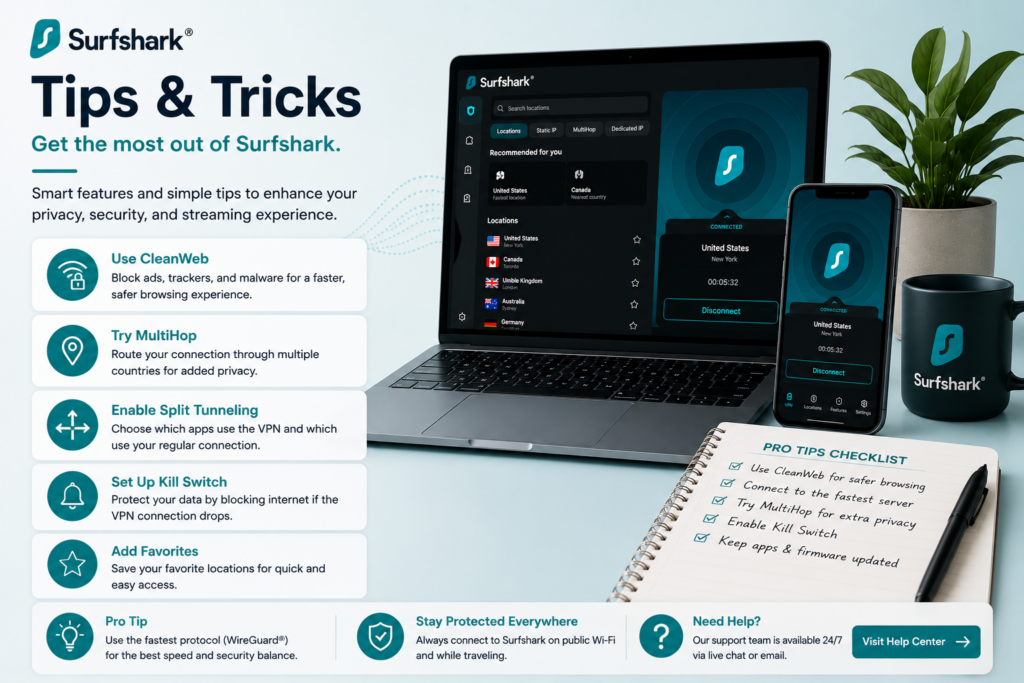
Tips & Tricks: Getting Real Security Value for Your Business
Use Split Tunneling to Balance Speed and Protection
Surfshark’s Bypasser feature lets you route specific apps outside the VPN tunnel — useful for tools that don’t play well with VPN connections or don’t need the extra encryption layer, keeping your team’s most VPN-sensitive traffic protected without slowing down everything else.
Standardize Wi-Fi Habits Around the VPN
The biggest real-world risk Surfshark protects against is unsecured public Wi-Fi — coffee shops, co-working spaces, airports. Make “VPN on before connecting to any public network” a simple, non-negotiable team habit rather than an optional setting people forget to enable.
Bundle in Antivirus Only If You’ll Actually Use It
The One plan’s antivirus and breach monitoring are genuinely useful, but only if your team will engage with the alerts. If you already run separate endpoint security, the base Starter plan plus your existing tools may be the more efficient combination.
Know Exactly When You’ve Outgrown It
The moment your business needs to restrict internal app access by employee role, integrate with an identity provider, or automatically cut access when someone offboards, that’s your signal to add a dedicated business VPN, ZTNA, or SASE solution alongside — or instead of — Surfshark. Treat this as a planned graduation point, not a failure of the tool.
Re-Shop Pricing Before Every Renewal
Because Surfshark leans heavily on promotional long-term pricing, check current deals before your plan renews rather than assuming automatic renewal carries the same rate you originally signed up for. A few minutes of comparison shopping can meaningfully change your annual cost.
Pair It with Basic Security Hygiene
A VPN doesn’t protect against weak passwords or phishing. Pair Surfshark with a password manager and two-factor authentication across your business accounts — the combination covers far more real-world risk than any one tool alone.
Final Thoughts
Surfshark delivers exactly what independent 2026 testing confirms: fast, reliable, well-priced VPN protection with the rare advantage of unlimited devices on one subscription — a real win for small teams working across laptops, phones, and public networks. The honest limitation, echoed by every serious reviewer, is equally clear: it protects devices, not your business network, and it’s not a substitute for identity-aware access controls as your team and security needs grow. Set it up as one solid layer in your small business’s security stack, know where its job ends, and it’s an easy, affordable way to close a real gap most small businesses never think about until something goes wrong.