Gusto Payroll Review: Is It Still the Easiest Way to Pay Your Team in 2026?
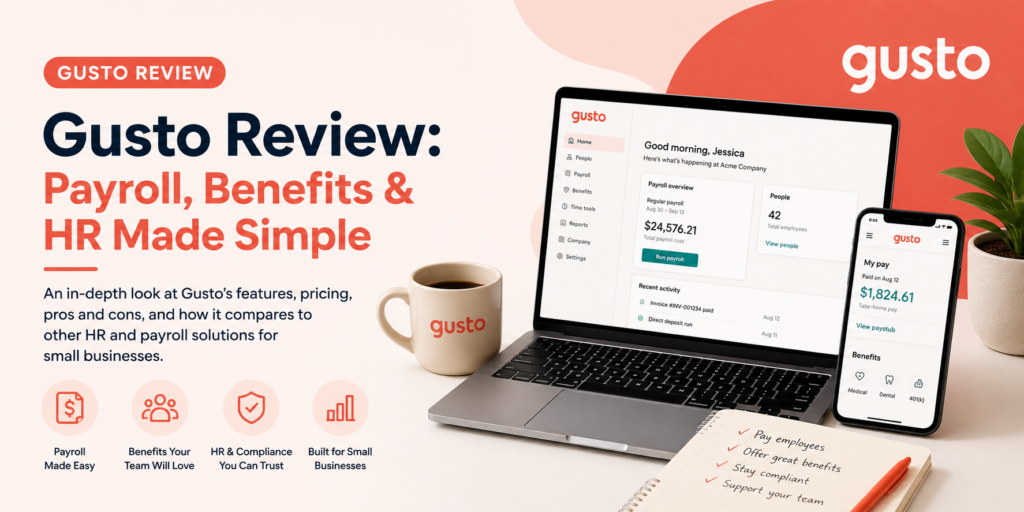
Payroll is one of those tasks where “good enough” isn’t actually good enough — get it wrong and you’re dealing with angry employees, tax penalties, or both. Gusto built its reputation by making payroll feel almost boring in the best way: enter hours, review numbers, click run, done. More than 400,000 businesses now trust it to handle payroll, tax filing, and a surprising amount of HR work behind the scenes.
But 2026 brought a price increase that’s reshaping how Gusto stacks up against the field, and the reviews are candid about both its strengths and its cost cliffs. In this article, we’ll cover what Gusto actually does, what professional reviewers and real customers say about it in 2026, how to get your first payroll run live, and the tips that help you get full value out of the platform.
What Is Gusto and Who Is It For?
Gusto is a cloud-based payroll, benefits, and HR platform built specifically for small and mid-sized businesses. At its core, it automates full-service payroll — calculating wages, withholding taxes, and filing them automatically at the federal, state, and local level, including generating W-2 and 1099 forms at year-end. Most users report finishing a payroll run in under five minutes once set up, thanks to AutoPilot, a feature that runs payroll automatically on schedule without you having to log in at all.
Beyond payroll, Gusto layers on real HR infrastructure: digital employee onboarding, benefits administration (health insurance, 401(k), workers’ comp), a self-service employee portal, time tracking, hiring and onboarding tools, and compliance support like new-hire reporting. It handles W-2 employees and 1099 contractors in the same platform, and even the base plan can manage complex calculations like wage garnishments, holiday pay, and tip credits. More than 650 integrations connect Gusto to accounting software, time-tracking tools, and other business systems small companies already run.
Pricing follows a base-fee-plus-per-person model with no long-term contracts, setup fees, or termination penalties. As of March 2026, the Simple plan runs $49/month plus $6 per person, designed for single-state payroll with essential features. Plus runs around $80/month plus $12 per person, adding multi-state payroll, time tracking, and deeper HR tools. Premium adds a dedicated service advisor and the fullest HR feature set for scaling companies. A separate Contractor Only plan exists for businesses paying 1099 workers with no W-2 employees. Notably, you only pay for active employees, and contractors only in months they’re actually paid.
Gusto’s ideal customer is a U.S.-based small or mid-sized business — reviewers generally place the ceiling somewhere around 100–150 employees, beyond which the HR feature depth starts to feel limiting. It’s a weaker fit for businesses needing 24/7 support (Gusto’s hours are M–F, 8am–8pm ET) or companies with international full-time employees, where Gusto Global pricing jumps to $599/month per employee.
Gusto Review: What Reviewers and Real Customers Are Saying
We looked at professional evaluations from Nav, Business.com, Comparisun, Employsome, and SelectHub/SoftwareAdvice, alongside verified customer ratings on G2 and Trustpilot. The throughline across nearly every source: Gusto remains one of the easiest, most complete payroll platforms for small business — with real concerns about a narrowing price advantage and support quality.
The Professional Verdict
Business.com’s editors scored Gusto 9.2 out of 10, naming it the best payroll software for HR integration, and specifically highlighted that even the base plan can manage complex calculations like wage garnishments, holiday pay, and tip credits — a level of capability competitors often reserve for higher tiers. Employsome’s independent analysis puts Gusto “close to the default choice” for U.S. small and mid-sized businesses, citing a strong 4.6-out-of-5 G2 rating across thousands of reviews and multiple satisfaction awards, with particular praise for ease of use, quick setup, and time saved.
Comparisun’s 2026 review is more pointed about the shifting math: transparent pricing, AutoPilot, digital onboarding on every plan, automated tax filing, and the deep integration library are difficult to match — but the March 2026 base-fee increase narrowed Gusto’s value edge over cheaper rivals, and the review flags real gaps, including limited 24/7 support and steep pricing for Gusto Global’s international employees. Nav’s review echoes this balanced take: strong for SMBs prioritizing ease of use and integrations, though customer support is called out as a genuine weak point, with both Trustpilot and Better Business Bureau reviews describing it as slow and unhelpful at times.
What Customers Love
Minimal learning curve. Business.com’s review highlights this as a defining strength — Gusto’s payroll services are easy enough for HR teams (or a solo owner acting as one) to manage without specialized training, and G2 reviewers consistently praise the straightforward interface.
Genuine time savings. Reviewers and users alike point to payroll runs completing in under five minutes, and AutoPilot removing the task from the calendar entirely for stable payrolls. One review summarized the core value simply: it removes the most time-consuming part of running payroll.
Automatic compliance handling. When you add a new employee, Gusto handles the associated compliance reporting automatically — new-hire reporting, tax registration, and the paperwork trail that’s easy to get wrong manually.
Real HR depth at small-business pricing. Reviewers repeatedly note that benefits administration, health insurance, 401(k), and workers’ comp integrations are strong for the price point, and that combining payroll and benefits in one system eliminates the manual deduction errors that come from running them separately.
Transparent, predictable pricing. No long-term contracts, no setup fees, no termination penalties, and published pricing you can see before signing up — a meaningful contrast to competitors like Paychex, which requires a sales call to get a quote.
What Customers Complain About
The March 2026 price increase. The Simple plan’s base fee rose from $40 to $49 per month, and reviewers are direct that this has narrowed Gusto’s historical value advantage over lower-cost competitors like Square Payroll, even though Gusto still delivers more HR functionality per dollar.
Customer support inconsistency. This is the most consistent complaint across review platforms. Trustpilot and BBB reviews describe slow, sometimes unhelpful support, and full support quality — including a dedicated advisor — is reserved for the Premium tier. Gusto’s support hours (M–F, 8am–8pm ET) also don’t cover businesses needing help outside standard business hours.
Cost cliffs at growth milestones. Hiring your first employee in a second state forces an upgrade from Simple to Plus, which reviewers flag as a real, sudden cost jump rather than a gradual scaling curve — worth planning for before it surprises you.
Limited reporting and customization. Multiple reviewers ask for more flexible reporting and deeper configuration options, noting Gusto has fewer workflow automations than some competitors outside of its strong automated tax filing.
Steep costs for smaller teams relative to usage. SoftwareAdvice’s analysis notes that smaller businesses may not fully leverage Gusto’s more advanced features, which can mean a lower return on investment if you’re paying for HR depth you don’t use.
The Bottom Line
Gusto’s Trustpilot rating (around 2.5/5) and its G2 rating (4.6/5) tell two different stories, and both are true: businesses that run their payroll and HR through Gusto day to day tend to rate the actual product very highly, while a meaningful slice of reviewers — often those with a specific support or billing frustration — leave lower ratings on public review sites. The 2026 price increase is real and worth factoring into your decision, but reviewers broadly agree Gusto remains close to the default choice for U.S. small businesses that want payroll and HR handled well in one place.
Setup Guide: Running Your First Payroll on Gusto
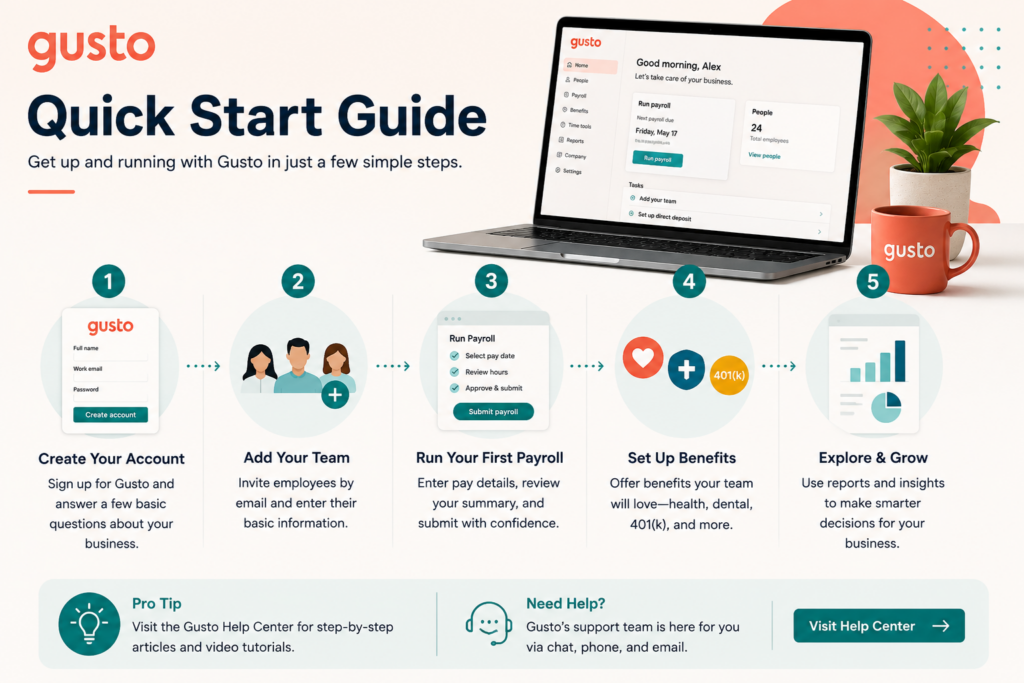
Step 1: Choose the Right Plan for Your Situation
If you’re a new, single-state business, start with Simple. If you already know you’ll hire across state lines or need time tracking and deeper HR tools, go straight to Plus rather than upgrading mid-year and hitting the cost jump unprepared. Contractor Only makes sense if you have zero W-2 employees.
Step 2: Complete Business and Bank Setup
Onboarding is self-guided: enter your business details, EIN, and bank account information for direct deposit and tax payments. This is the foundation everything else builds on, so double-check details like your state tax IDs before moving forward.
Step 3: Add Your Employees and Contractors
Invite your team through Gusto’s digital onboarding — employees complete their own personal information, tax withholding forms (W-4), and bank details through a self-service portal, which saves you from manually entering sensitive data. Contractors go through a parallel, lighter-weight setup with W-9 collection built in.
Step 4: Set Your Pay Schedule and Policies
Configure pay frequency (weekly, biweekly, semimonthly, monthly), and set up any relevant policies — overtime rules, PTO accrual, holiday pay, or tip credit handling if applicable. This is also where you’d configure wage garnishments if needed.
Step 5: Connect Time Tracking and Existing Software
If you’re on Plus or above, connect Gusto’s time-tracking tools, or integrate an existing system you already use. Also connect your accounting software through Gusto’s integration library so payroll data flows into your books automatically rather than requiring manual re-entry.
Step 6: Set Up Benefits, If Applicable
If you’re offering health insurance, retirement plans, or workers’ comp, use Gusto’s benefits administration to set these up so deductions sync automatically with payroll — this is where the platform’s combined payroll-and-benefits design saves the most manual error-prone work.
Step 7: Run a Test Payroll
Before your first live run, review every employee’s hours, pay rate, and withholding carefully. Gusto’s system is straightforward, but the first run is where setup mistakes surface, so give it a careful review rather than rushing.
Step 8: Turn On AutoPilot Once You’re Confident
Once you’ve run a payroll or two manually and trust your setup, enable AutoPilot for stable, predictable payrolls so future runs process automatically on schedule without you needing to log in.
Tips & Tricks: Getting the Most from Gusto
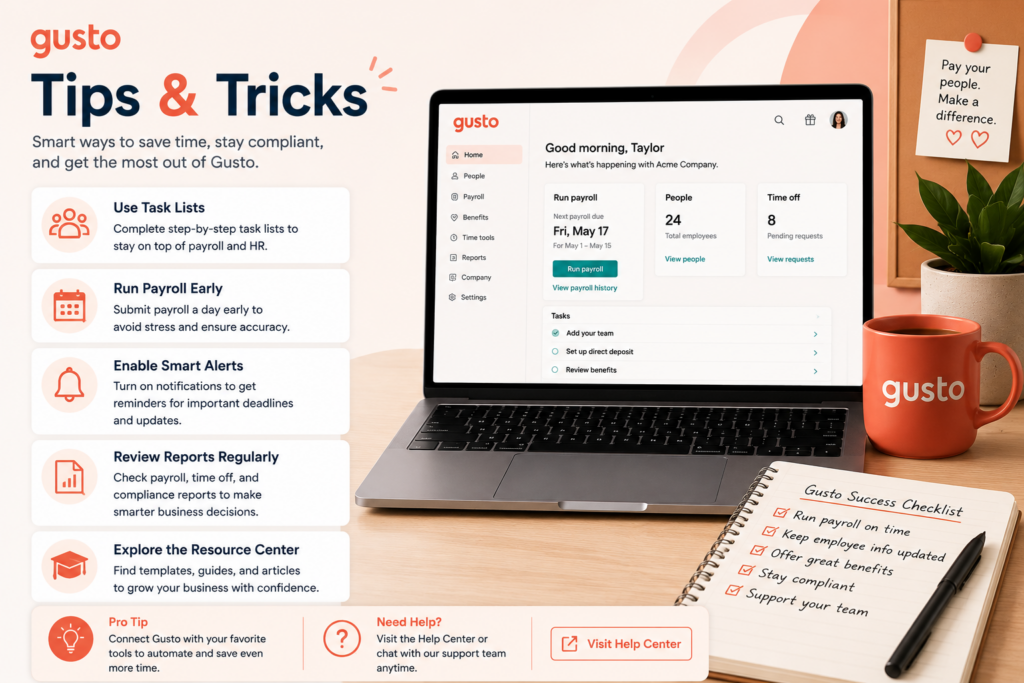
Plan Around the Multi-State Cost Cliff
If there’s any chance you’ll hire in a second state this year, budget for the Plus plan now rather than getting surprised by a forced upgrade later. Knowing this threshold in advance turns a cost shock into a planned expense.
Let AutoPilot Handle Predictable Payrolls, But Audit Periodically
AutoPilot is a genuine time-saver, but don’t “set and forget” indefinitely — review a payroll report monthly to catch any drift in hours, rates, or deductions before small errors compound across pay periods.
Use the Integration Library to Eliminate Double Entry
With 650+ integrations available, connect Gusto to your accounting software, time tracking, and any HR tools you already use. The businesses getting the most value are the ones treating Gusto as the hub of their financial and HR stack, not an isolated payroll tool.
Take Advantage of Built-In Compliance Features
Let Gusto handle new-hire reporting and tax registration automatically rather than tracking these requirements manually — it’s one of the platform’s quieter but highest-value features, and the kind of paperwork that’s genuinely risky to get wrong on your own.
Reserve Premium for When You Actually Need a Dedicated Advisor
Given reviewer concerns about support quality on lower tiers, if you’re growing fast or dealing with complex payroll situations (multi-state, benefits administration, compliance questions), the Premium plan’s dedicated service advisor may pay for itself in time saved and mistakes avoided — but don’t upgrade for support alone if your payroll situation is genuinely simple.
Benchmark Against Competitors Annually
Given the 2026 price increase and reviewer notes about a narrowing value edge, it’s worth a quick annual check against alternatives like Square Payroll or Paychex — not necessarily to switch, but to confirm Gusto’s HR depth still justifies its price for your specific needs.
Use the Self-Service Portal to Cut Your Own Admin Load
Encourage employees to update their own information, download their own pay stubs and tax forms, and manage their own benefits elections through the portal. Every task an employee handles themselves is one less request landing in your inbox.
Final Thoughts
Gusto earns its reputation the straightforward way: payroll that takes minutes instead of hours, compliance handled automatically, and real HR and benefits depth bundled in at small-business pricing. The 2026 price increase and documented support concerns are real factors worth weighing, but the reviewer consensus — echoed by a strong G2 rating and hundreds of thousands of active customers — is that Gusto remains close to the default choice for U.S. small businesses. Set up your first payroll run carefully, turn on AutoPilot once you trust it, and let Gusto absorb the administrative work so you can spend that time actually running your business.