Miro Review: The Infinite Whiteboard That Replaced the Conference Room Wall
Miro Whiteboard Review: When Better Workshops Justify Another Subscription
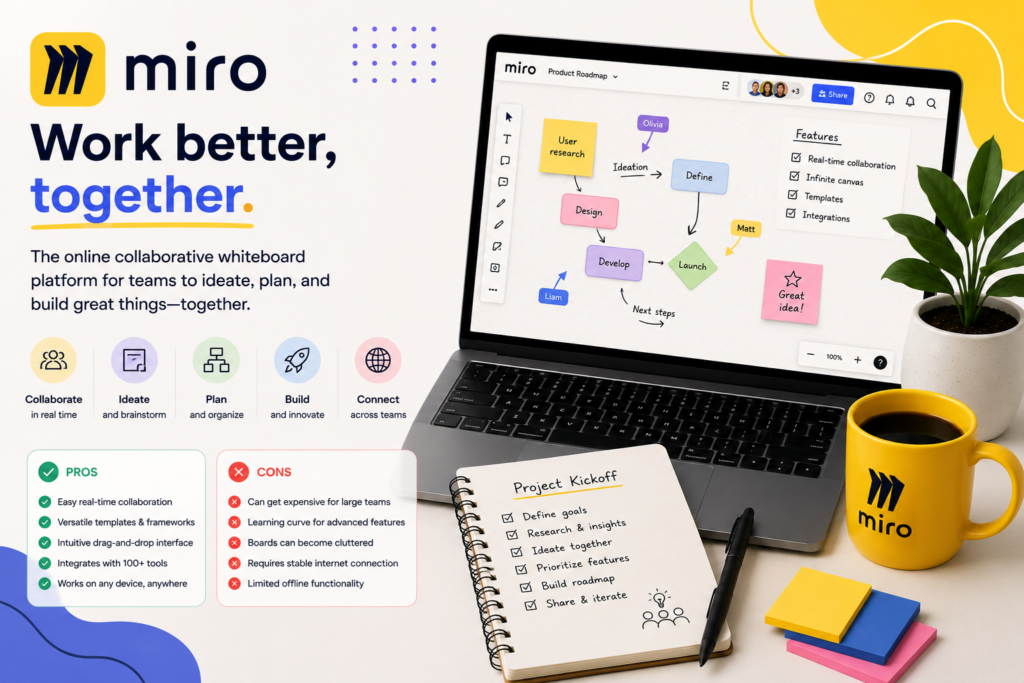
Miro makes the most sense when your team needs to work through a problem together: mapping a customer journey, untangling an approval process, planning a website, or deciding which ideas deserve investment. Its shared visual canvas gives that discussion somewhere to happen and leaves a record people can revisit.
The buying decision gets harder when you move beyond brainstorming. Who needs a paid seat? Can clients edit privately? Will the team turn workshop output into assigned work, or simply accumulate attractive boards?
Our recommendation: start with Miro Starter for regular internal collaboration, and consider Business when private client editing or deeper planning workflows are essential. If you only need an occasional place to sketch during a meeting, test a simpler whiteboard before adding another subscription.
Review basis: This is a research-based evaluation of Miro’s official product pages, pricing, sharing documentation, AI limits, and integrations. AppFinderX did not conduct hands-on performance or usability testing for this article. Workflow examples and buying recommendations below are editorial analysis.
Where Miro’s canvas earns its place
Miro combines collaborative whiteboarding with diagrams, sticky notes, and structured formats such as documents, tables, timelines, and Kanban. That gives a team room to move from loose ideas toward a more organized plan without immediately changing tools. Source: Miro’s product and plan overview.
The useful distinction is spatial context. A written document explains a process in sequence; a canvas can show where customers, staff, systems, and decisions intersect.
Consider a small agency planning a client’s new website. A useful board could put the target audience beside the proposed navigation, customer objections beside the pages meant to answer them, and unanswered questions beside the relevant design ideas. The point is to expose relationships that would otherwise be scattered across meeting notes.
That makes Miro especially relevant to agencies, consultants, product teams, and operations staff who regularly need agreement across different specialties. It is less compelling when the work is already straightforward and the only remaining questions are who will do it and when.
| Buying consideration | AppFinderX assessment |
|---|---|
| Strongest use | Collaborative workshops and visual problem-solving |
| Most practical starting point | Starter for recurring internal work |
| Main reason to consider Business | Private guest editing and more advanced workflows |
| Main operational risk | Boards become a second, poorly maintained record of work |
| Best test before buying | Run one real workshop and assess the usefulness of its follow-up |
A useful Miro workshop needs a decision at the end
Miro’s paid plans include facilitation tools such as a timer and voting. Its plan documentation also distinguishes those tools from the more limited Free offering. These features help structure participation, but the facilitator still has to decide what the session should accomplish. Source: Miro’s plan comparison.
For example, a service business could use a board to investigate why new customers abandon onboarding:
- Map the current steps from inquiry through the first appointment.
- Place observed problems beside the step where they occur.
- Separate evidence from assumptions using clearly labeled areas.
- Prioritize the problems the business can realistically address.
- Record the selected change, its owner, and how success will be measured.
This is a proposed workflow, not a result from our testing. Its value is that the finished board explains why a decision was made, rather than preserving only a list of complaints.
Prepare that structure before inviting people. An empty canvas asks participants to learn the interface and invent the meeting format at the same time. A board with a clear starting point and a few labeled sections lowers that burden.
Also reserve time to finish. If the session ends immediately after voting, the team may leave with popular ideas but no agreement about scope or responsibility. Miro is worth more when the last part of the workshop produces a decision people can act on.
The Free plan’s bigger limitation is privacy
Miro Free allows unlimited team members, but only the three most recent boards remain active for editing. It also shares boards across the free team; private boards within that team require a paid plan. Inviting someone by email to collaborate on a Free board adds them to the team. Source: Miro Free plan documentation.
For an individual exploring mind maps or a small internal group experimenting with visual planning, this can be enough. For an agency handling separate clients, it is a poor foundation for ongoing work.
The distinction matters: shared with your free team does not mean automatically public on the internet. However, it does mean you cannot treat different boards in that team as private spaces for different audiences. Miro’s public-link sharing is a separate access setting. Source: Public versus private boards.
Do not design your client workflow around continually deleting or recycling boards to stay free. That can remove the historical context you wanted the whiteboard to preserve. Upgrade when separate projects need their own ongoing workspace and access boundaries, rather than trying to make the free tier function as a client portal.
Starter versus Business: understand guests before counting seats
Miro distinguishes three types of participants:
| Role | Practical meaning |
|---|---|
| Member | A regular team participant with full plan access and the ability to create boards |
| Guest | A registered external collaborator invited to specific boards |
| Visitor | Someone accessing a publicly shared board through its link, without needing an account |
These are different access models, not interchangeable labels. Source: Miro’s roles explained.
Starter supports visitor editing, but its signed-in guests are limited to viewing or commenting. Business supports guest editing as well. Source: Miro’s feature matrix.
That creates a specific purchasing threshold. An internal team occasionally running an open brainstorming session may be well served by Starter. A consultant who needs named clients to edit privately should examine Business.
Public-link access can be appropriate for a workshop, but the link can travel beyond the original recipients. Password protection can add a barrier; it does not turn a visitor into a named guest with individually assigned access. Source: Miro’s board privacy guidance.
Before inviting people, decide who actually needs ongoing membership and who is an external participant. This is both an access decision and a budgeting decision. Do not assume every workshop attendee needs the same role as the person building and maintaining the boards.
What Miro costs a five-person business
Pricing checked: September 2026. USD, excluding applicable tax. Annual rates below are monthly equivalents billed yearly.
| Plan | Annual billing rate | Monthly billing rate | Likely fit |
|---|---|---|---|
| Free | $0 | $0 | Testing the product and limited ongoing use |
| Starter | $8 per member/month | $10 per member/month | Regular internal whiteboarding |
| Business | $20 per member/month | $25 per member/month | Client collaboration and advanced workflows |
| Enterprise | Custom quote | Custom quote | Organizations needing centralized governance |
Annual prices are confirmed on the main pricing page; Miro’s diagramming page also publishes the monthly billing rates. Sources: Miro pricing, Miro’s published billing options.
For five paid members, the subscription math is:
| Scenario | Annual commitment or annualized total |
|---|---|
| Starter, paid annually | $480 per year |
| Starter, paid monthly for 12 months | $600 |
| Business, paid annually | $1,200 per year |
| Business, paid monthly for 12 months | $1,500 |
The annual-plan upgrade from Starter to Business therefore adds $720 per year for five members. That difference should solve a specific problem: private guest editing, a required integration workflow, or another capability your team will regularly use.
As a budgeting illustration, at an assumed staff cost of $50 per hour, $720 equals 14.4 staff hours per year—about 72 minutes per month. This is not a claim that Miro will save that time. It is a useful benchmark for deciding whether the upgrade produces enough measurable value.
An occasional facilitator can reasonably favor monthly billing while assessing adoption. The annual discount only helps if the team continues using the product.
Miro AI can organize the discussion, but someone must check the meaning
Miro AI can generate sticky notes, group them by keywords or sentiment, summarize a selection, and turn selected notes into a document. It can also convert an image of physical sticky notes into editable digital notes. Source: Miro AI with sticky notes.
The strongest small-business use is often organizing material the team already produced. After an onboarding workshop, for example, AI grouping could provide a first pass at separating billing issues, communication gaps, and scheduling problems.
However, similar wording does not always mean the same root cause. Two customers mentioning “delays” might be describing different failures. Review the original notes before accepting the groups, and retain unusual observations that may disappear inside a broad summary.
Miro allocates 10 AI credits per month to Free teams, 25 per paid Starter license, and 50 per paid Business license. Credits are pooled, refresh monthly, and do not roll over. Different actions consume different amounts; guests and visitors cannot run AI actions. Source: Miro AI credits.
A five-seat Starter team therefore receives a shared monthly allocation of 125 credits; Business receives 250. Neither figure means that many complete workshops. Measure the consumption of your actual workflow before budgeting around AI.
Business also provides access to broader AI workflows and agents. Miro’s Starter documentation directs customers to Business for the full scope of Flows and Sidekicks. Source: Starter plan documentation.
Our advice is to justify Miro through its collaborative workflow first. Treat AI as an additional benefit that needs its own evaluation.

Integrations: connect the board to the work that follows
Miro’s integrations are most useful when they give the workshop output a clear destination:
- Jira and Asana — connect visual planning with tasks; Miro describes two-way synchronization for these workflows.
- Slack and Microsoft Teams — connect board collaboration with the communication tools people already use.
- Notion and Confluence — embed boards in documentation so readers can find the visual context alongside the written record.
Miro documents these connections on its integration overview for prototyping. Embedding a board and synchronizing task data are different capabilities, so check the exact integration you need. Source: Miro integration workflows.
Business includes deeper two-way connections with tools including Jira, Asana, and ClickUp. Source: Business plan documentation.
For a small team, the practical rule is to choose one authoritative place for task status. If delivery is managed in a project tool, use Miro for the reasoning and visual context, and keep the agreed actions connected to that tool. Otherwise, staff may update a board while their manager checks a different system.
Before a wider rollout, test one task through the whole connection: create it, change it, and confirm what updates on each side. A recognizable integration logo does not answer questions about field support, permissions, or synchronization behavior.
Where the canvas becomes extra work
Miro’s flexibility creates an organizational responsibility. A large board can preserve everything discussed while making the final decision surprisingly difficult to find.
Use separate areas for evidence, proposals, and approved decisions. Give each active board an owner. Add a dated outcome section and make it clear when the board has become historical reference. These are recommended working practices, not automatic guarantees from the software.
Navigation also deserves attention when occasional clients participate. Miro lets editors set a starting view so new arrivals open at a chosen place on the board. Source: Miro sharing documentation.
Use that feature to put instructions and the first activity directly in front of participants. A sprawling overview is useful to the facilitator but may be a confusing entrance for someone joining their first session.
Finally, avoid buying Miro to compensate for an undefined process. If nobody owns the follow-up or the team cannot state which decision a workshop should produce, additional canvas features will not resolve that management problem.
Alternatives and recommendations
Choose FigJam if your collaboration already revolves around Figma. FigJam provides collaborative whiteboarding within Figma’s ecosystem. It is the natural alternative to evaluate when designers and their stakeholders want to brainstorm close to their existing design work. See our Figma review for the broader platform. Source: FigJam’s official product page.
Choose Microsoft Whiteboard if your main need is shared sketching in Microsoft Teams. Microsoft positions Whiteboard for visual collaboration, including use inside Teams. Check what your existing Microsoft environment provides before purchasing a separate platform for occasional meeting use. Source: Microsoft Whiteboard.
Prioritize a project management app if your real problem is tracking delivery. A workshop canvas may help explain a plan, but the buying decision is different when the central need is ownership, deadlines, and progress reporting. Our project management software guide covers that category.
Choose Miro if visual workshops are a recurring part of how your business reaches decisions. Its strongest case is a team that regularly needs to connect evidence, diagrams, and discussion, then preserve the reasoning for others.
For most small internal teams, Starter is the sensible paid entry point. Business becomes easier to justify when private external editing is part of paid client work or when its additional capabilities remove a recurring handoff problem.
The biggest advantage is shared visual context. The biggest compromise is the effort required to keep that context organized and connected to execution. Buy it when the finished board will help someone make or implement a decision after the meeting—not solely because the meeting looks more interactive.