SignWell Review 2026: How Per-Sender Pricing Changes the Math for Growing Teams
SignWell Review: How Per-Sender Pricing Changes the Math for Growing Teams
SignWell prices itself around a single variable most competitors treat as an afterthought: the number of people on your account who are allowed to send documents for signature, not the number of people who need to sign or track them. Our Take: for a solo professional or a two-to-three-person team, SignWell is one of the most affordable and straightforward e-signature tools available; the moment a business needs more than a few people initiating documents, per-sender pricing compounds in a way flat-rate competitors don’t. This SignWell review is research-based, built from SignWell’s own pricing pages and third-party integration documentation, not hands-on deployment across a live account.
At a Glance
| Category | E-signature software |
| Best For | Solo professionals and micro-teams that need a straightforward, affordable signing tool |
| Starting Price | Free (3 documents/month); Light from ~$10/sender/month annually |
| Free Trial | Free plan has no time limit; paid plans typically offer a trial period |
| Standout Strength | Genuinely usable free tier and unlimited documents on every paid plan |
| Biggest Drawback | No dedicated mobile app, and pricing scales per additional sender rather than a flat team rate |
| Top Alternative | SignNow for CRM-heavy small businesses; Adobe Acrobat Sign for PDF-editing-heavy workflows |
What Each Plan Actually Includes
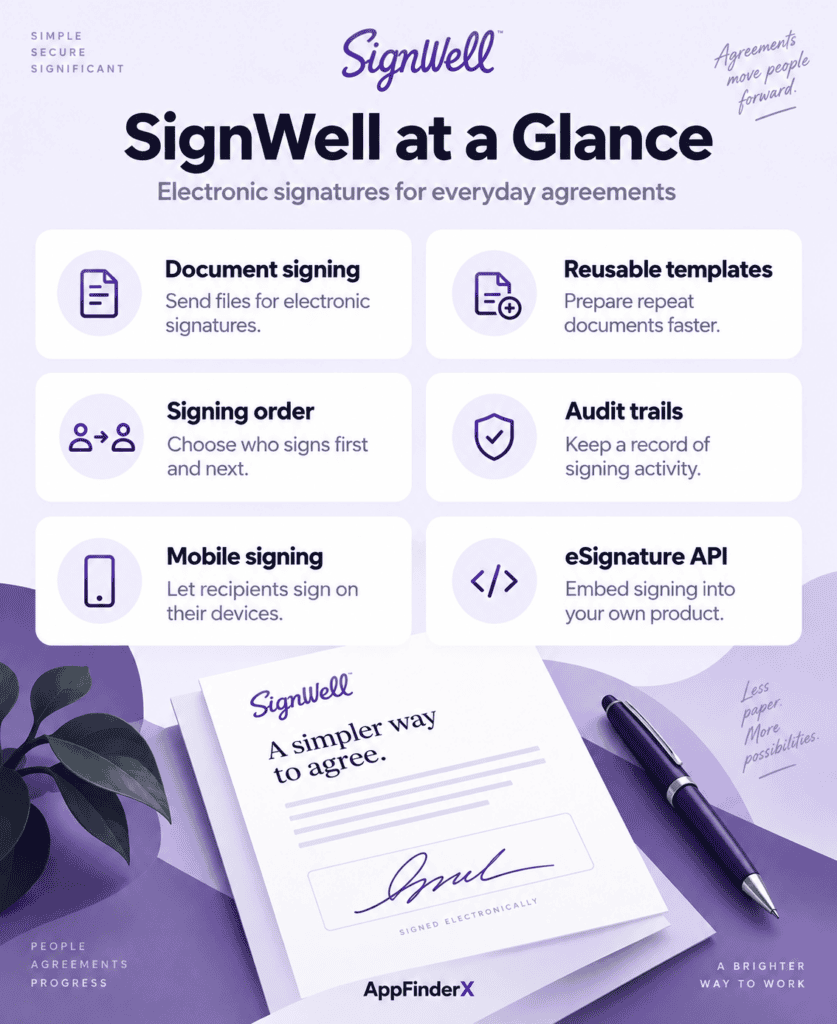
- Free — 1 sender, 1 template, 3 documents per month, audit trail, and email notifications. No custom branding, no API access, no mobile app.
- Light — roughly $10/sender/month billed annually (around $12/month billed monthly), still capped at 1 sender per the base price, with unlimited documents, 5 templates per sender, template links, bulk sending, and advanced preferences.
- Business — around $30/month billed annually (roughly $36/month billed monthly), with a 3-sender minimum, adding custom branding, data validation, request-for-attachments, redirect URLs, and in-person signing.
- Enterprise — custom pricing, adding high-volume API access and dedicated support on top of everything in Business.
The core mechanic to understand before comparing SignWell to anything else: every additional person who needs to send a document (not just sign or receive one) adds to the per-sender cost, and Business specifically requires a minimum of three senders even for a smaller team, based on SignWell’s own plan documentation. A business that has one office manager sending all contracts pays far less than a business where five different account managers each send their own client agreements — even if both businesses handle a similar overall document volume.
Strengths Worth Weighing
- The free plan is genuinely usable, not a bait-and-switch. Three documents a month with unlimited signers per document, a real audit trail, and no forced watermarking make SignWell’s free tier a legitimate way to test e-signature workflows before paying anything — useful for a nonprofit or solo contractor with light, infrequent signing needs.
- Unlimited documents on every paid tier. Unlike some competitors that cap document counts even on paid plans, SignWell removes that ceiling starting at Light, which makes cost predictable for a business whose volume fluctuates seasonally.
- In-person signing is included, not gated behind a premium. Business-tier users can collect a signature on a shared device — useful for a contractor closing a deal at a client’s kitchen table or a clinic collecting consent forms at check-in.
- The API is accessible without an enterprise contract. SignWell’s pay-as-you-go API model includes 25 free monthly documents before per-document charges apply, letting a small dev team prototype embedded signing without committing to Enterprise pricing upfront.
Limitations to Plan Around
- No dedicated mobile app. As of 2026, SignWell is browser-only — a real gap for a field-sales team or property manager who wants to send or sign documents from a phone without opening a mobile browser.
- Per-sender pricing compounds faster than it first appears. Business’s 3-sender minimum means a business with three or more people who need to originate documents starts well above the advertised entry price, and each additional sender adds incrementally rather than the team paying one flat team rate.
- Advanced compliance features are thin compared to enterprise-focused competitors. SignWell doesn’t prominently advertise HIPAA or SOC 2 compliance the way Adobe Acrobat Sign or SignNow do, which matters for a healthcare or financial-services buyer specifically screening for those certifications.
- The free plan’s 3-document cap is tight. A solo freelancer sending even one contract a week will exceed it well before the end of the first month, forcing an upgrade decision earlier than the “generous free tier” framing suggests.
SignWell Plans and Pricing
| Plan | Monthly | Annual (per sender/mo) | Senders | Documents |
|---|---|---|---|---|
| Free | $0 | $0 | 1 | 3/month |
| Light | ~$12 | ~$10 | 1 | Unlimited |
| Business | ~$36 | ~$30 | 3 minimum | Unlimited |
| Enterprise | Custom | Custom | Custom | Unlimited + high-volume API |
(Figures reflect SignWell’s published pricing as of September 2026, which has varied across sources this year; confirm current rates directly on signwell.com before budgeting.)
What the API Pricing Structure Means for a Small Dev Team
SignWell’s pay-as-you-go API deserves a closer look than “25 free documents a month,” because it’s structured differently than most competitors’ developer offerings. Rather than requiring an Enterprise contract before granting any API access — the model SignNow and Adobe Acrobat Sign effectively use — SignWell lets a small business or agency start embedding signing into its own product or internal tool immediately, paying only once usage exceeds the free allowance. For a software agency building a client portal that needs occasional embedded signing, or a small SaaS product testing whether e-signature belongs in its own workflow, this removes the sales-call gate that usually sits in front of API access at this price point. The tradeoff is that per-document API pricing can climb faster than a flat monthly fee once usage is consistent and high-volume, so a business planning to embed signing into a product with real transaction volume should model the per-document cost at its expected scale before committing rather than assuming the free tier’s economics hold indefinitely.
The Real Cost of Scaling Past One Sender
A solo consultant on Light pays roughly $120/year for unlimited document sending — a genuinely strong deal against nearly any competitor. Add two more people who each need to send their own contracts, and the business is pushed onto Business at its 3-sender minimum, which runs closer to $1,080/year at the ~$30/sender monthly rate. That’s not an unreasonable price for three people with unlimited sending, but it’s a much steeper jump than the advertised “$10/month” headline suggests, and it’s a jump that happens the moment a second or third person needs to originate documents rather than just sign ones sent by someone else. Businesses that can route all outbound documents through a single admin account — even if multiple people draft the content — avoid this jump entirely and stay on the cheaper Light tier.
SignWell vs. SignNow vs. Jotform Sign
| SignWell | SignNow | Jotform Sign | |
|---|---|---|---|
| Entry price | Free / ~$10 per sender | $8/user/month | Free (bundled in Jotform) |
| Pricing driven by | Number of senders | Signature invites per user | Jotform plan tier and signed-doc cap |
| Mobile app | No | Yes | Yes (via Jotform app) |
| Best for | Solo professionals, micro-teams | CRM-integrated small businesses | Businesses already using Jotform forms |
Choose SignNow over SignWell if your business needs deeper CRM integration or a native mobile app, and can work within an invite-based cost model instead of a per-sender one. Choose Jotform Sign over SignWell if your business already collects data through forms and wants signing bundled into that same workflow. Choose SignWell specifically when simplicity and predictable per-document pricing matter more than deep integrations — it remains one of the cleanest, least confusing e-signature tools to actually set up and use. SignWell is covered as part of AppFinderX’s broader e-signature and legal software coverage, alongside the other document-signing tools reviewed above.
Frequently Asked Questions
Is SignWell actually free, or is the free plan a limited trial? It’s a genuine, permanent free plan — 3 documents per month with no expiration date — not a time-limited trial. It’s restrictive for regular use but real for occasional signers.
Does SignWell have a mobile app? No. As of 2026, SignWell is accessed entirely through a mobile browser rather than a dedicated iOS or Android app, which is a meaningful gap for field-based signing.
How does SignWell’s per-sender pricing actually work? Only people who initiate (send) a document count toward the sender total; people who only sign or receive documents don’t add to the cost. Business requires a minimum of three senders even for smaller teams.
Is SignWell a good fit for a business that needs HIPAA compliance? SignWell doesn’t prominently market HIPAA or SOC 2 certification the way some competitors do. A healthcare business with strict compliance requirements should verify current certifications directly with SignWell before committing.
How does this SignWell review’s pricing compare to SignNow’s? SignWell tends to be cheaper for a single sender, while SignNow’s invite-based model can work out cheaper for a team with many light senders rather than a few heavy ones — the better deal depends on your team’s actual sending pattern, not the advertised starting price.
Integrations
- HubSpot — trigger signature requests from HubSpot records and sync completed document status back to the CRM via Zapier.
- Pipedrive — connect signed-document status to Pipedrive deals for sales teams tracking contracts through a pipeline.
- Airtable — turn completed signatures into new Airtable records for teams that manage client or contract data in a database.
- Jotform — route completed form submissions into SignWell for signature, useful for businesses collecting intake data before a contract stage.
Alternatives
- SignNow — a stronger fit for a business that wants a native mobile app and deeper CRM integration.
- Adobe Acrobat Sign — worth comparing for a business that also needs heavy PDF editing alongside signing.
- PandaDoc — a better fit for sales teams building proposals and quotes rather than just signing finished documents.