Miro Review: The Infinite Whiteboard That Replaced the Conference Room Wall
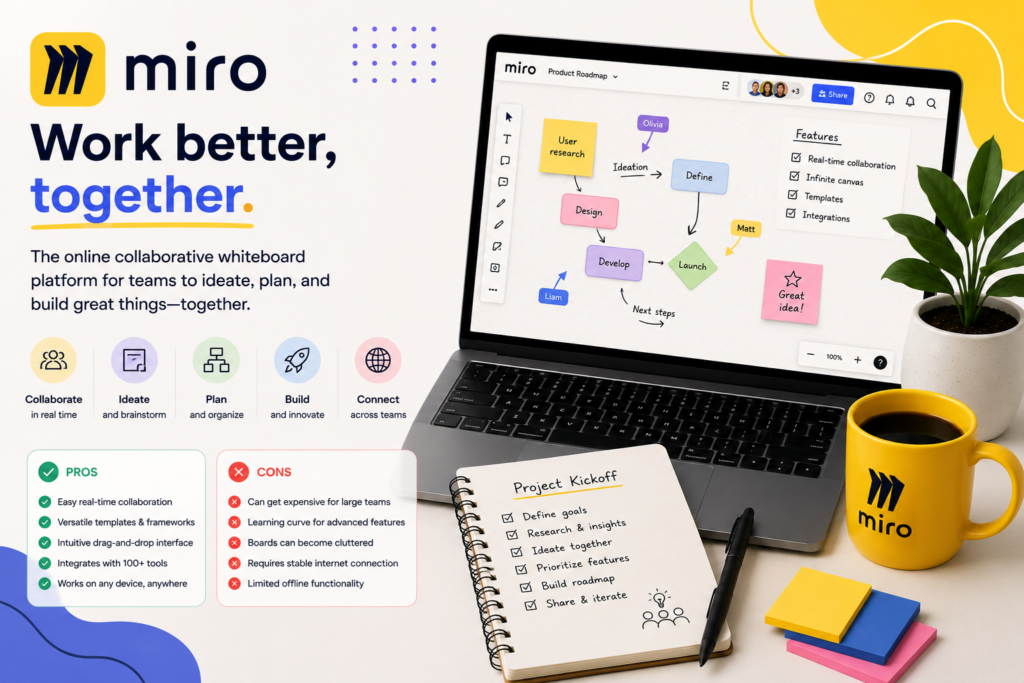
Every team has had that meeting — sticky notes covering a wall, markers running dry, someone taking a photo of the whiteboard before it gets erased and the ideas are gone forever. Miro digitized that entire experience and then expanded it well past what a physical wall could ever hold: an infinite canvas where distributed teams can brainstorm, map workflows, run retrospectives, and plan projects together in real time, from anywhere.
Miro has become the clear market leader in visual collaboration, and reviewers consistently confirm it earns that position — while being equally consistent that its free plan is genuinely limited and its pricing draws real complaints from smaller, budget-conscious teams. In this article, we’ll cover what Miro actually does, what reviewers and real teams say about it, how to get your team started, and the tips that help you get real value from an infinite canvas without letting it become overwhelming.
What Is Miro?
Miro is an online whiteboard platform built around an infinite canvas, letting distributed teams collaborate visually in real time regardless of location or time zone. Multiple people can edit, comment, and move elements on the same board simultaneously, and Miro’s presentation mode can transform any board directly into a slide deck for delivering updates to stakeholders — no separate export to a presentation tool required. A library of more than 5,000 templates covers everything from brainstorming and mind mapping to retrospectives, roadmaps, and workshop facilitation, giving teams a fast starting point rather than a blank canvas.
Miro Assist, the platform’s AI layer, has become a genuinely useful differentiator according to hands-on reviewers — its clustering feature can take a board with 100+ sticky notes from a live brainstorm and group them into labeled themes in under a minute, then generate a written summary of key takeaways, which reviewers describe as a real time-saver for workshop facilitation specifically. AI-assisted diagram generation from a text prompt is also available, though reviewers note it typically needs a human editing pass before it looks workshop-ready. Beyond whiteboarding, Miro has expanded into adjacent territory — timeline planning, task and dependency mapping — positioning itself as more than a whiteboard and closer to a visual project management partner, with more than 160 integrations connecting to tools like Slack, Jira, Asana, Notion, and Google Workspace.
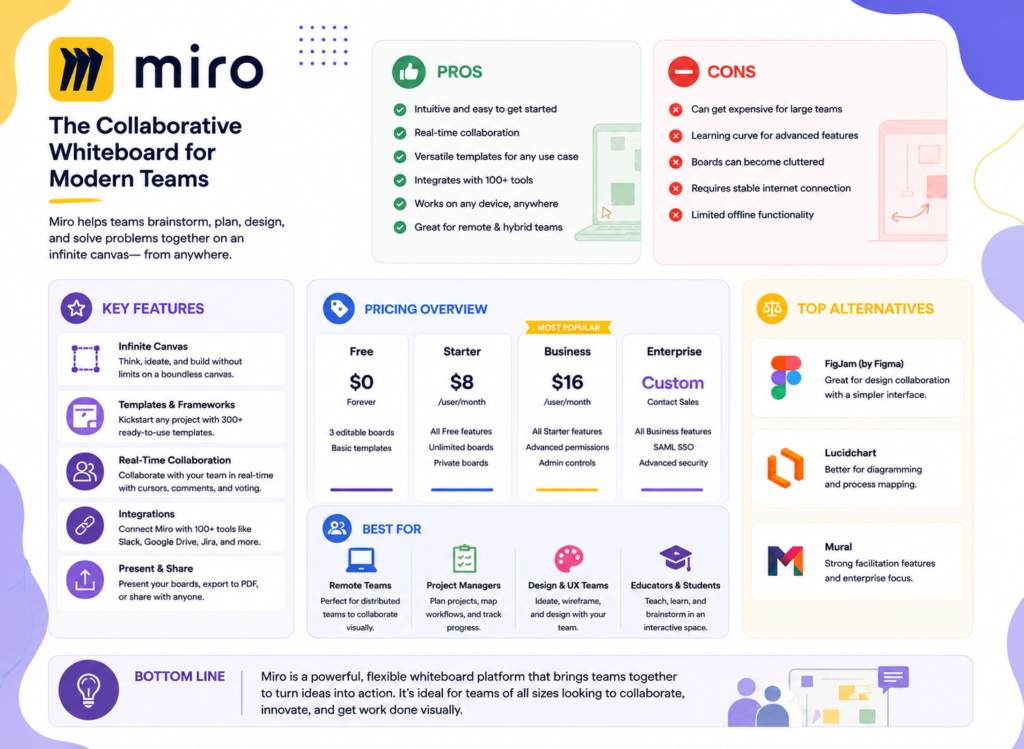
Pricing runs across four tiers. The Free plan offers core whiteboarding features but is limited to 3 editable boards — a real constraint reviewers note most active teams outgrow quickly. Starter runs $8/user/month (annual billing) for small teams needing more advanced collaboration and unlimited boards. Business runs $16/user/month for larger organizations needing full collaboration features and deeper integrations. Enterprise is custom-priced, adding advanced security and dedicated support. AI credits for Miro Assist are bundled into paid plans but capped on lower tiers, so heavy AI usage may factor into which tier makes sense for your team.
Miro Is Best For
- Distributed and remote teams needing real-time visual brainstorming and workshop facilitation
- Product, design, and agile teams running retrospectives, roadmapping, and sprint planning visually
- Teams that value a large template library over building structure from scratch
- Businesses wanting AI-assisted synthesis of large brainstorming sessions (clustering, summarization)
Not recommended for:
- Budget-conscious solo users or very small teams, where the free plan’s 3-board limit is a real constraint and paid tiers can feel like overkill
- Teams handling highly confidential or sensitive information, given Miro’s cloud-based, constant-connectivity requirement
- Teams with unreliable internet access, since Miro requires a live connection to function
- Businesses wanting a simpler, more linear project management tool rather than an open-ended visual canvas
At a Glance
| Best For | Distributed teams doing visual brainstorming, workshops, and agile planning |
| Starting Price | Free (3 boards); Starter $8/user/month |
| Free Trial | Free plan available; paid tier trials on request |
| Mobile App | iOS and Android for viewing and light editing |
| AI Features | Miro Assist — clustering, summarization, diagram generation |
| Ease of Use | Real learning curve for new users despite intuitive core interface |
| Integrations | 160+ integrations, including Slack, Jira, Asana, Zoom, Notion |
Pros & Cons
Pros
- Market-leading template library (5,000+) covering nearly any visual collaboration use case
- Genuinely useful AI clustering — condenses large brainstorms into labeled themes in under a minute
- Real-time collaboration that holds up well for distributed, remote teams across time zones
- Presentation mode turns any board directly into stakeholder-ready slides
- 160+ integrations connecting Miro into most existing team tech stacks
Cons
- Free plan’s 3-board limit is restrictive — most active teams need Starter or higher quickly
- Pricing is frequently described as expensive or confusing, particularly for small teams or individual users
- Requires constant internet connectivity — a real limitation for unreliable-connection environments
- Performance can degrade on very large, complex boards
- Real learning curve for new users despite an intuitive core interface, and AI-generated diagrams typically need human refinement
Miro Review: What Reviewers and Real Teams Are Saying
Reviewers are consistent that Miro remains the clear market leader in visual collaboration, while being equally direct about pricing friction for smaller teams. SaaSCRMReview’s 2026 evaluation confirms Miro remains a leading choice for visual collaboration, serving product, design, and agile teams well with its 5,000+ templates, 160+ integrations, and evolving AI features — while offering specific, practical guidance on fit: budget-conscious teams should evaluate FigJam or Microsoft Whiteboard instead, teams needing more structured facilitation may prefer Mural, and technical diagramming users should consider Lucidchart rather than trying to force Miro into that use case.
AISO Tools’ hands-on review is among the most rigorous available, testing Miro across sprint retros, roadmap planning, and cross-functional workshops over two months with a team of six. Their verdict: Miro is the most complete whiteboarding platform available, and Miro Assist meaningfully cuts down the tedious parts of workshop facilitation — specifically, clustering hundreds of sticky notes into labeled themes in seconds is described as a real time saver, representing the AI feature’s clearest strength. The same review is candid about AI diagram generation’s current limits: useful for a starting point from a blank prompt, but still requiring a human editing pass before it looks workshop-ready — a realistic expectation-setter for teams hoping AI will fully automate diagram creation.
SoftwareAdvice’s aggregated review data captures the pricing tension most directly: Miro’s pricing is often seen as expensive, especially for small teams or individual users, with the free version’s three-board restriction and missing key features pushing many toward paid plans that can be hard to justify if only basic tools are needed — and reviewers specifically note that managing licenses and payment options can feel confusing. Work-Management.org’s review balances this concern against Miro’s genuine strengths, describing the combination of visual design, project structure, AI automation, and integrations as positioning Miro as more than a whiteboard — a capable partner in managing real projects rather than just a brainstorming tool — while still listing pricing for larger teams and a real learning curve for new users among its clearest drawbacks.
CPO Club’s review adds an important, less commonly discussed caution: because Miro is cloud-based and requires constant connectivity to function, teams working with confidential information should weigh potential security concerns, and teams in environments with unreliable internet access may find the platform genuinely unsuited to their workflow — a structural limitation worth confirming fits your business before committing budget to a paid tier. GetApp’s aggregated data confirms the pattern holds broadly across real users: reviewers consistently praise real-time collaboration and the template library for organizing meetings and workshops, while repeating the same free-tier limitation and pricing-confusion concerns found across nearly every other source.
Pricing
| Plan | Price (annual, per user/month) | Best For |
|---|---|---|
| Free | $0 (3 editable boards) | Individuals or very small teams testing the platform |
| Starter | $8 | Small teams needing unlimited boards and more advanced collaboration |
| Business | $16 | Larger organizations needing full collaboration and deeper integrations |
| Enterprise | Custom | Organizations needing advanced security and dedicated support |
Hidden costs to watch for: The free plan’s 3-board limit is the most immediate constraint reviewers flag — most teams using Miro for real, ongoing work will outgrow it quickly and need to budget for Starter at minimum. AI credits for Miro Assist are also capped on lower tiers, so if clustering and summarization are central to why you want Miro, factor potential credit limits into your tier decision rather than assuming unlimited AI usage at the entry price point.
Setup Guide: Getting Your Team Started with Miro
- Start on the free plan and build one real board for an actual upcoming meeting or workshop, rather than exploring templates abstractly.
- Browse the template library first before building from scratch — with 5,000+ options, there’s likely a strong starting point for your specific use case (retrospective, roadmap, brainstorm).
- Run one real, live session on the board — a brainstorm, a retro, a planning meeting — to test real-time collaboration with your actual team under real conditions.
- Test Miro Assist’s clustering feature on a genuinely large set of sticky notes to see the AI time-savings reviewers consistently highlight.
- Connect one integration you already rely on (Slack, Jira, or Zoom) to start folding Miro into your existing workflow rather than treating it as a separate silo.
- Upgrade to Starter once you hit the free plan’s 3-board limit, which most active teams do relatively quickly according to reviewer consensus.
- Use presentation mode for your next stakeholder update to test whether it can replace a separate slide-deck creation step in your workflow.
Getting Value Fast: Your First Week Checklist
- Run one real team session on a live board within the first few days — Miro’s core value is best experienced through actual collaborative use, not solo exploration.
- Test Miro Assist’s clustering on a real brainstorm with at least 50-100 sticky notes to see genuine time savings, not a small demo set.
- Try presentation mode on one board to see if it can replace a step in how you currently prepare stakeholder updates.
- Connect your team’s primary communication tool (Slack, Teams, or Zoom) to reduce friction between planning in Miro and communicating about it elsewhere.
- Track how many boards you’re actively using by week’s end to get an honest, early signal of whether the free plan’s 3-board cap will be a real constraint for your team.
Tips & Tricks for Growing Your Business with Miro
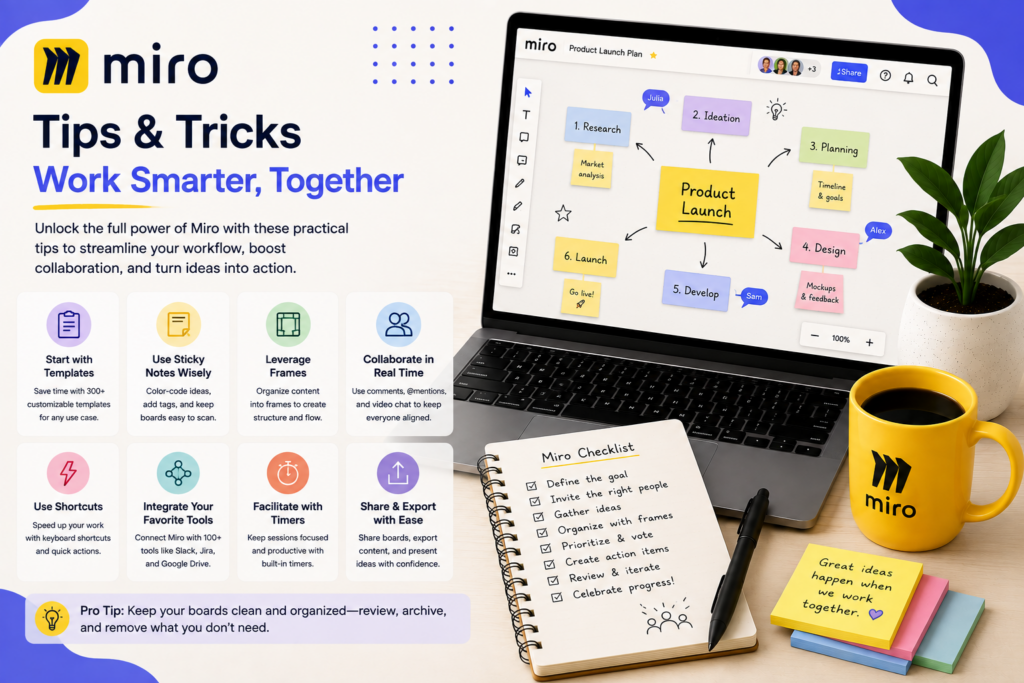
- Use Miro Assist’s clustering for every large brainstorm, not just occasionally. Reviewers consistently cite this as the AI feature’s clearest, most reliable value — build it into your standard workshop-closing routine rather than treating it as optional.
- Budget for Starter from the start if Miro will be a regular tool, not a trial. Given how quickly reviewers note teams outgrow the free plan’s 3-board limit, avoid the friction of an unplanned mid-project upgrade by budgeting realistically upfront.
- Treat AI-generated diagrams as a first draft, not a final one. Reviewers are consistent that Miro Assist’s diagram generation needs a human editing pass — plan for that step rather than expecting workshop-ready output immediately.
- Archive or consolidate old boards regularly. Since performance can degrade on very large, complex boards, keeping your workspace organized isn’t just tidiness — it’s a genuine performance consideration.
- Confirm your data security needs before committing to sensitive work. Given Miro’s cloud-based, always-connected architecture, verify compliance and security requirements directly through Miro’s Trust Center if your team handles confidential information regularly.
Alternatives to Miro
Choose FigJam if you’re already using Figma and want a lighter, faster, tightly integrated whiteboarding tool rather than a separate standalone platform.
Choose Mural if your team needs more structured facilitation features specifically for guided workshop formats.
Choose Miro if you want the broadest template library, the most mature AI-assisted synthesis features, and a platform capable of scaling from simple brainstorming to more structured visual project management.
Final Verdict
Miro has earned its position as the clear market leader in visual collaboration by combining real-time, distributed-team brainstorming with an enormous template library and genuinely useful AI features — the clustering capability in particular gets consistent, specific praise from reviewers who’ve tested it under real workshop conditions. The honest trade-off, equally consistent across sources, is cost and complexity for smaller teams: the free plan’s 3-board limit arrives quickly, pricing can feel confusing or expensive relative to lighter competitors, and the platform’s constant-connectivity requirement is worth confirming fits your team’s environment. For a distributed team running regular workshops, retrospectives, or visual planning sessions, Miro remains one of the strongest tools available. For a very small or budget-conscious team, it’s worth comparing against FigJam or Microsoft Whiteboard before committing.
Frequently Asked Questions
Is Miro good for small businesses?
It depends on usage needs. Teams running regular collaborative workshops or visual planning sessions often find strong value even on the Starter plan; very small teams or solo users with light usage may find the free plan’s 3-board limit restrictive and paid tiers hard to justify.
Does Miro have a free plan?
Yes — the free plan includes core whiteboarding features but is limited to 3 editable boards, a constraint most active teams outgrow relatively quickly according to reviewer consensus.
Is Miro’s AI feature actually useful?
Reviewers who tested it extensively found real value specifically in clustering — grouping large numbers of sticky notes into labeled themes in under a minute. AI-generated diagrams from a text prompt are also available but typically need a human editing pass before they’re workshop-ready.
Does Miro require an internet connection to work?
Yes — Miro is cloud-based and requires constant connectivity to function, which is worth considering if your team works in environments with unreliable internet or handles highly confidential information.