Notion Review: The Flexible All-in-One Workspace — If You’re Willing to Build It Yourself
Every other tool on this list — monday.com, ClickUp, Asana — starts from a project management foundation and adds documents, chat, or AI on top. Notion runs the opposite direction: it started life in 2016 as a note-taking and knowledge-base tool, and grew into something people now use for project management, CRMs, wikis, and nearly anything else you can represent as a database of linked pages. That flexibility has made it one of the most beloved productivity tools among small teams and solo operators — and, according to some of its most experienced long-term users, one of the easiest tools to over-extend past what it’s actually built for.
Reviewers are consistent that Notion excels at documentation-heavy, customizable work and struggles the moment you need rigid structure, deep automation, or performance at real scale. In this article, we’ll cover what Notion actually does, what reviewers and long-term users say about it, how to get your workspace set up, and the tips that help you use it for what it’s genuinely good at.
What Is Notion?
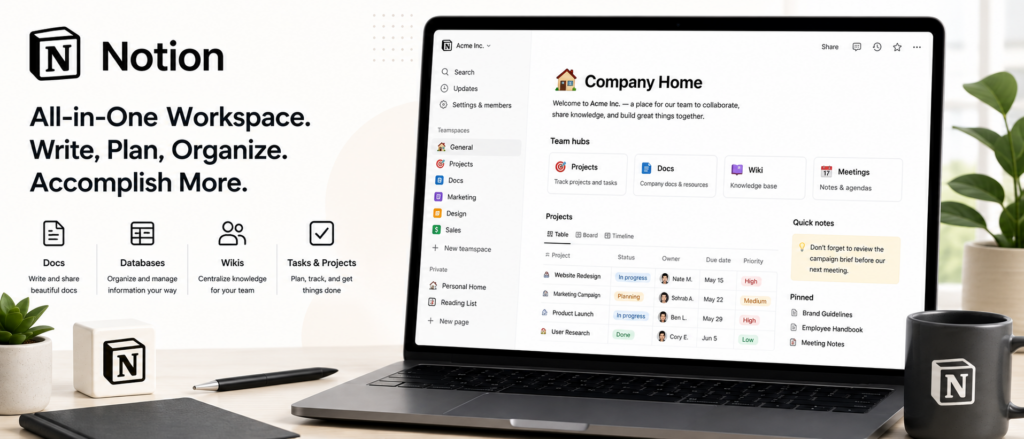
Notion is an all-in-one workspace combining notes, wikis, relational databases, and lightweight project management in a single, highly customizable platform. Everything in Notion is built from “blocks” — text, images, embeds, database rows — that you arrange freely on a page, and pages that link to other pages, letting you build anything from a simple to-do list to a full internal company wiki. Its relational databases are a genuine standout feature: users can link records across different databases (tasks to projects to team members, for instance), view the same data as a table, board, calendar, timeline, or gallery, and build surprisingly sophisticated systems without writing code.
An extensive template marketplace — reviewers cite libraries of 500+ templates — accelerates onboarding for common use cases like project trackers, CRMs, content calendars, and personal planning systems, which matters given how much of Notion’s value depends on building your own structure. Notion AI adds writing assistance, page summarization, and (on Business and Enterprise plans) AI-powered enterprise search across your workspace — reviewers describe the AI features as dependable, though the platform’s default, non-AI search is a specific, repeated point of criticism, described as inconsistent and sometimes slow to return results.
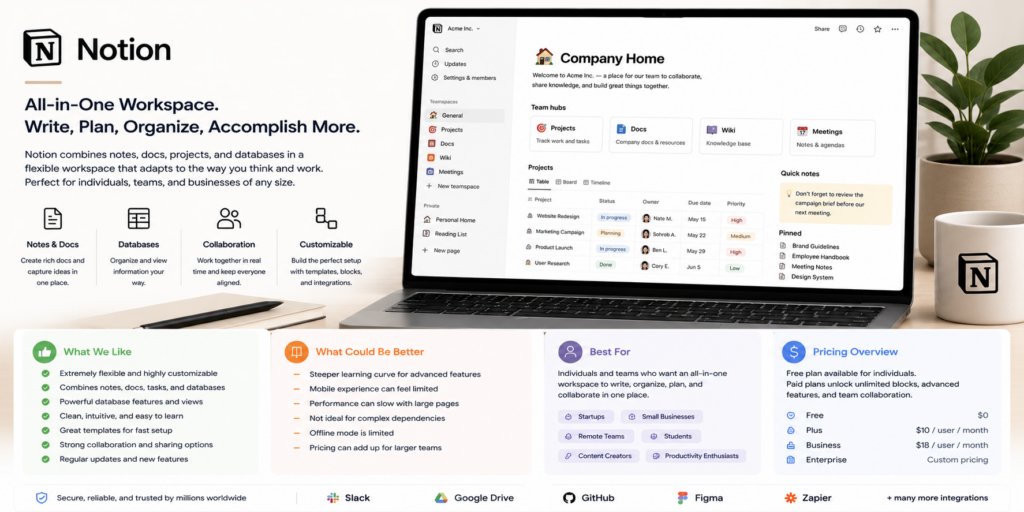
Pricing runs across four tiers. Free covers individuals managing personal projects, with basic page analytics, file uploads capped at 5MB, and 7-day page history. Plus runs $10/user/month, aimed at small teams needing unlimited blocks, unlimited file uploads, 30-day page history, and synced databases. Business runs $15–20/user/month (sources vary slightly, likely reflecting recent pricing adjustments), adding advanced permissions, SAML SSO, private teamspaces, and AI-powered workspace search. Enterprise is custom-priced, adding SCIM user provisioning, advanced security controls, audit logs, and unlimited page history.
Notion Is Best For
- Individuals, solo creators, and small teams (5–20 people) wanting an affordable, highly flexible workspace
- Documentation-heavy teams that value a centralized knowledge base alongside lightweight task tracking
- Teams that genuinely enjoy building and customizing their own systems rather than adopting a prescriptive workflow
- Businesses wanting to consolidate notes, wikis, and simple project tracking into one platform
Not recommended for:
- Teams needing structured workflows, deep automation, or robust reporting — reviewers note this can feel manual and limiting compared to dedicated PM tools
- Larger teams with complex permission needs, since Notion can control page visibility but not granular editing rights on specific sections or fields
- Businesses managing very large datasets — long-term users report real performance considerations at scale (5,000+ records)
- Teams wanting a tool that does one thing well rather than “everything,” since Notion’s broad scope means less depth in project management specifically compared to dedicated platforms
At a Glance
| Best For | Individuals, small teams, and documentation-heavy workflows |
| Starting Price | Free (individuals); Plus $10/user/month |
| Free Trial | Generous free tier; no credit card required to start |
| Mobile App | iOS and Android, full cross-platform sync |
| AI Features | Notion AI — writing assistance, summarization, enterprise search (Business+) |
| Ease of Use | High initial learning curve for structure-building; easy once built |
| Integrations | API and automation support; large template/tool ecosystem |
Pros & Cons
Pros
- Extremely flexible — relational databases and linked pages support nearly any workflow you can design
- Genuinely generous free tier, ideal for individuals and small teams testing the platform
- Extensive template library (500+) accelerates setup for common use cases
- Real-time collaborative editing with instant syncing across devices, similar to Google Docs
- Highest-rated business management software in recent user feedback, with strong small-business adoption (roughly two-thirds of reviews from companies with 1–50 employees)
Cons
- You build much of your own system from scratch — a real time investment compared to more prescriptive tools
- Default search is inconsistent, sometimes missing pages or returning results slowly; better AI search is Business/Enterprise-only
- Granular permission control is limited — you can restrict page visibility but not editing rights on specific sections or fields
- Performance can degrade with very large datasets, a real consideration for teams planning to scale a database-heavy workflow
- Easy to over-extend past its strengths — long-term users caution against trying to use Notion for “everything” in a business
Notion Review: What Reviewers and Long-Term Users Are Saying
Reviewers are unusually aligned on both Notion’s core appeal and its central limitation: extraordinary flexibility that requires real effort to harness well. Sonary’s project-management-focused review is direct about this trade-off: Notion is a highly flexible workspace, but expect to build much of your system from scratch, and if you need structured workflows, automation, or deep reporting, it may feel manual and limiting — while concluding it’s genuinely one of the best options for small businesses and individuals needing a centralized, lightweight hub for tasks, notes, and collaboration, especially for documentation-heavy work.
Research.com’s review praises Notion’s minimalist yet customizable interface as supporting everything from meeting notes to detailed project management, with advanced users able to extend functionality through templates and scripting — calling it a strong contender for companies looking to unify their organizational tools into one platform rather than juggling several. SoftwareAdvice’s aggregated review data reports Notion as the highest-rated business management software in recent user feedback, noting roughly two-thirds of reviews come from companies with 1–50 employees — strong evidence Notion’s core audience really is the small business it’s popular with.
Knowledgebase.net’s review gets specific about Notion’s weak points in a way many reviews gloss over: the default search is inconsistent, sometimes missing pages entirely or returning results slowly, and while AI-powered enterprise search on Business and Enterprise plans is better, it’s still not as fast or accurate as specialized search tools — a real consideration for any team planning to store substantial knowledge in Notion long-term. The same review is specific about permissions: you can control who sees a page, but not who can edit specific sections or fields within it, which creates real friction for larger teams with complex access needs.
The most valuable perspective available comes from Hack’celeration’s three-year, hands-on review, built from managing a CRM, project tracking, and internal documentation on Notion at agency scale, testing it specifically against large datasets (5,000+ records) and complex relational database structures. Efficient App’s review offers a similarly experienced, skeptical take on Notion’s “all-in-one” positioning specifically: they argue Notion started as a team knowledge base tool, and that’s fundamentally what it should be defined as — noting that as companies try to expand a single-category tool to compete for a bigger total addressable market, some of the resulting scope creep can work against genuine focus. Their practical conclusion: Notion shines specifically for teams that see rigid structure as a negative and want an incredibly flexible, no-code-adjacent workspace — and is a weaker fit for teams that actually want a prescriptive, out-of-the-box project management system.
Pricing
| Plan | Price (per user/month) | Best For |
|---|---|---|
| Free | $0 | Individuals managing personal projects (5MB file limit, 7-day page history) |
| Plus | $10 | Small teams needing unlimited blocks, file uploads, synced databases |
| Business | $15–20 | Growing teams needing SSO, private teamspaces, AI-powered search |
| Enterprise | Custom | Large organizations needing SCIM, audit logs, unlimited page history |
Hidden costs to watch for: Notion’s pricing itself is relatively transparent and affordable compared to competitors, so the real “hidden cost” reviewers point to is time — building and maintaining your own system (databases, templates, permission structures) takes genuine ongoing effort that a more prescriptive tool wouldn’t require. Factor that time investment into your evaluation, not just the subscription price.
Setup Guide: Getting Your Workspace Running
- Start on the free plan and explore the template marketplace before building anything from scratch — a template close to your use case saves significant setup time.
- Pick one core use case first — project tracking, a team wiki, or a simple CRM — rather than trying to build your entire business’s systems in Notion on day one.
- Build your primary database (tasks, projects, or clients) with the properties and views your team actually needs, starting simple and adding complexity only as it’s genuinely useful.
- Link related databases (e.g., tasks to projects) once your primary structure is stable, taking advantage of Notion’s relational database strength.
- Set page permissions deliberately, understanding the platform’s limitation on granular section/field editing rights before assuming it will match a more locked-down tool’s access control.
- Test Notion AI for writing assistance and summarization on your existing content to see whether it fits your workflow.
- Invite your team gradually, starting with the people who’ll help maintain the system, since a Notion workspace’s success depends heavily on consistent upkeep.
Getting Value Fast: Your First Week Checklist
- Install a relevant template from the marketplace on day one rather than building your first database from a blank page.
- Load your real, current tasks or notes into one core database to get an honest sense of how the platform fits your actual workflow.
- Test the default search with real content to gauge whether its known inconsistency will be a meaningful friction point for your team.
- Try real-time collaborative editing with at least one teammate to confirm sync speed and reliability match your expectations.
- Assign one person as the workspace “owner” by the end of week one — given how much of Notion’s value depends on structure and upkeep, ownership clarity early prevents drift later.
Tips & Tricks for Growing Your Business with Notion
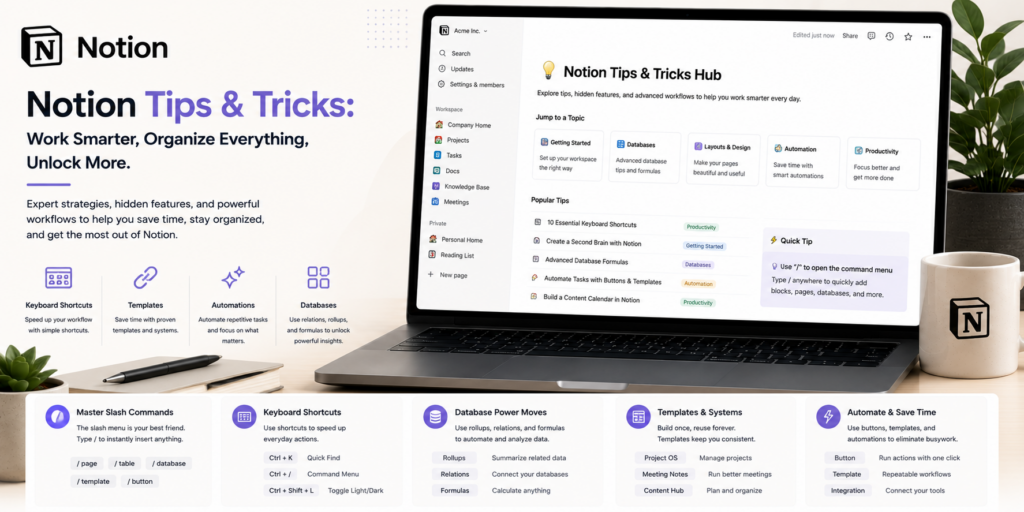
- Resist the urge to put everything in Notion. Long-term users are consistent that trying to use it for “everything” in a business is a common overextension — pick the specific use cases (documentation, lightweight project tracking) where it genuinely excels.
- Plan for search limitations if you’re building a large knowledge base. Given documented search inconsistency, use clear naming conventions and a deliberate page hierarchy to make content findable without relying entirely on search.
- Watch performance as your databases grow. If you’re managing thousands of records, monitor load times and consider whether a dedicated database or CRM tool might serve that specific function better as you scale.
- Use permissions realistically, not aspirationally. Since granular section/field editing control isn’t available, design your workspace structure (separate pages, not just separate sections) around your real access-control needs.
- Lean on the template marketplace continuously, not just at setup. As your needs evolve, browsing templates for new use cases (OKRs, meeting notes, a lightweight CRM) is often faster than building from scratch.
Alternatives to Notion
Choose Asana if you want a more structured, dedicated project management tool with less setup burden and stronger built-in reporting.
Choose ClickUp if you want broader project management depth alongside documentation, with more built-in structure than Notion provides out of the box.
Choose Notion if your priority is a flexible, documentation-centered workspace where you’re willing to invest setup time in exchange for a system tailored exactly to your business.
Final Verdict
Notion has earned its devoted following by doing something genuinely distinctive: giving small teams and individuals a flexible, no-code-adjacent workspace that can become almost anything — a wiki, a lightweight project tracker, a simple CRM — without locking them into someone else’s opinion of how work should flow. The consistent, credible caveat, backed by reviewers with years of hands-on use, is that this flexibility is a responsibility as much as a feature: you’re building the system, search has real known limitations, and performance and permissions get more complicated at scale. For a small team or solo operator that wants a documentation-first, highly customizable hub and is willing to invest the setup time, Notion remains one of the best tools in its category. For a team that wants structure and automation ready out of the box, a dedicated project management platform is likely the better starting point.
Frequently Asked Questions
Is Notion good for project management, or is it really a note-taking tool?
Notion started as a team knowledge base and note-taking tool, and reviewers are consistent that this remains its strongest use case. It can handle lightweight project management well, especially for documentation-heavy teams, but lacks the deep automation and reporting of dedicated project management platforms.
Does Notion have a good free plan?
Yes — reviewers consistently describe it as generous, particularly for individuals and small teams, though file uploads are capped at 5MB and page history is limited to 7 days on the free tier.
Is Notion’s search reliable?
This is a documented weak point — default search is described by reviewers as inconsistent, sometimes missing pages or returning results slowly. AI-powered enterprise search on Business and Enterprise plans performs better but still isn’t as fast as specialized search tools.
Can Notion handle large teams or large amounts of data?
It can, but reviewers note real performance considerations with very large datasets (5,000+ records) and limitations in granular permission control, making it a better fit for small-to-midsize teams than large, complex organizations.