HubSpot CRM Review 2026: Is the Free Plan Actually Enough for Your Small Business?
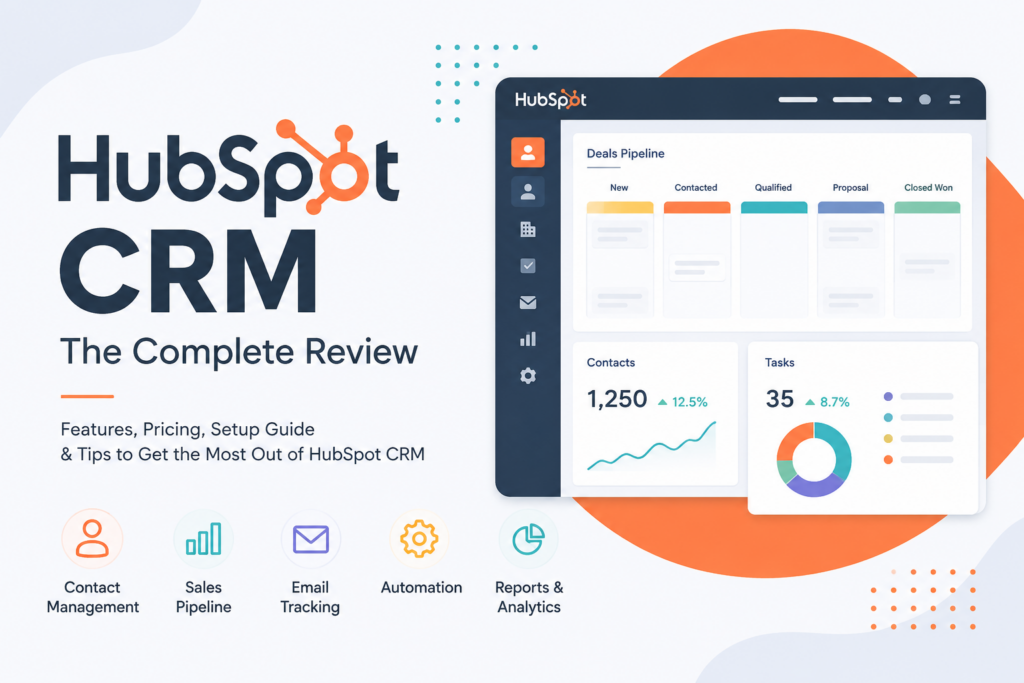
HubSpot CRM remains one of the easiest ways for a small business to get contacts, deals, and customer conversations out of spreadsheets and into one shared system — and its free plan is genuinely usable, not a bait-and-switch trial. The catch shows up the moment you need real automation, advanced reporting, or more than a couple of users: HubSpot’s paid tiers jump in price fast, and several of its most useful features live behind Professional plans that start around $800/month.
Best for: Small teams that want a free, well-designed starting point and a clear upgrade path as they grow. Not ideal for: Budget-conscious teams that will need automation or advanced reporting soon — you’ll hit HubSpot’s price cliff faster than expected. Pricing starts at: Free (2 users) · Starter at $15/seat/month Free trial? Yes — free plan has no time limit; paid tiers offer trials on request My recommendation: Start free, and budget seriously for Starter or Professional before you commit long-term — don’t assume the free plan will carry you as far as HubSpot’s marketing implies.
What Is HubSpot CRM?
HubSpot CRM is the free core of a much larger platform: an all-in-one system connecting sales, marketing, and customer service around a single customer record. Contacts, deals, emails, calls, and support tickets all live in one place, so instead of piecing together a customer’s history across five tools, your whole team sees the same record. HubSpot now has nearly 250,000 customers worldwide, and its free CRM has become one of the most common entry points for small businesses adopting their first real CRM system.
Beyond the core CRM, HubSpot organizes its paid tools into “Hubs” — Marketing Hub, Sales Hub, Service Hub, and others — each sold separately or bundled, which is both HubSpot’s biggest strength (buy only what you need) and its most common source of pricing confusion (see Pricing below).
HubSpot CRM Is Best For
- Startups and small teams needing their first real CRM
- Marketing-led businesses that want CRM, email, and forms in one place
- Service businesses tracking customer conversations across sales and support
- Companies under 100 employees with straightforward sales processes
Not recommended for:
- Enterprise organizations with complex, multi-team workflows
- Budgets under roughly $20/month per user once you outgrow Free
- Businesses needing deep automation or custom reporting immediately (not later)
At a Glance
| Best For | Small businesses, startups, service companies |
| Starting Price | Free (2 users); Starter $15/seat/month |
| Free Trial | Free plan is permanent; paid trials available |
| Mobile App | iOS and Android, full-featured |
| AI Features | Breeze AI (assistant, data agent, prospecting agent) |
| Ease of Use | High — consistently the top-rated factor in reviews |
| Integrations | 1,000+ (Gmail, Outlook, Slack, QuickBooks, Shopify) |
Pros & Cons
Pros
- Free plan includes real CRM, marketing, sales, and service tools — not a stripped demo
- Intuitive interface that non-technical teams adopt quickly
- Sales, marketing, and service data unified in one customer record
- 1,000+ integrations covering most small business tech stacks
- Breeze AI adds meeting summaries, follow-up suggestions, and prospecting help
Cons
- Free plan limited to 2 core seats (5 as of recent updates, with view-only seats unlimited)
- Advanced features (A/B testing, custom reporting, deep automation) require expensive bundles
- Professional tier jumps to roughly $800/month — a steep leap from Starter
- Annual contracts are not refundable if you cancel mid-year
- Pricing structure across multiple Hubs can be genuinely confusing to budget for
HubSpot CRM Review: What Reviewers and Real Users Are Saying
Professional reviewers are consistent on the fundamentals. CRM.org’s 2026 review calls HubSpot ideal for small and mid-sized businesses specifically because of its intuitive interface, noting the free plan lets businesses start with essential CRM features without any upfront investment — while flagging that advanced tools like A/B testing and custom reporting sit behind expensive premium plans. Business.com’s hands-on review highlights HubSpot’s AI features as a genuine strength for 2026, particularly the Meeting Assistant, which summarizes past interactions and suggests follow-up actions — though the review notes AI insight quality depends on how consistently your team keeps contact records updated.
SaaSCRMReview’s in-depth 2026 analysis, evaluated against HubSpot’s official pricing and Capterra, TrustRadius, and G2 sentiment, concludes HubSpot Smart CRM is worth it specifically for a 5-to-25-person inbound-led team that wants one shared record and a clear upgrade path without needing a data migration later. Toolscreener’s review is more pointed about the cost cliff: for small teams and solo operators, HubSpot’s free tier is one of the best “no-brainer” free CRMs available, but the moment you need automation, advanced reporting, or multiple teams, it “stops being free and friendly and starts feeling like a real line item.”
A more critical review from EngageBay (a competitor, worth reading with that in mind) makes a sharper argument: essential features like A/B testing and marketing automation are locked in bundles that can cost thousands per month depending on contact volume, and if you cancel a paid plan mid-year, HubSpot does not offer refunds — a real financial risk worth understanding before committing to annual billing.
On real customer sentiment, users consistently praise being able to combine CRM, marketing, and support in one platform once the whole team learns it — but a recurring frustration among longtime users is a feeling that HubSpot has drifted from its original small-business-friendly positioning as pricing has climbed, with some describing powerful features as increasingly out of reach for smaller teams.
Pricing
| Plan | Price | Best For |
|---|---|---|
| Free CRM | $0 (2 core seats) | Solo founders or tiny teams testing a first CRM |
| Starter | $15/seat/month (billed annually) | Small teams needing email automation, meeting scheduling |
| Professional | ~$800/month (Marketing Hub, 3 seats, 2,000 contacts) | Growing teams needing automation and custom reporting |
| Enterprise | ~$3,600/month (5 seats, 10,000 contacts) | Larger, multi-team organizations |
Hidden costs to watch for: Pricing is split across separate Hubs (Marketing, Sales, Service), so your real monthly cost depends on which bundles you need — budgeting for “HubSpot” as one number is a common mistake. Contact-based pricing also means your bill can climb as your list grows, independent of team size. And critically: annual plans are non-refundable if you cancel mid-term, so don’t commit annually until you’re confident in the fit.
Upgrade path: Free → Starter is a manageable, low-risk step. Starter → Professional is the steep part — budget for it deliberately rather than assuming a gradual climb.
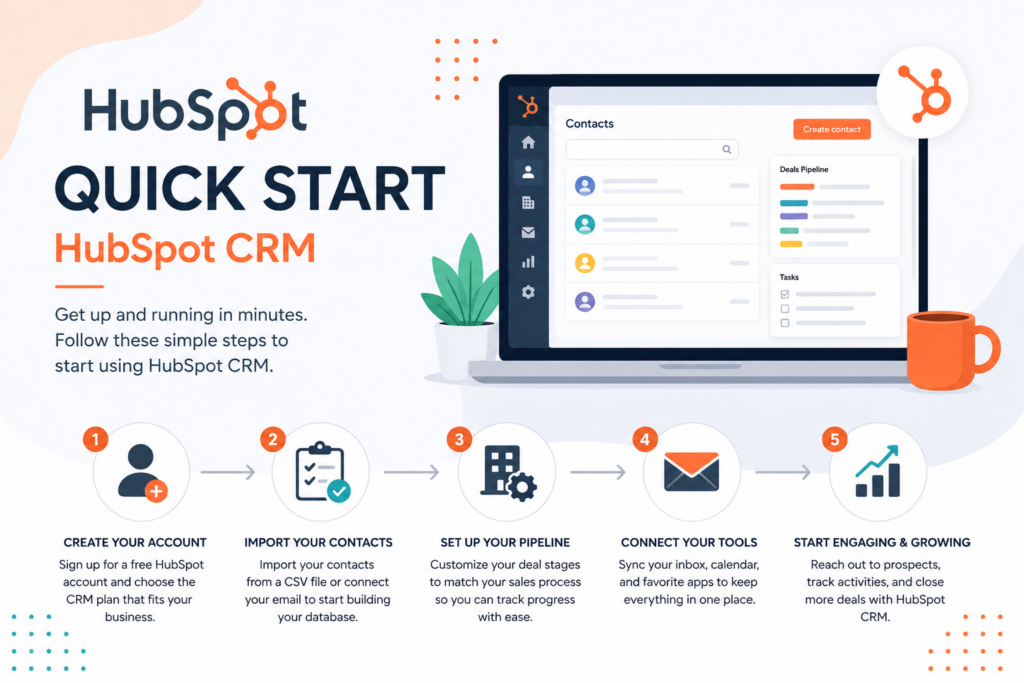
Quick Setup Guide
- Create your free account and import existing contacts from a spreadsheet or another CRM — HubSpot’s import tool handles most common formats.
- Connect your email (Gmail or Outlook) so sent/received messages log automatically against the right contact.
- Customize your deal pipeline to match your actual sales stages rather than using the default template as-is.
- Set up at least one form on your website to start capturing leads directly into the CRM.
- Invite your team (within your free seat limit) and assign deal ownership so accountability is clear from day one.
- Install the mobile app so your team can log calls and update deals from the field.
Getting Value Fast: Your First Week Checklist
Most new HubSpot users spend their first week exploring instead of producing results. Do these five things instead:
- Import your contacts on day one — a CRM with no data in it teaches you nothing about whether it fits your workflow.
- Log your next three real sales calls directly in HubSpot instead of a notebook, so you immediately see the “one customer record” value in practice.
- Build one email template for your most common outreach and send it through HubSpot rather than your regular inbox, to start tracking opens and replies.
- Connect one integration you already rely on (Gmail, Slack, or QuickBooks) so HubSpot fits into your existing routine instead of becoming a separate task.
- Set a deal pipeline reminder for one week out — review what moved, what stalled, and whether your pipeline stages actually reflect how you sell.
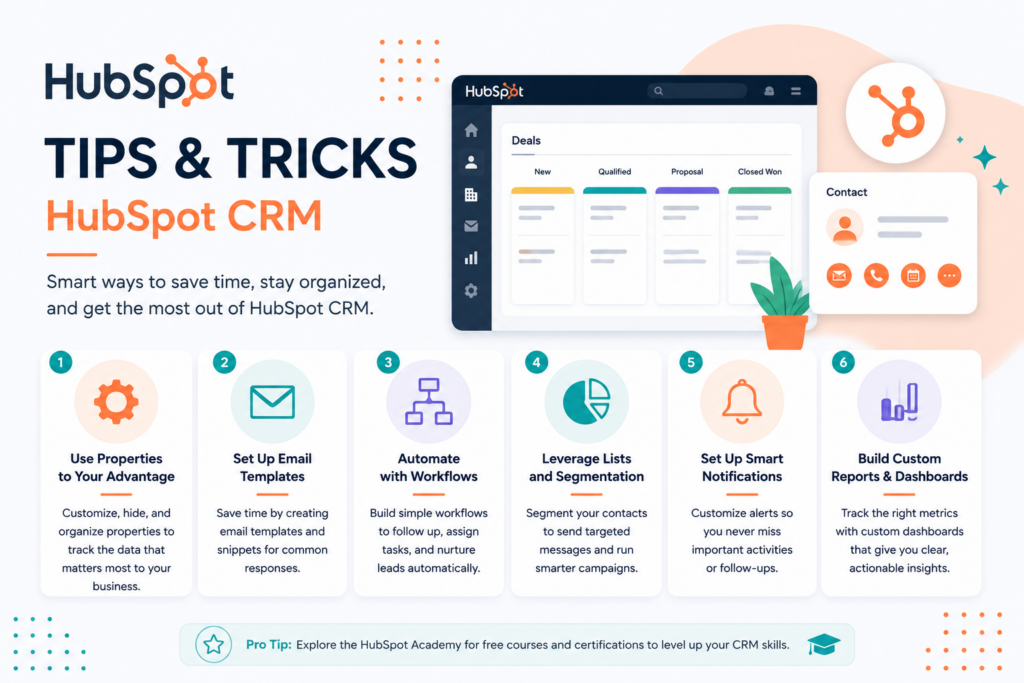
Tips & Tricks for Growing Your Business with HubSpot
- Use Breeze AI’s meeting notetaker before every sales call, not just occasionally — the more consistently it’s used, the better its follow-up suggestions get over time.
- Keep contact records genuinely current. HubSpot’s AI insights and reporting are only as good as the data your team logs — a habit of updating records after every call pays off across the whole platform.
- Segment your list before you email it. Free and Starter plans still allow list segmentation — use it instead of blasting your entire contact list with every message.
- Automate one repetitive task at a time. Rather than trying to build a complex Professional-tier workflow on day one, automate your single most repeated task first and expand from there.
- Review your Hub spend quarterly. Because pricing splits across Marketing, Sales, and Service Hubs, it’s easy to end up paying for a bundle your team barely touches — audit usage before renewal.
Integrations
HubSpot’s 1,000+ integration library is one of its most searched-for features, and for good reason — it’s often what determines whether HubSpot fits into an existing tech stack or requires rebuilding one.
- HubSpot + QuickBooks: Syncs invoices and deal data, so closed deals can flow into your accounting without manual re-entry.
- HubSpot + Slack: Pushes deal and ticket notifications into your team channels, keeping HubSpot activity visible without requiring everyone to log in constantly.
- HubSpot + Shopify: Syncs customer and order data for ecommerce businesses using HubSpot for marketing and customer follow-up.
- HubSpot + Gmail/Outlook: Native two-way email sync, the most commonly used integration and the one most reviewers recommend setting up first.
Alternatives to HubSpot CRM
Choose Pipedrive if you want a CRM built specifically around visual sales pipeline management, with simpler, more predictable pricing than HubSpot’s Hub structure.
Choose Zoho CRM if you’re budget-conscious and want deep integration with a broader business suite (accounting, help desk, inventory) at a lower price point than HubSpot’s Professional tier.
Choose HubSpot if you want the strongest free starting point in the category and plan to consolidate marketing, sales, and service into one platform as you grow — and you’re prepared to budget seriously once you outgrow Starter.
Frequently Asked Questions
Is HubSpot really free?
Yes — the free CRM includes real contact management, deal tracking, and basic marketing, sales, and service tools, not just a limited trial. The catch is that it’s capped at a small number of core seats, and many of the platform’s more powerful features require a paid plan.
Can HubSpot replace Salesforce?
For small and mid-sized businesses, often yes — HubSpot is generally easier to set up and use. For large, complex sales organizations with highly customized workflows, Salesforce’s deeper customization may still be worth its added complexity and cost.
Is HubSpot good for small businesses?
Yes, particularly as a first CRM — reviewers consistently rate it highly for ease of use and its free tier. The consideration isn’t whether it’s good, but whether your budget can absorb the cost jump once you outgrow the free and Starter tiers.
Does HubSpot work with QuickBooks?
Yes, through a native integration that syncs invoice and deal data, reducing manual entry between your CRM and your accounting software.
Final Verdict
HubSpot CRM earns its reputation as one of the best free entry points into customer relationship management — intuitive, genuinely useful at no cost, and backed by an integration library that fits most small business tech stacks. The honest trade-off, echoed by nearly every reviewer, is what happens after Free and Starter: Professional-tier pricing is a real jump, and reviewers are consistent that budget-conscious teams should price out that next step before they need it, not after. For startups, marketing-led teams, and service businesses under 100 employees, HubSpot remains a strong, low-risk starting point — just go in with eyes open about where the costs climb.