Rytr Review 2026: Is the Cheapest AI Writing Tool Still Worth Using?
Not every small business needs an AI writing platform with brand governance, team collaboration, and AI search visibility tracking. Sometimes you just need product descriptions, ad copy, and social captions written fast, without a $50+ monthly bill. That’s the exact gap Rytr has occupied since 2021 — a genuinely inexpensive AI writer, reportedly used by more than 8 million people, built around speed and simplicity rather than depth.
Reviewers are consistent that Rytr does its narrow job well and doesn’t pretend to do more. In 2026, with competitors like ChatGPT offering increasingly capable free tiers, the question worth asking isn’t just “is Rytr good” but “is Rytr still the right cheap option.” In this article, we’ll cover what Rytr actually does, what reviewers and real users say about it, how to get started, and the tips that help you get real value from a genuinely budget-friendly tool.
What Is Rytr?
Rytr is an AI-powered writing assistant built around more than 40 structured use cases — blog sections and outlines, product descriptions, social media captions, email subject lines, ad copy, SEO meta tags, interview questions, and more. Rather than requiring prompt engineering skills, you select a content type, choose a tone from more than 20 options, add a short topic or prompt, and generate content in seconds — a workflow reviewers consistently describe as beginner-friendly with effectively no learning curve.
The platform includes a built-in rich text editor for assembling generated sections into full documents, a “My Voice” feature that applies a consistent tone at generation time, a Chrome extension for writing directly inside Gmail, WordPress, LinkedIn, and other web apps, and a plagiarism checker powered by Copyscape on paid plans. Support spans 20–35+ languages depending on plan tier. Notably, Rytr’s AI chat and document editor live in separate views rather than one unified workspace, which some reviewers flag as minor friction when switching between generating and editing during longer sessions.
Pricing is refreshingly simple and consistently reported across reviewers: a Free plan includes 10,000 characters per month (roughly 1,500 words) with access to all 40+ use cases and no credit card required. The Saver/Unlimited plan runs $9/month (or about $7.50/month billed annually) and removes character limits entirely for unlimited generation. Premium runs $29/month (or about $24/month annually), adding multiple tone matching, 35+ languages, custom use cases, and priority support. Reviewers consistently note this makes Rytr roughly a fifth of the cost of entry-level plans from Jasper or Copy.ai.
Rytr Is Best For
- Beginners, bloggers, freelancers, and small business owners writing short-form content regularly
- Businesses primarily needing product descriptions, social posts, email copy, and ad copy
- Budget-conscious users who know exactly what they’re using the tool for
- Anyone wanting a genuinely no-learning-curve AI writing tool
Not recommended for:
- Long-form blog posts, articles, or content requiring real depth and originality
- Academic papers or highly technical documentation
- Businesses needing up-to-date factual research or real SERP/keyword intelligence built in
- Teams needing advanced collaboration or native marketing-stack integrations
At a Glance
| Best For | Beginners, freelancers, and small businesses needing short-form content |
| Starting Price | Free (10,000 characters/month); Saver $9/month |
| Free Trial | Free plan available, no credit card required |
| Mobile App | Chrome extension for on-the-go use; no dedicated mobile app |
| AI Features | 40+ templated use cases, “My Voice” tone matching |
| Ease of Use | Very high — no prompt engineering or learning curve required |
| Integrations | Works inside Gmail, WordPress, LinkedIn via Chrome extension |
Pros & Cons
Pros
- Extremely affordable — roughly a fifth of what Jasper or Copy.ai charge at entry level
- Free plan is real and usable, with no credit card required to start
- 40+ structured use cases eliminate blank-page syndrome for common marketing content
- Genuinely no learning curve — beginners are productive within minutes
- Built-in plagiarism checker on paid plans saves a separate Copyscape subscription
Cons
- Struggles with long-form content — output becomes repetitive and generic after a few paragraphs
- Not a research tool — can’t source up-to-date facts, verify claims, or build content around real SERP data
- Split editor and chat views add friction during longer editing sessions
- Lacks the native marketing-stack integrations and advanced collaboration features of pricier competitors
- Lower ceiling overall than more modern writing tools once you move beyond short-form commercial copy
Rytr Review: What Reviewers and Real Users Are Saying
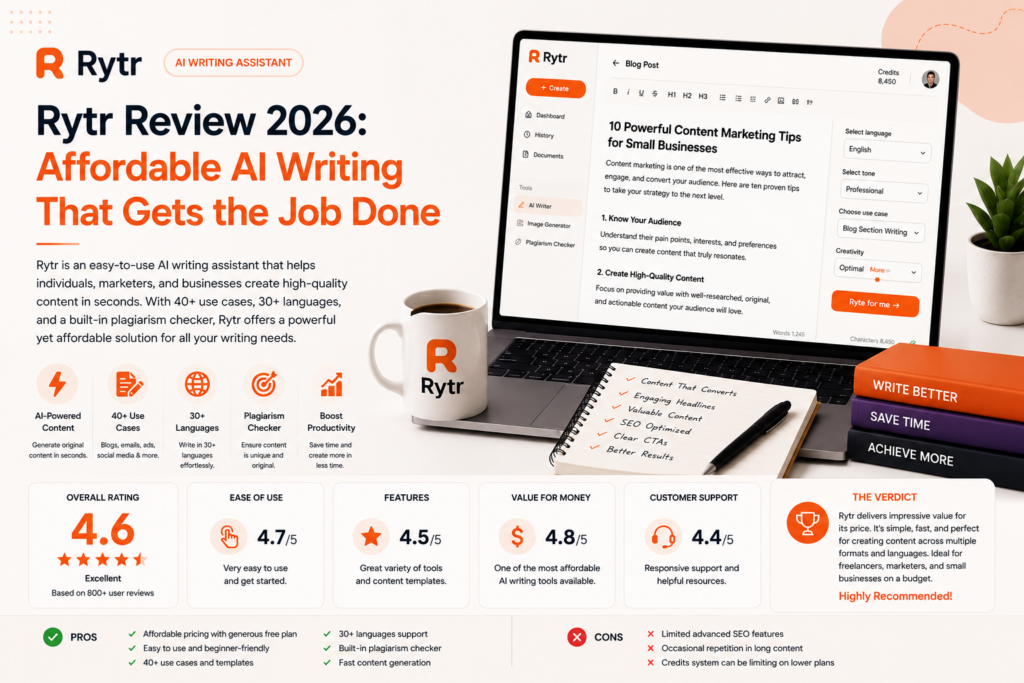
Reviewers are remarkably consistent both on what Rytr does well and exactly where its limits sit. AmpiFire’s review frames the fit precisely: for users who primarily need product descriptions, social media posts, email campaigns, and marketing copy, Rytr provides an ideal combination of affordability and functionality — but content creators requiring extensive long-form writing, academic papers, or highly technical documentation should look elsewhere. HyperWrite’s review (from a competing product, worth reading with that lens) puts it even more directly: at roughly $7.50/month, Rytr is “the easiest yes in AI writing if you know exactly what you’re using it for,” but if your work depends on nuance, strong voice, or polished long-form content, you’ll spend more time fixing outputs than you save generating them.
Fritz.ai’s comparative review positions Rytr clearly against its main rivals: it wins on price and simplicity against both Jasper and Writesonic, particularly for individuals and small teams, while flagging one consistent finding across 2025–2026 reviews — Rytr is a writing assistant, not a research assistant. It cannot source current facts, verify claims, or build content around real search data, so businesses whose content depends on factual accuracy or keyword intelligence need to pair it with separate research and SEO tools. The review’s practical guidance: the Saver plan around $9/month offers strong value if you regularly use the templates and editing tools for marketing copy, while Premium is only worth it for businesses needing priority support or very high usage volumes.
DIYAI’s in-depth 2026 review, built against an internal scoring framework, scores Rytr’s output quality 6.5 out of 10 and lands on a clear-eyed bottom line: still a useful budget tool in 2026, especially for fast first drafts and templated marketing copy, but the trade-off is depth — once you move beyond short-form commercial copy into detailed content strategy or nuanced long-form writing, the limitations show up quickly. Eddamoun’s hands-on testing echoes this exactly, highlighting unbeatable pricing and 40+ structured use cases as standout strengths, while directing users elsewhere for long-form blog content (ChatGPT Plus or Jasper), native marketing-stack integrations (Copy.ai or Jasper), technical documentation (ChatGPT or Claude), or advanced team collaboration (Jasper’s Business plan). A G2 reviewer cited in that same piece called Rytr their all-time favorite writing assistant for helping accomplish writing tasks efficiently in a fraction of the previous time — a sentiment consistent with the broader pattern of strong satisfaction specifically among short-form, budget-conscious users.
Pricing
| Plan | Price | Best For |
|---|---|---|
| Free | $0 (10,000 characters/month) | Testing all 40+ use cases before committing |
| Saver/Unlimited | $9/month ($7.50/month annual) | Freelancers and small businesses needing unlimited short-form generation |
| Premium | $29/month ($24/month annual) | Businesses needing 35+ languages, custom use cases, priority support |
Hidden costs to watch for: Rytr’s pricing is genuinely straightforward with few hidden traps — the real “cost” to understand is functional, not financial: you’ll likely need a separate research or SEO tool if factual accuracy and keyword intelligence matter to your content, since Rytr doesn’t build content around real SERP data. Factor that into your total content-tooling budget rather than assuming Rytr alone covers your full workflow.
Setup Guide: Getting Started with Rytr
- Start on the free plan — no credit card required, and it’s enough to test several of the 40+ use cases before you commit to anything.
- Pick one real, recurring content need — product descriptions, social captions, or ad copy — and generate several examples to judge quality against your actual standards.
- Test “My Voice” by setting a consistent tone and comparing output across a few different use cases to see how well it holds.
- Install the Chrome extension if you write inside Gmail, WordPress, or LinkedIn regularly, so Rytr fits into your existing workflow rather than requiring a separate tab.
- Upgrade to Saver once you hit the free plan’s character limit consistently — at $9/month, reviewers consistently call this the realistic starting point for regular use.
- Only consider Premium if you need 35+ languages, custom use cases, or priority support — reviewers are consistent this tier is overkill for most small businesses.
Getting Value Fast: Your First Week Checklist
- Generate five pieces of your most common short-form content (product descriptions, social captions, or ad copy) on day one to get an honest read on quality for your specific use case.
- Set your tone with “My Voice” and reuse it across every generation this week to test real consistency.
- Pair one Rytr draft with a quick fact-check pass, since reviewers are consistent it doesn’t source current or verified information — build this check into your workflow from day one.
- Install the Chrome extension and generate content directly inside a tool you already use (Gmail or WordPress) to see the real time savings.
- Track your character usage against the free plan’s limit so you know by week’s end whether Saver is worth the $9/month upgrade for your volume.
Tips & Tricks for Growing Your Business with Rytr
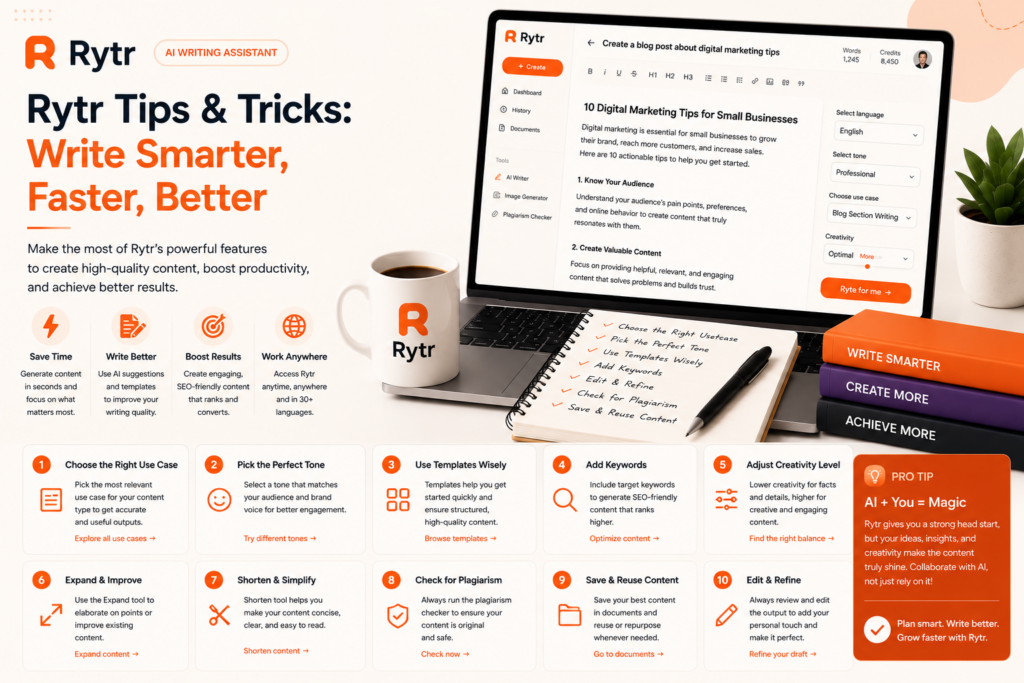
- Use it for what it’s built for. Reviewers are unanimous that Rytr shines on short-form content — product descriptions, ads, social captions, email subject lines — and struggles the moment you push it into long-form territory. Match the tool to the task rather than fighting its limits.
- Pair it with a research or SEO tool for anything fact-dependent. Since Rytr can’t verify claims or pull real SERP data, budget for a separate tool if your content strategy depends on keyword intelligence or factual accuracy.
- Lean on the 40+ templates instead of freeform prompting. The structured use cases are specifically designed to eliminate blank-page syndrome — using them as intended is faster than trying to prompt-engineer your way to better output.
- Use the plagiarism checker on paid plans instead of a separate subscription. It’s a genuine cost-saver if you were already planning to pay for Copyscape separately.
- Know when to graduate. If you find yourself consistently needing long-form depth, native marketing integrations, or advanced collaboration, reviewers are consistent that it’s time to look at Jasper, Copy.ai, or ChatGPT rather than trying to stretch Rytr past its intended use case.
Alternatives to Rytr
Choose Jasper if you need long-form content with strong brand voice consistency and have budget for a premium tool.
Choose ChatGPT Plus if you want more powerful long-form and conversational writing capability at a similarly accessible price point.
Choose Rytr if your primary need is fast, affordable short-form marketing content and you’re comfortable pairing it with other tools for research or long-form work.
Final Verdict
Rytr succeeds by staying exactly in its lane: a fast, genuinely cheap, no-learning-curve AI writer for short-form marketing content, not a long-form content strategist or a research tool. Reviewers are remarkably aligned on both its value and its limits — for product descriptions, social captions, and ad copy, it’s one of the easiest recommendations in AI writing; for anything requiring depth, nuance, or factual research, you’ll want a different tool alongside it. For a budget-conscious small business or beginner blogger with clearly defined short-form needs, Rytr remains one of the best-value AI writing tools available in 2026.
Frequently Asked Questions
Is Rytr good for beginners?
Yes — reviewers consistently note it requires no prompt engineering or technical skill, and most users are productive within minutes of signing up.
Can Rytr write full blog posts?
It can generate drafts and individual sections of blog posts, but reviewers are consistent that output becomes repetitive and generic in longer-form content, and a final human edit is always required.
Is Rytr better than ChatGPT?
Rytr is faster and easier for short, structured, repetitive tasks thanks to its templates. ChatGPT is more powerful for long-form content, complex reasoning, and nuanced conversational editing.
Does Rytr have a free plan?
Yes — the free plan includes 10,000 characters per month (about 1,500 words) with access to all 40+ use cases, and no credit card is required to start.
Related Reading
[Jasper AI Review], [Writesonic Review], [Best AI Writing Tools for Small Business]