monday CRM Review 2026: Is the $12 Sticker Price the Real Story?
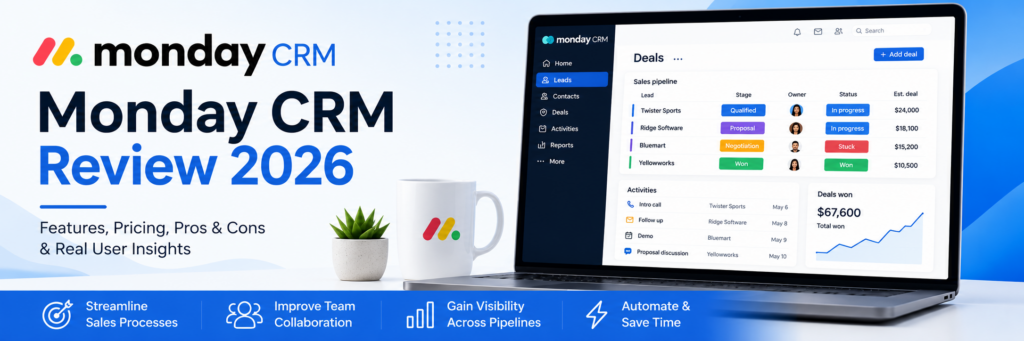
Some CRMs are hard to love because they’re clunky. monday CRM is a different kind of hard-to-evaluate: it’s genuinely easy to use, highly visual, and teams actually stick with it — but reviewers are increasingly blunt that its advertised pricing and its real-world cost are two very different numbers. Built on top of monday.com’s broader Work OS platform, monday CRM brings the same colorful, board-based interface that made monday.com popular for project management into the world of sales pipelines.
That shared foundation is both its biggest selling point and its most debated trade-off. In this article, we’ll cover what monday CRM actually does, what professional reviewers and real users say about it in 2026, how to get your pipeline set up, and the tips that help you avoid the pricing traps reviewers warn about most.
What Is monday CRM?
monday CRM is the sales-focused CRM product built on monday.com’s Work OS platform — the same customizable, color-coded board system used across monday’s project management tools, adapted specifically for pipeline and customer relationship management. Every deal lives on a visual board, with customizable columns, drag-and-drop stages, and dashboards that pull data across boards into one view.
Because it’s part of the broader monday product suite, one of its clearest differentiators is cross-team visibility: sales boards can connect to project or operations boards on the same platform, so a closed deal can flow directly into delivery or onboarding work without switching tools. In 2026, monday has significantly expanded its AI capabilities — an AI Sales Agent, AI Lead Agent, AI-generated outreach emails, call summaries, win/loss predictions, lead scoring, and column autofill are all now part of the product, concentrated mainly in the Pro and Enterprise tiers.
Pricing is structured across four tiers, billed annually: Basic starts at $12/seat/month, Standard at $17/seat/month, Pro at $28/seat/month, and Ultimate on custom contact-sales pricing. The catch reviewers flag consistently: every plan requires a three-seat minimum, so the real starting cost is $36/month, not $12. Feature gating compounds this — two-way email sync (Gmail and Outlook), quotes, and invoices require Standard; sales analytics, lead scoring, and the mobile call-logging app require Pro; HIPAA compliance requires Ultimate. A free trial is available to test the platform before committing.
monday CRM Is Best For
- Teams already using monday.com for project management who want CRM and operations on one platform
- Sales teams that want highly visual, customizable pipeline views (Kanban, color-coded boards)
- Businesses with non-traditional sales workflows that don’t fit a rigid, single-pipeline CRM
- Teams of 3 or more that can absorb the seat minimum without waste
Not recommended for:
- Solo operators or 1–2 person teams, due to the mandatory 3-seat minimum
- Budget-conscious small businesses that need email sync, automation, and integrations immediately (these require Standard or Pro)
- Teams expecting the advertised $12 price to reflect their real monthly cost
At a Glance
| Best For | Teams already on monday.com wanting unified CRM + operations |
| Starting Price | $12/seat/month (Basic) — 3-seat minimum applies |
| Free Trial | Available |
| Mobile App | iOS and Android; call-logging requires Pro |
| AI Features | AI Sales Agent, Lead Agent, email generation, lead scoring (mostly Pro+) |
| Ease of Use | High — board-based interface drives strong adoption |
| Integrations | Slack, Gmail, and broader monday.com app ecosystem |
Pros & Cons
Pros
- Highly visual, customizable boards that teams genuinely adopt and stick with
- Strong automation breadth once you reach the tier that unlocks it
- Real cross-team visibility if you already run projects or operations on monday.com
- Expanding 2026 AI toolset — sales agent, lead scoring, AI-generated outreach emails
- GDPR and SOC 2 compliant, with SSO and audit logs available on Enterprise
Cons
- Three-seat minimum on every plan turns the $12 headline into a $36 real floor
- Core features — email sync, quotes, invoices — are locked behind Standard, not included in Basic
- Sales analytics, lead scoring, and the mobile call-logging app require Pro (a realistic $84+/month minimum)
- Basic’s 1,000-active-contact cap is easy for a single year of inbound leads to exceed
- Live chat support response times are inconsistent — some reviewers report multi-hour waits on lower tiers
monday CRM Review: What Reviewers and Real Users Are Saying
Reviewers are unusually aligned on both monday CRM’s strength and its central catch. CRM.org’s 2026 review calls adoption the platform’s biggest strength, noting the board-based view makes updating deals intuitive and that automations reduce the follow-up fatigue that causes deals to go cold — in testing, teams used it consistently because it blended into daily workflow rather than forcing new habits. DecisionCircuit’s review, scoring monday CRM 8.1/10, highlights the same strengths: highly visual, customizable Kanban views and color-coded pipelines, plus the real advantage of CRM, project boards, and operations living on one platform for genuine cross-team visibility.
The pricing critique is where reviewers turn notably sharper. OnePageCRM’s review — from a competing product, worth reading with that lens — argues bluntly that monday’s pricing architecture “punishes small operations while pretending to offer competitive rates,” pointing out that the advertised $12 Basic plan requires a 3-seat minimum before you can even use it, pushing the real floor to $36/month for a tier that doesn’t include email sync, task automation, or app integrations. The same review notes the Standard plan, advertised at $17, realistically starts around $51/month once the seat minimum applies, and still excludes email sequences — with Pro’s minimum landing around $84/month for features many competitors include at half the price. Agiled’s 2026 review echoes this exact pattern independently, explicitly naming it as the reason “monday CRM is too expensive for small teams” recurs across dozens of Capterra and Trustpilot reviews, and lists precisely which features are gated where: two-way email sync and quotes/invoices require Standard, while sales analytics, lead scoring, and the mobile call-logging app require Pro.
On direct comparison, Agiled’s honest framing is worth quoting in full spirit if not verbatim: monday CRM wins on visual customization and time-to-productive for non-traditional workflows, HubSpot wins on free tier generosity and marketing-sales alignment, Pipedrive wins on pipeline simplicity and per-seat clarity with no seat minimum, Salesforce wins on depth and ecosystem, and Zoho wins on price for teams under 10 that don’t need premium UX. Capterra’s aggregated data shows monday CRM is built primarily for small businesses, who make up 91% of reviewers, with particularly strong representation in marketing and advertising, IT services, and real estate — suggesting the visual, flexible board format resonates especially well with non-traditional sales workflows in those industries.
What Users Love
Adoption and daily usability. This is the most consistently cited strength across every source — the board-based interface reduces the friction that causes teams to abandon other CRMs, and automations meaningfully cut down on manual follow-up work.
Visual customization depth. A G2 reviewer working as a senior client success manager described it as having changed how their business operates, specifically citing new visibility into areas that had previously been siloed. A marketing reviewer separately praised the ability to tailor pipelines, automate follow-ups, and integrate with tools like Slack and Gmail.
Cross-team visibility on the monday platform. For businesses already using monday.com for project or operations management, having CRM data live on the same platform is a genuine, hard-to-replicate advantage over standalone CRM tools.
Expanding AI capabilities. The 2026 AI toolset — sales agent, lead scoring, AI-generated outreach — is positioned as directly competitive with HubSpot and Pipedrive, with reviewers noting real productivity gains around email drafting and lead prioritization for active sellers.
What Users Complain About
The seat-minimum and feature-gating combination. This is, by a wide margin, the most repeated and specific criticism across every review source. The three-seat minimum turns headline pricing into a materially higher real cost, and essential functionality — email sync, automation, analytics — sits behind higher tiers than reviewers feel is reasonable relative to competitors.
The Basic plan’s contact cap. The 1,000-active-contact ceiling on Basic is frequently exceeded within a single year of normal inbound lead volume, forcing an unplanned upgrade.
Inconsistent support response times. Verified Trustpilot complaints describe slow chat support, with some teams reporting average waits of roughly two hours per issue for live chat. Support SLAs are tier-dependent, and Basic/Standard customers commonly wait 4–24 hours for non-trivial questions, while Pro and above get faster response.
A real learning curve despite the visual interface. Some reviewers note that the platform’s flexibility cuts both ways — building out a fully customized CRM structure takes real time investment, and it’s possible to spend more time building the system than using it if you’re not careful about scope.
Pricing
| Plan | Price (per seat/month, annual) | Real Floor (3-seat min) | What’s Included |
|---|---|---|---|
| Basic | $12 | ~$36/month | Contact management, boards, up to 1,000 active contacts — no email sync or automation |
| Standard | $17 | ~$51/month | Adds 2-way email sync, quotes, invoices |
| Pro | $28 | ~$84/month | Adds sales analytics, lead scoring, mobile call logging |
| Ultimate | Custom | Contact sales | Adds HIPAA compliance, SSO, audit logs |
Hidden costs to watch for: The three-seat minimum is the single biggest gap between advertised and real pricing — factor it in before comparing monday CRM’s sticker price to competitors that price per actual seat used. Also budget realistically for Standard or Pro, since Basic excludes the features most small businesses consider essential day one.
Setup Guide: Getting Your Pipeline Running
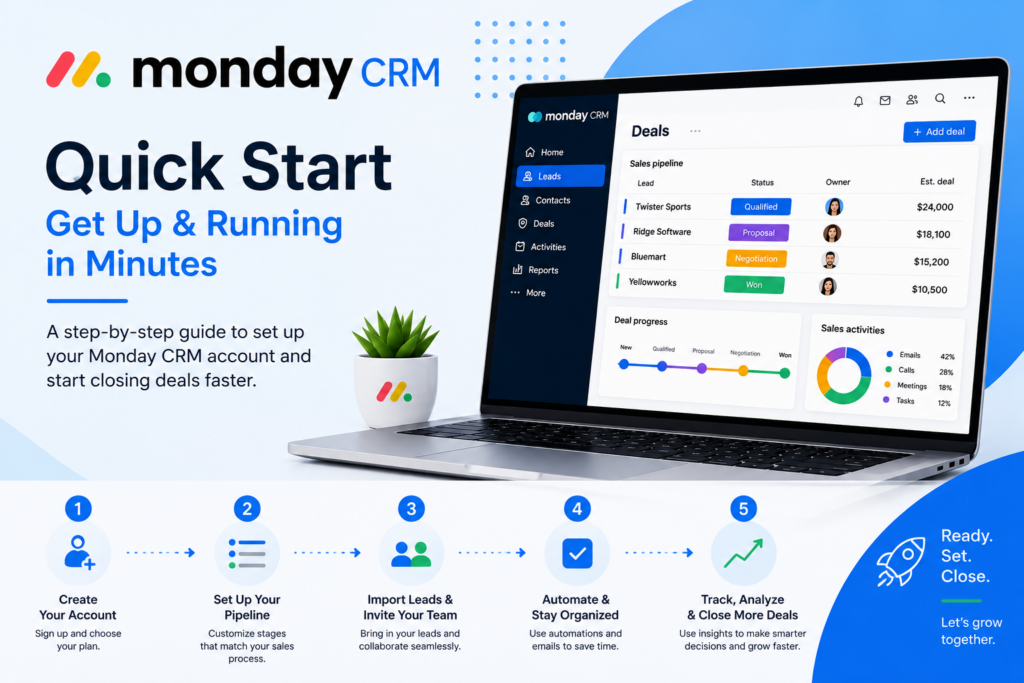
- Start your free trial and pick the tier honestly — don’t default to Basic if you know you’ll need email sync or automation soon.
- Build your first sales board, customizing columns and stages to match your actual sales process rather than a default template.
- Import your contacts, keeping the 1,000-contact cap on Basic in mind if you’re on that tier.
- Connect your email (Gmail or Outlook) if you’re on Standard or above — this is one of the most-cited features that makes the CRM usable for active selling.
- Set up automations for follow-up reminders and stage-change notifications so deals don’t stall silently.
- Connect relevant apps — Slack for team visibility, and any project boards you want linked for cross-team handoff.
- Invite your team, remembering your license already covers at least three seats even if your team is smaller.
Getting Value Fast: Your First Week Checklist
- Load your real, active deals into a board on day one — the visual pipeline only proves its worth with real data in it.
- Build one automation immediately (e.g., notify the deal owner when a stage changes) to experience the time savings reviewers cite as monday’s biggest strength.
- Connect email sync if your tier supports it, so communication history starts attaching to deals right away.
- Test one AI feature — such as AI-generated outreach emails or lead scoring — if you’re on Pro, to see whether it fits your actual sales process.
- Check your contact count against your tier’s cap at the end of week one, so you’re not surprised by an upgrade requirement later.
Tips & Tricks for Growing Your Business with monday CRM
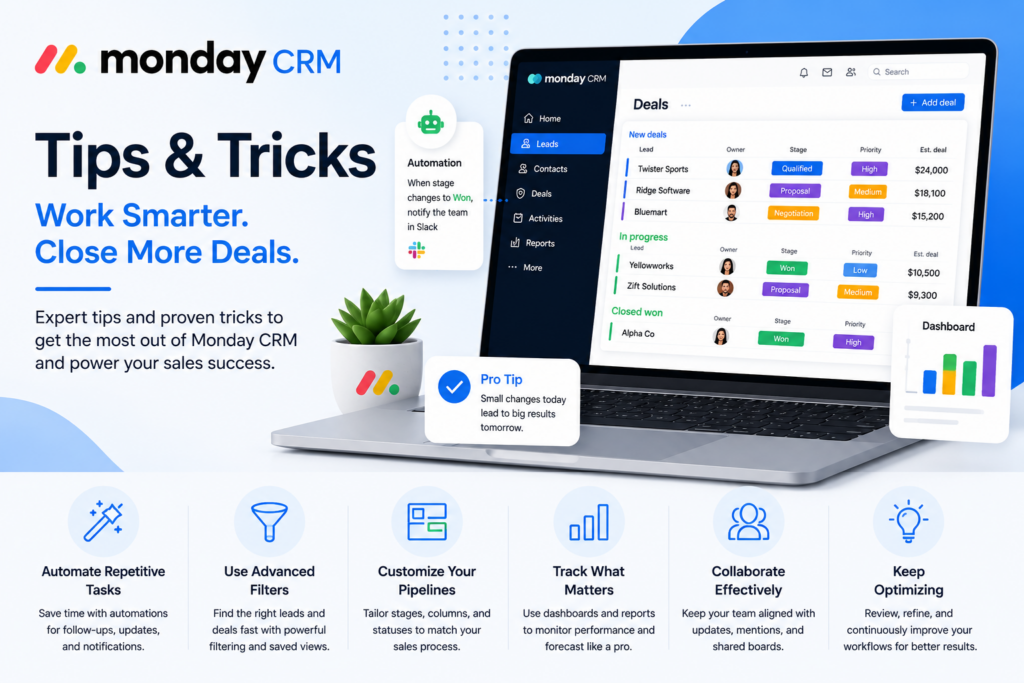
- Decide your tier based on features you need, not the advertised entry price. Reviewers are unanimous that Basic is a limited starting point — map your must-haves (email sync, analytics, automation) to the tier that actually includes them before signing up.
- Use cross-board connections if you’re on monday.com already. Linking a closed deal directly to a delivery or onboarding board is one of the platform’s most distinctive, underused advantages over standalone CRMs.
- Watch your seat count carefully. Since every plan requires a minimum of three, make sure you’re getting value from all three licenses rather than paying for unused seats.
- Build automations incrementally. Given reports that the platform’s flexibility can turn into over-building, start with one or two high-value automations (follow-up reminders, stage-change alerts) before attempting a fully custom workflow.
- Plan for support wait times on lower tiers. If fast support response matters to your team, factor that into your tier decision rather than treating it as a Basic-plan afterthought.
Alternatives to monday CRM
Choose HubSpot if you want the most generous free CRM tier available and strong marketing-sales alignment out of the box.
Choose Pipedrive if you want pipeline simplicity and clear per-seat pricing without a forced seat minimum.
Choose monday CRM if you’re already using monday.com for project management and want unified visibility across sales and operations, and you’re prepared to budget for Standard or Pro rather than anchoring on the Basic price.
Final Verdict
monday CRM earns real, consistent praise for one thing above all: teams actually use it, thanks to a visual, board-based interface that reduces the adoption friction that kills so many CRM rollouts. The equally consistent warning from reviewers is about the gap between monday’s advertised pricing and what a small business actually pays once the three-seat minimum and tier-gated features are factored in. For a team already living on monday.com’s platform, that trade-off is easier to justify. For a small, budget-conscious team evaluating monday CRM against its sticker price alone, do the real math — Standard or Pro, times three seats — before you compare it to competitors.
Frequently Asked Questions
Is monday CRM good for small businesses?
It depends on the team size and budget. It’s well-suited to teams already on monday.com or those wanting highly visual, customizable pipelines, but the mandatory 3-seat minimum makes it a poor fit for solo operators or very small teams.
Why does monday CRM cost more than the advertised price?
Every plan requires a minimum of three seats, so the $12/seat Basic plan has a real floor of about $36/month. Key features like email sync and analytics are also gated to higher tiers, which further raises the realistic monthly cost.
Does monday CRM include AI features?
Yes — 2026 additions include an AI Sales Agent, AI Lead Agent, AI-generated outreach emails, call summaries, and lead scoring, though most of these are concentrated in the Pro and Enterprise tiers.
Is monday CRM better than Pipedrive?
It depends on your priorities. monday CRM offers stronger visual customization and cross-team visibility if you’re already on the monday.com platform; Pipedrive offers simpler, more predictable per-seat pricing without a forced minimum.