Pipedrive CRM Review 2026: The Visual Pipeline Built by Salespeople, for Salespeople
Most CRMs are built by product teams trying to satisfy every department at once — sales, marketing, service, IT — which is exactly why so many of them feel bloated to the salesperson who just wants to see which deals need attention today. Pipedrive took the opposite approach from day one: it was founded in 2010 by actual salespeople frustrated with existing CRM tools, and built around a single idea — a visual pipeline where every deal is a card you drag from stage to stage.
That focus has made Pipedrive one of the most recommended CRMs for small and mid-sized sales teams, and one of the easiest to actually get a team to use. But “focused” also means “narrower,” and reviewers are specific about where that trade-off shows up. In this article, we’ll cover what Pipedrive actually does, what professional reviewers and real users say about it, how to get your pipeline running, and the tips that help you get real value from it.
What Is Pipedrive?
Pipedrive is a cloud-based, sales-focused CRM built around pipeline management rather than broader marketing or service functionality. The core experience is a visual, drag-and-drop pipeline: each deal is a card that moves through custom stages you define, with activity reminders (calls, emails, meetings) attached to keep deals from going quiet. Reviewers consistently describe this as Pipedrive’s defining strength — new users can import contacts from a CSV, Google Contacts, or another CRM within minutes, and a setup wizard walks through building your first pipeline and customizing stages without a steep learning curve.
Beyond the pipeline, Pipedrive includes two-way email sync, workflow automation, revenue forecasting, a meeting scheduler, lead scoring and data enrichment on higher tiers, and Pipedrive AI (branded Pulse in some markets) for deal insights and sales assistance. A large app marketplace extends the core product with integrations spanning email marketing, proposals, accounting, and more. Contact storage is unlimited on every plan — pricing is based purely on user count, which reviewers note makes budgeting simpler than CRMs that charge by contact volume.
Pricing runs across five tiers with annual billing saving roughly 17% over monthly. As of the 2026 pricing structure, Essential starts around $14/user/month, Advanced around $34/user/month adds full email sync and richer automation, Professional around $64/user/month adds forecasting and more advanced reporting, Power adds project management and phone support, and Enterprise is the most comprehensive tier for larger teams with security requirements. A 14-day free trial is available on all plans, with no credit card required — but there is no permanent free plan.
Pipedrive Is Best For
- Small to mid-sized sales teams that want a simple, visual way to manage deals
- Teams that have outgrown spreadsheets but don’t want an enterprise-heavy CRM
- Sales-first businesses prioritizing pipeline clarity over broad marketing/service features
- Teams willing to budget beyond the entry tier for real automation and email sync
Not recommended for:
- Businesses that rely more on contact and relationship management than deal-stage tracking (consulting, professional services)
- Teams wanting an all-in-one marketing, sales, and service platform in a single tool
- Anyone expecting a permanent free plan — Pipedrive offers a trial only
At a Glance
| Best For | Sales-focused small to mid-sized teams |
| Starting Price | ~$14/user/month (Essential, annual billing) |
| Free Trial | 14 days, no credit card required |
| Mobile App | iOS and Android, full-featured |
| AI Features | Pipedrive AI for deal insights and sales assistance |
| Ease of Use | Very high — gentle learning curve vs. Salesforce/Dynamics |
| Integrations | Large app marketplace; some integrations one-directional |
Pros & Cons
Pros
- Best-in-class visual pipeline that teams actually adopt and use daily
- Gentle learning curve — new users are productive within minutes, not weeks
- Unlimited contacts on every plan; pricing is simply users × per-seat price
- Strong activity-based selling approach keeps deals from stalling silently
- 14-day trial with no credit card required
Cons
- No permanent free plan — Essential tier lacks full email sync
- Real usefulness for active selling starts around the Advanced/Growth tier, not the entry price
- Add-ons for lead generation, email marketing, and documents can raise the real cost well above the sticker price
- Deal-focused design is a weaker fit for contact-centric businesses like consulting
- Some marketplace integrations are one-directional or require manual triggering rather than real-time sync
Pipedrive Review: What Reviewers and Real Users Are Saying
Reviewers are strikingly consistent on Pipedrive’s core identity. DecisionCircuit’s 2026 review, scoring the platform 8.8/10, credits its strength to deliberate simplicity: the pipeline view is genuinely best-in-class, and the activity-based selling approach keeps small teams focused on the actions that actually move deals forward, rather than burying them in features they’ll never use. SaaSCRMReview’s comparative analysis makes a similar point more bluntly, concluding Pipedrive delivers roughly 80% of Salesforce’s functionality at a quarter of the cost and complexity — calling Salesforce overkill for most small businesses by comparison.
Axis Consulting’s small-business-focused review, based on implementing Pipedrive for dozens of small businesses, offers some of the most practical guidance available: for most 7-person sales teams, the Growth tier is the realistic starting point, because the entry-level Lite plan lacks full email sync and behaves “more like a pipeline viewer than a sales management tool” without it. OnePageCRM’s independent review — from a competing product, worth reading with that lens — makes an important fit distinction: Pipedrive is a deal-focused CRM, which can be a mismatch for small businesses in consulting or professional services that rely more on contact and relationship management than tracking discrete deal stages.
LaGrowthMachine’s review frames Pipedrive’s value proposition clearly: pricing is competitive for small to mid-sized teams, more affordable than Salesforce and comparable to Close or Freshsales, with a 14-day trial requiring no credit card. Authencio’s 2026 review captures the overall trade-off in one line: easy to use and great for pipeline management, but costs can add up as the team scales — a theme that shows up across nearly every source we reviewed.
Pricing
| Plan | Price (annual) | Best For |
|---|---|---|
| Essential | ~$14/user/month | Solo entrepreneurs or very small teams needing basic CRM functionality (no full email sync) |
| Advanced/Growth | ~$34/user/month | Growing teams needing automation and real email tracking |
| Professional | ~$59–64/user/month | Teams needing lead scoring, data enrichment, forecasting |
| Power | Custom | Teams needing project management tools and phone support |
| Enterprise | Custom | Larger teams with strict security and governance requirements |
Hidden costs to watch for: The advertised entry price is easy to anchor on, but reviewers are consistent that real day-to-day usefulness starts at Advanced or Growth, not Essential. Add-ons for lead generation, email marketing, and document features are priced separately and can push your real monthly cost meaningfully above the base plan — budget for these upfront rather than discovering them after signup.
Setup Guide: Getting Your Pipeline Running
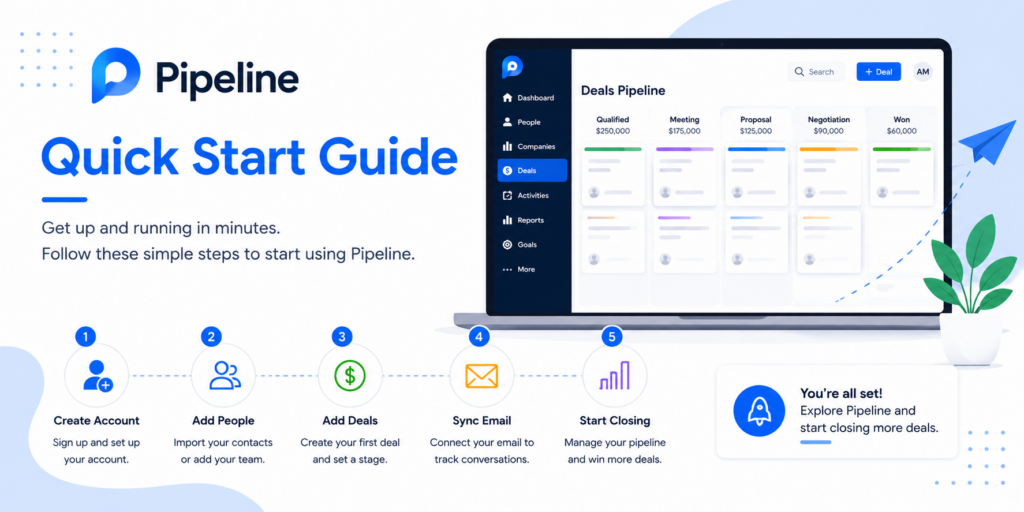
- Start your 14-day trial and use the setup wizard to build your first pipeline — don’t accept the default stages without adjusting them to match your actual sales process.
- Import your contacts from a CSV, Google Contacts, or your previous CRM; most reviewers note this takes minutes, not hours.
- Connect your email for two-way sync (confirm your plan tier includes full sync — Essential does not).
- Customize your deal stages to reflect your real sales process, not a generic template — this is what makes the visual pipeline actually useful day to day.
- Set activity reminders for every open deal so nothing goes quiet without a scheduled follow-up.
- Invite your team and assign deal ownership so pipeline accountability is clear from the start.
- Install the mobile app so reps can update deals and log activities from the field.
Getting Value Fast: Your First Week Checklist
- Move your five most active deals into Pipedrive on day one — the pipeline view only proves its value once real deals are living in it.
- Set an activity reminder on every open deal today, not eventually — this is the habit that prevents deals from silently going cold.
- Log your next three sales calls directly in Pipedrive instead of a notebook or spreadsheet, so the team sees the pipeline updating in real time.
- Connect your email for two-way sync if your plan includes it, so communication history attaches automatically to each deal.
- Review your pipeline at the end of week one — which deals moved, which stalled, and whether your stages actually reflect how your team sells.
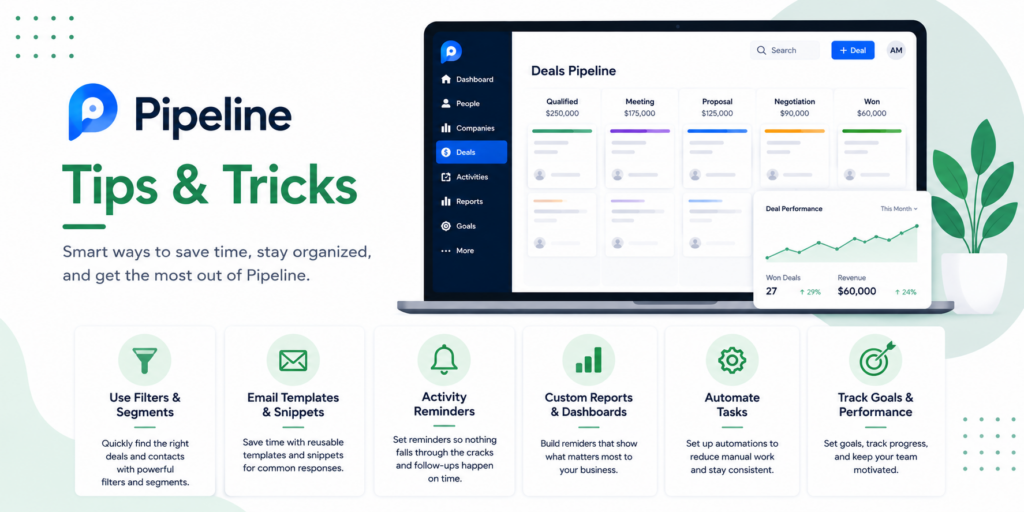
Tips & Tricks for Growing Your Business with Pipedrive
- Treat activity reminders as non-negotiable. Reviewers consistently credit Pipedrive’s activity-based approach as its biggest edge over passive CRMs — a deal without a scheduled next action is a deal that’s quietly dying.
- Customize pipeline stages per product line if you sell more than one thing. A single generic pipeline can hide meaningful differences in how different deal types actually move.
- Don’t stop at Essential if you need real automation. Reviewers are consistent that the entry tier is a pipeline viewer, not a sales management tool — budget for Advanced/Growth if automation and email sync matter to your process.
- Audit your add-ons quarterly. Because lead generation, email marketing, and document add-ons are priced separately, review what you’re actually using each quarter before renewal.
- Use forecasting once you’re on Professional or above to catch pipeline gaps before they become a revenue problem, rather than only reacting after a slow month.
Integrations
Pipedrive’s app marketplace is large enough to be a genuine differentiator, though reviewers flag one practical caveat worth knowing upfront.
- Pipedrive + Google Workspace / Outlook: Native two-way email sync (on qualifying plans) is the most commonly used integration and the one to set up first.
- Pipedrive + Slack: Pushes deal updates and notifications into team channels for visibility without requiring everyone to log in constantly.
- Pipedrive + QuickBooks: Connects closed deals to invoicing, reducing manual re-entry between sales and accounting.
- A caution worth noting: reviewers point out that some marketplace integrations are one-directional (data flows only one way) or require manual triggering rather than real-time syncing — always verify how a specific integration actually behaves before treating it as a critical part of your workflow.
Alternatives to Pipedrive
Choose HubSpot if you need all-in-one marketing, sales, and service in a single platform, and you’re willing to pay more for that breadth.
Choose Zoho CRM if you want more features on paper at a lower price — reviewers note Zoho offers strong value, though Pipedrive’s superior usability often produces higher real-world adoption and ROI.
Choose Pipedrive if you primarily need clear, visual sales pipeline management at a better price point than the all-in-one platforms, and you don’t need deep marketing or service tools bundled in.
Final Verdict
Pipedrive earns its reputation the way its founders intended: a CRM built specifically for the discipline of moving deals forward, with a visual pipeline reviewers consistently call best-in-class and a learning curve gentle enough that teams actually adopt it. The honest trade-off is equally consistent across every source — no free plan, an entry tier that undersells what active selling requires, and add-on costs that can push your real bill well past the sticker price. For a sales-focused small or mid-sized team ready to budget realistically for the Advanced or Growth tier, Pipedrive remains one of the strongest, most usable CRMs in its category.
Frequently Asked Questions
Is Pipedrive good for small businesses?
Yes, particularly for sales-focused teams — reviewers consistently rate its ease of use and pipeline clarity highly. The main consideration is budgeting past the entry tier, since real automation and email sync require the Advanced/Growth plan or higher.
Does Pipedrive have a free plan?
No — Pipedrive offers a 14-day free trial with no credit card required, but there is no permanent free tier, unlike some competitors such as HubSpot.
Is Pipedrive better than HubSpot?
It depends on your needs. Pipedrive is generally the better choice for pure sales pipeline management at a lower cost; HubSpot is the better choice if you want marketing, sales, and service tools unified in one platform.
Can Pipedrive integrate with QuickBooks?
Yes, through the app marketplace, connecting closed deals to your accounting workflow. As with any integration, confirm whether the specific connection syncs in real time or requires manual triggering before relying on it for critical workflows.